




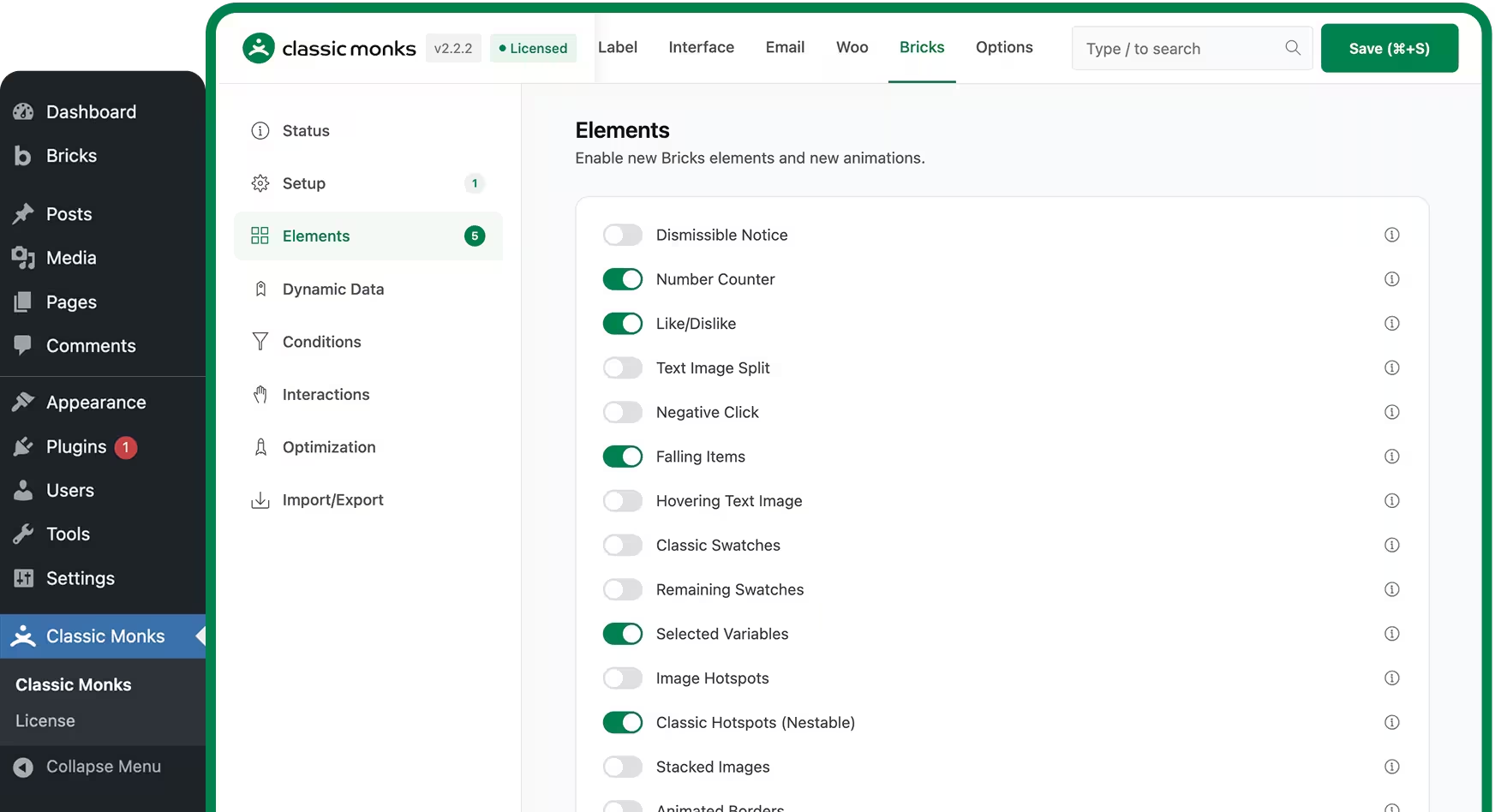
162 Elements Built for
Bricks Builder
Built for the sites you already ship.

Agencies and client sites

WooCommerce stores

Launch and marketing pages

Content and membership sites
More than an element pack.
A complete Bricks workflow.

30+ Elements

Controls

Animations

Dynamic Data

Conditions

Interactions

Query Elements

Live HTML to Bricks

Bricks AI Builder

BEM Generator

CSS Auto-Wrapping

Built-in Optimization
See the Bricks toolkit in action.

Step 01
Install alongside Bricks

Step 02
Switch on what you need

Step 03
Build and ship
30+ Elements. 7 Categories.

Texts

Core

Background

Media

Sliders
Buttons

Cursors

WooCommerce

Utility
Full element list lives on the features page. Category names above match the live showcase groups.
Real panels. Real controls.
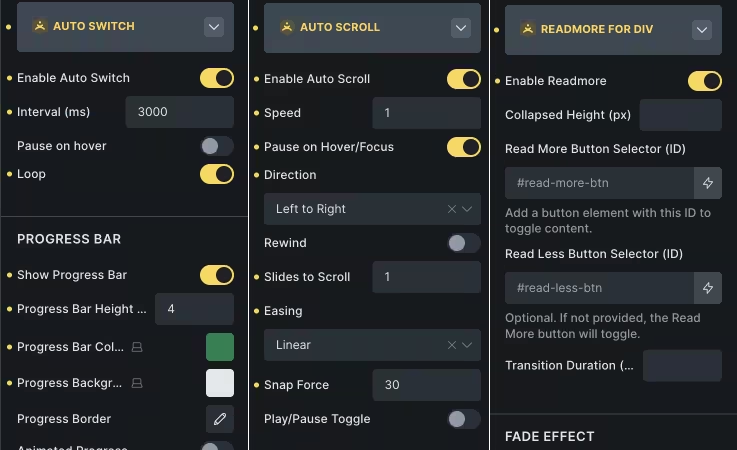
Element controls in the builder panel
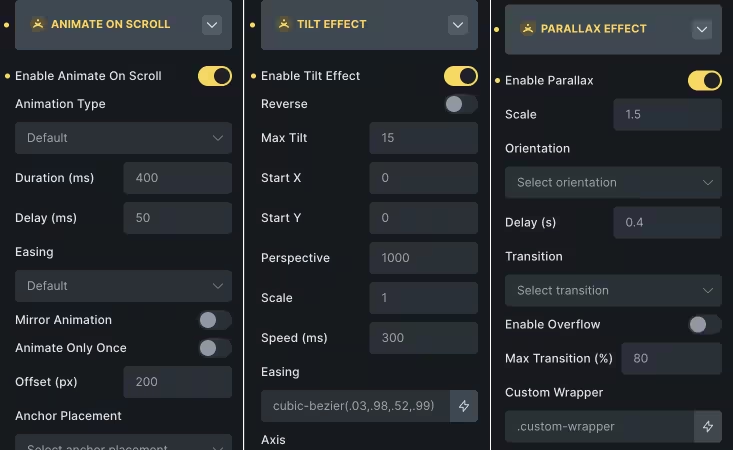
Animation and visual effects settings
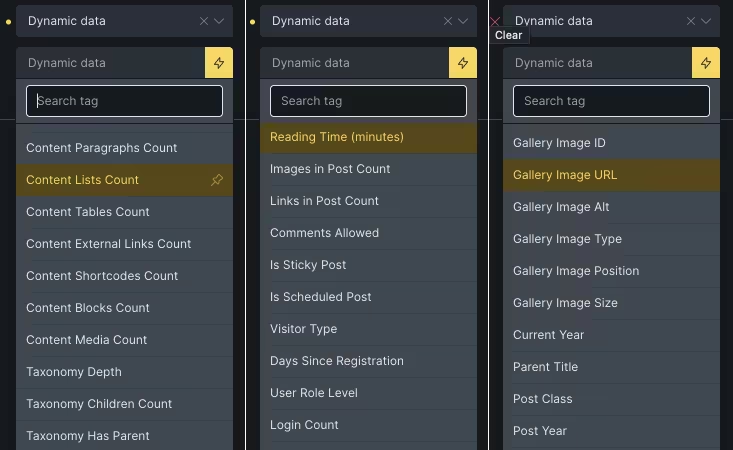
Dynamic data tags in the editor
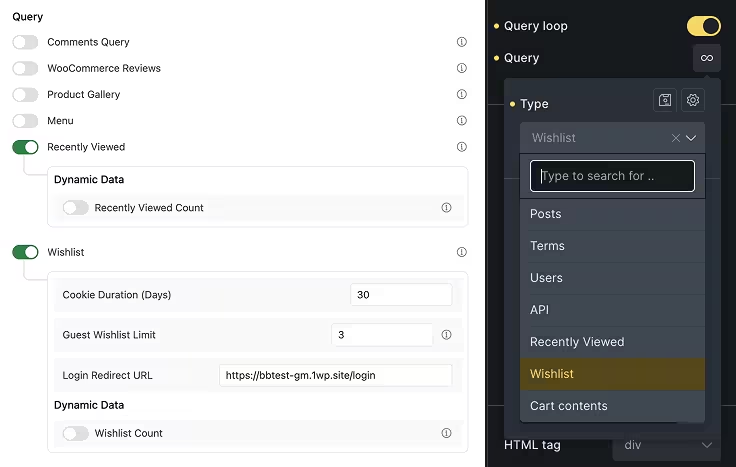
Wishlist and recently viewed queries
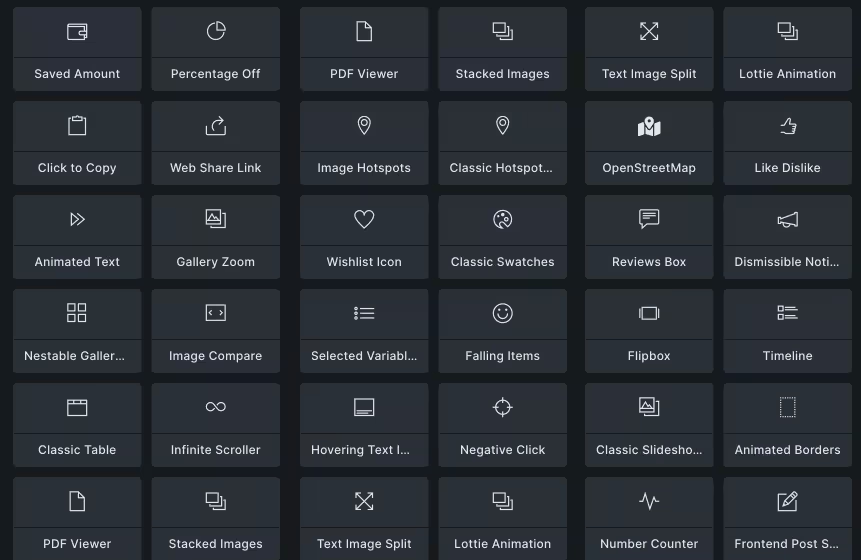
Element library overview
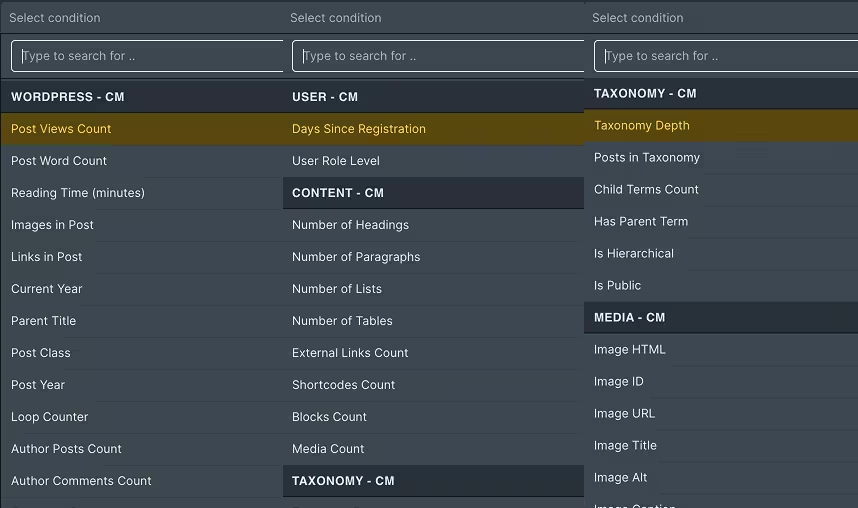
Condition rules menu
Build common Bricks layouts without custom code.

Launch countdowns

Before-after showcases

Wishlist flows

Pricing tables

Gated content

Rescue legacy pages
Full element list lives on the features page. Category names above match the live showcase groups.
Beyond elements.
Live HTML to Bricks

BEM Generator
CSS Auto-Wrapping

CSS Autocomplete
SVG to Image

Import and Export
The rest of the site, covered.

Security

Performance

WooCommerce

AI Workflows
Admin Tools

White Label
One Plugin. Simple Pricing. 393+ Features.
Choose the plan that fits your business today, with the flexibility to scale as your site grows. One subscription gives you access to powerful features, ongoing updates, and the support you need to keep moving.
Check Pricing in Detail1 Wordpress Site
What you get
- 393+ features, no add-ons to buy
- Unlimited staging sites, test before you go live
- Updates and support while your plan is active
- 20% affiliate commission, earn back on referrals
5 Wordpress Site
- Use it on 5 of your sites
25 WordPress Sites
Everything in Freelancer, plus
- Use it on 25 sites
Agency
Most Popular100 WordPress Sites
- Client Site Expiry Controls, set 1 to 5 years per client site
250 WordPress Sites
Everything in Agency, plus
- Whitelabel Classic Monks Plugin, your brand, not ours
- 6 Hour Priority Support, answers within 6 hours
- Priority Feature Requests, your request goes to the front
- 30% Affiliate Commission, earn back on referrals
Unlimited Sites
Everything in Agency Pro, plus
- Use it on as many sites as you like
| Plan | YearlyRenews each year | LifetimeOne payment |
|---|---|---|
Solo 1 Wordpress Site What you get
| $79per year $29 per site | $79one time $79 once |
Freelancer 5 Wordpress Site Everything in Solo, plus
| $79per year $15.80 per site | $199one time $39.80 per site, once |
Studio 25 WordPress Sites Everything in Freelancer, plus
| $119per year $4.76 per site | $349one time $13.96 per site, once |
Agency Most Popular 100 WordPress Sites Everything in Studio, plus
| $169per year $1.69 per site | $499one time $4.99 per site, once |
Agency Pro 250 WordPress Sites Everything in Agency, plus
| $259per year $1.04 per site | $799one time $3.20 per site, once |
Enterprise Unlimited Sites Everything in Agency Pro, plus
| $339per year No site limit | $999one time No site limit, one payment |
 15 day money-back
 Active on 1200+ sites
 12 releases in the last 19 weeks
Pay easily with cards, wallets, BNPL, bank transfers, or local payment apps. Secure checkout with your preferred method.
15-day money-back guarantee.
If the plugin does not meet expectations or fails to improve the workflow, request a refund within 15 days and get 80% back under the refund policy.
Trusted by 600+ agencies.
I’m excited man, honestly would love for CM to serve as my “home base” if some of these features are implemented well, you guys are awesome, thanks for being so open to feedback.
Love it, CM is growing at a comfortable pace for you guys, then keep on goin’.

Huge thanks to the devs for building this! It’s by far the best all-in-one core stack WP plugin out there. It replaced several plugins I was using (some poorly maintained) with a single solution that just works. No more integration headaches from juggling 2–4 plugins. The support is 5-star, fast and actually helpful. I picked up the Agency plan without even having 100 sites and have zero regrets. Happy to support work this good. You deserve way more promotion than you’re getting, and I hope you’re here to stay. Good luck with sales, you’ve earned it! 🙌

WordPress Professional
I was tired of ‘all-in-one’ plugins with outdated interfaces and half-finished features. Classic Monk is a game changer. The design is modern and the UX is excellent; you don’t have to waste time searching for the settings you need.
One of the best things is how reactive the support is (shoutout to Joy!). They are very fast at fixing bugs, improving existing features, and releasing new ones.
Classic Monk is now in my top 3 favorite plugins. It helped me reduce the total number of plugins in my stack. The cherry on top is the Bricks integration with its new elements. Honestly, it is the most satisfying investment I’ve made this year.

Love it!  just got myself a licence, and just like Bricks Builder, it looks like it may be one of the best purchases I’ve ever made.
  Thanks for the hard work that went into this Joy.

WordPress Professional
I was figuring out how to sort my CPT (was browsing some codes) and then I wondered – Does CM have that feature? And yes – it does and it works perfectly :D really 10/10! Im still having some small issues now and then but overall gold! Just keep up dev. and refining your plugin its going to be one of the must have-s ;)

I tested the plugin, and WOW, it’s Amazing! I am absolutely blown away by all the features it offers. It is packed with functionality, and I can see it becoming the first plugin I install on every new WordPress project, and it could easily replace many others I use.
The UI/UX of the plugin settings in the admin is sleek, well-structured, and very clear. Really impressive work!

With over 20 years of experience developing WordPress websites, we’ve learned the importance of keeping plugin usage efficient and minimal. Classic Monks stands out as a single, intuitive solution that replaces the need for multiple optimization plugins. It delivers robust performance enhancements, includes thoughtful WooCommerce optimizations, offers seamless integration with Bricks Builder, and provides a wide range of valuable WordPress improvements.
On top of the exceptional functionality, the development team—especially Joy—has been an absolute pleasure to work with. Their responsiveness and dedication truly elevate the experience.
We highly recommend Classic Monks. It’s a powerful, reliable addition to any WordPress toolkit, and one you won’t regret choosing.

As a marketing agency managing multiple WordPress and WooCommerce sites, we’re always looking for tools that actually save us time, Classic Monks delivers on that and more. From optimizing page speed to controlling scripts on a per-page basis, it gives us the flexibility we need without relying on 5 different plugins.
The Bricks Builder integration is seamless, and the UI makes onboarding our team incredibly easy. Working with Joy has also been a bonus, he understands agency pain points and actively improves the product based on real-world feedback.
Classic Monks is now part of our core stack for every project.

Frequently asked questions.
What is the difference from a standalone Bricks addon?
A standalone addon adds elements. Classic Monks adds elements plus security, performance, WooCommerce operations, admin tools, AI, media management, and white label.
How many Bricks elements does Classic Monks include?
162 features for Bricks Builder: elements, controls, animations, dynamic data, conditions, interactions, query elements, and optimization. The full list is on the features page.
Does Classic Monks replace Bricks Extras or Bricks Ultimate?
Partially. It covers many common Bricks element needs plus security, performance, WooCommerce operations, and admin tools. It does not ship a checkout builder, mini cart builder, order bumps, form stylers, or ACF and Metabox loop providers.
Does Classic Monks work with other builders?
Yes. It is builder-agnostic. Bricks features activate only when Bricks is installed. Admin, security, performance, WooCommerce, media, and setup modules work on Gutenberg, Elementor, Breakdance, and plain WordPress.
Can I enable only the Bricks elements I need?
Yes. Every element, control, animation, and condition is an independent toggle. Disabled elements do not load any assets.
Is there a performance impact?
Bricks-specific assets load only when Bricks is installed and the relevant modules are enabled. Per-element lazy loading and preloading are built in.
See how Classic Monks stacks up.
Classic Monks vs Bricks Ultimate
Full parity comparison and the Bricks Ultimate alternative. They go deeper on storefront layout. Classic Monks goes wider across the site.
Classic Monks vs ASE
Full parity comparison. Classic Monks covers admin, security, performance, WooCommerce, media, and Bricks features.