
Opens in a new tab
On this page

Classic Monks v2.4.0

September 22, 2026

Classic Monks v2.4.0 adds a conditional actions builder for login and registration forms, full white-label branding with custom colors and logos, plugin upload with one-click overwrite, SMTP provider search, and 404 suggestion confidence badges. Secure Downloads is hardened against SSRF attacks. 6 new features. 3 enhancements. 13 bug fixes. 1 security hardening update.

Login Conditional Actions

Assign roles, redirect users, trigger notifications, set user meta, or hold registrations for approval — all based on field values. A visual builder lets you author rules with typed operators per field, and a reset-to-defaults control clears everything in one click.

White-Label Branding

Brand the plugin for client sites: set a custom brand color that overrides the default green throughout the admin, upload your own SVG menu icon and header logo, and show your icon in the admin bar. Version badges hide automatically when “Hide Version Number” is on, and the license screen picks up your branding without extra configuration.

Plugin Upload: Overwrite & Replace

Upload a plugin zip and inspect its details before installing. When a folder collision is detected, a one-click replace option appears instead of a vague WordPress error. Your overwrite and skip-activation preferences persist between sessions.

Secure Downloads Hardening

Share links now block server-side requests to private IPs, localhost, and cloud metadata endpoints. Download limits are enforced atomically to close race conditions, and expired or disabled links are refused outright. SSRF protection prevents path-traversal attacks against wp-config.php and similar sensitive files.

Amazon SES Email Fix

SES credentials (access key, secret key, region) are now saved and encrypted properly. The connection form no longer rejects SES-specific fields, and editing any API-key connection no longer forces re-entry of the secret.

Tested up to

WordPress Version: 7.1.2
WooCommerce Version: 11.1.1
Bricks Builder Version: 2.4
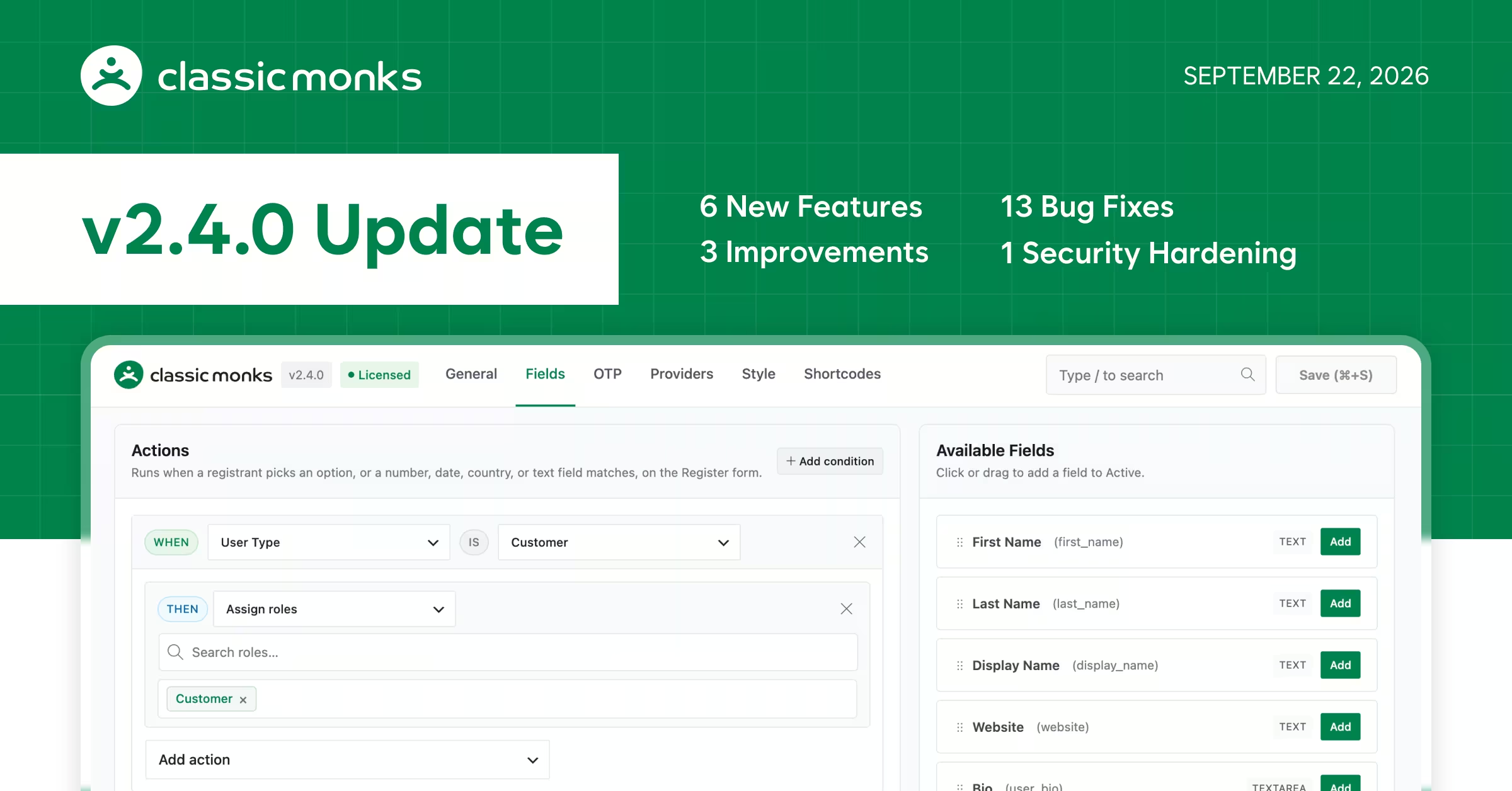
Classic Monks v2.4.0 Update

Full Changelog

Login Conditional Actions: Set up rules that automatically assign roles, redirect users, send notifications, or hold new registrations for your approval — all based on what someone enters in your login or registration form. A visual builder makes it easy to create and manage these rules without touching code.Added
Login Field Drag-and-Drop: Reorder, add, and remove registration and login fields by dragging them between the active and available lists instead of clicking add/remove buttons one at a time.Added
Plugin Upload with Overwrite & Replace: Upload a plugin zip and see its details before installing. If a plugin with the same folder already exists, you get a one-click replace option instead of a vague error. Your overwrite and skip-activation preferences persist between sessions.Added
White-Label Branding: Customize the plugin's look for client sites with your own brand color, admin menu icon (SVG), header logo, and admin bar icon. Version badges hide when "Hide Version Number" is on, and the license screen picks up your custom branding automatically.Added
SMTP Provider Search: The provider dropdown in SMTP connections is searchable — type to filter instead of scrolling through the full list.Added
404 Suggestion Confidence Badges: Each redirect suggestion in the 404 log shows a confidence score, so you can judge how reliable it is before accepting.Added
Unused Media Scanner: The scanner creates a ZIP backup before deleting files, supports live filtering of results, and handles exclusion patterns more safely. Timezone and date displays are more consistent.Improved
Secure Downloads: Expired or disabled share links are properly blocked, download counts only go up on successful deliveries, and deleting a link cleans up its download history. The "Custom File Name" field on external links correctly names both the list entry and the downloaded file.Improved
Settings Save Reliability: Several plugin features had save-event listeners that never actually ran. These fire correctly when you change a setting, so features like AI Bot Blocking write their rules on first enable instead of requiring a second save.Improved
Amazon SES Email Connections: Connecting Amazon SES as your email provider works properly. Previously, the connection form showed a misleading "Client ID and Client Secret required" error and silently dropped your credentials. Editing an existing email connection also won't force you to re-type your secret key.Fixed
Broken Links Still Active After Removal: Removing a broken link from a page marks it as fixed — but only once the link is gone from every page that contained it. Previously, deleted links stayed flagged as broken forever. Sites using page builders are handled correctly too.Fixed
Custom Login URL Crash: Sites using a custom login URL won't crash on the 404 page anymore.Fixed
Assets Manager Table Recovery: If the Assets Manager database table goes missing (e.g., after a host migration), the plugin recreates it automatically instead of showing errors on every admin page.Fixed
Code Manager Syntax Check: Checking the syntax of a PHP snippet that's already live won't crash the site.Fixed
Image Converter Tab Loading: The Image Converter settings tab loads correctly on first click. The log clear button, subtab links, and advanced actions toggle all work immediately.Fixed
Admin Notice Handling in File Editor: The Plugin and Theme file editors keep their file-tree sidebar intact when Classic Monks relocates admin notices.Fixed
Bricks Remaining Swatches: The Remaining Swatches feature in Bricks Builder loads correctly and won't throw errors on sites with custom swatch setups.Fixed
Plugin Maintenance Status Icon: The outdated-plugin warning icon appears in the right place inside the maintenance details panel.Fixed
WooCommerce Variable Price Display: When the variation price format is set to "Default", WooCommerce's native sale price strikethroughs and price suffixes display correctly instead of disappearing.Fixed
White-Label License Screen: The license page shows your custom branding correctly when white-label is active, instead of falling back to the default plugin name.Fixed
White-Label Submenu Pages: Plugin settings pages load correctly when your white-labeled plugin name contains special characters (ampersands, accented letters, etc.).Fixed
Login Field Save: Saving changes to login and registration fields no longer silently drops some updates. Previously, certain field options could revert on the next page load because they weren't written before the save response came back.Fixed
Secure Downloads Link Protection: Share links can no longer be tricked into accessing internal server resources or sensitive files. The plugin validates all destinations and blocks requests to private networks, localhost, and cloud metadata services.Security

Special Thanks

  • Yann Ott: Reported the Amazon SES credential save failure and requested the Login Conditional Actions feature (Facebook post).
  • Vid Tutek: Suggested the White-Label branding features (custom brand color, SVG menu icon, header logo, and admin bar icon), and reported the white-label submenu page issue.
  • Sina Raeisi: Reported broken links staying active after removal from pages.
  • Lucile Collignon: Reported the Custom Login URL crash on 404 pages (Forum #82).

Sumit Your Ideas or Feature Requests

All submissions go through a manual review, so not every idea will be published. That said, the most upvoted ideas are given priority on our official roadmap.Please check if your idea already exists before submitting. If you find it, simply upvote it to help us prioritize it.