On this page

Classic Monks v2.3.0

September 9, 2026

33 changes this release. 7 new features. 1 behavior change. 11 improvements. 14 bug fixes.

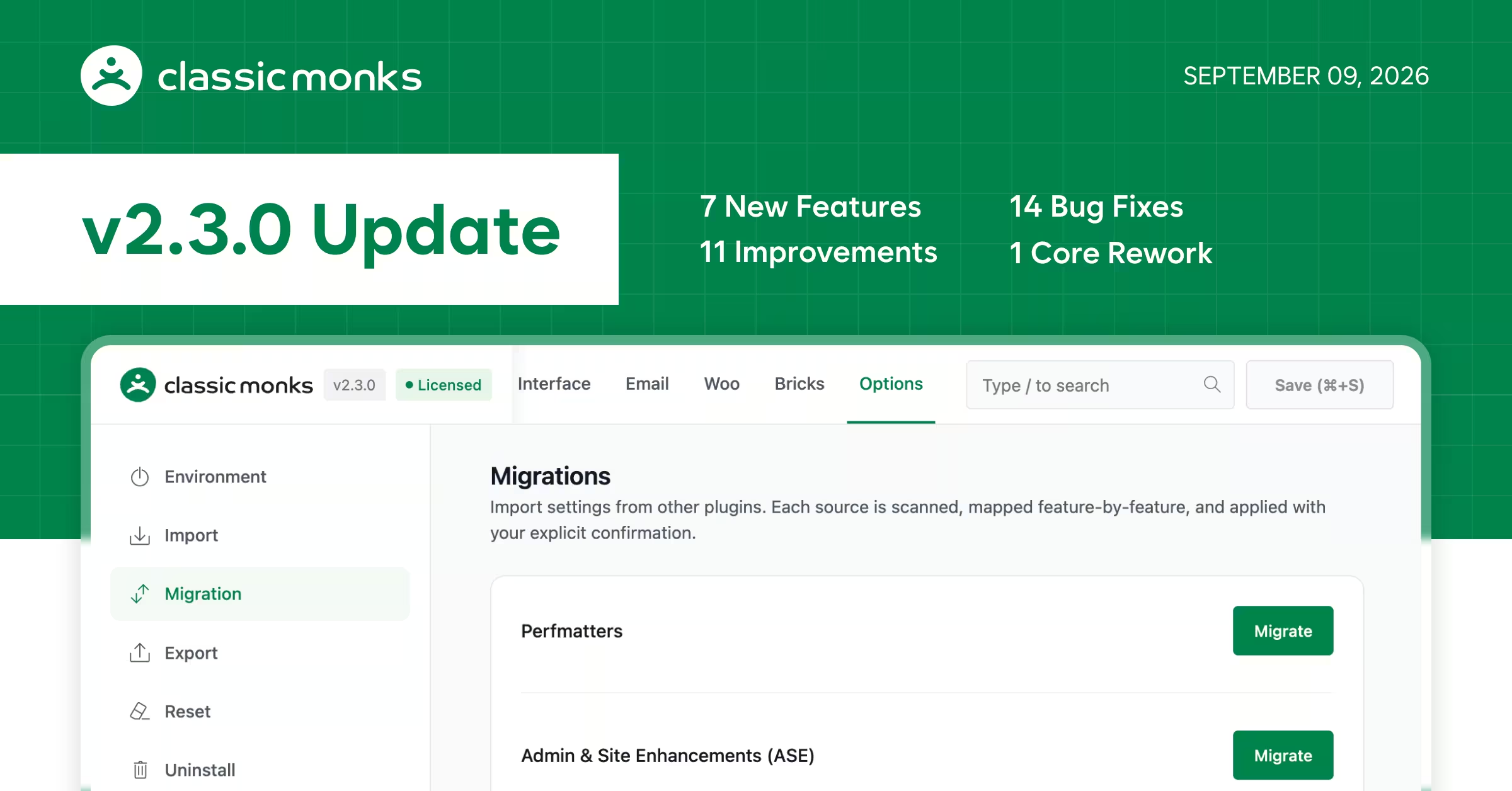
The hardest part of switching a plugin is not finding a better one. It is rebuilding every setting you already configured. v2.3.0 removes that barrier entirely. Two new migration assistants, one for Admin & Site Enhancements (ASE) and one for Perfmatters, transfer your existing setup into Classic Monks in a single click. No manual reconfiguration, no guessing what moved, no missing settings.

Once you are in, the rest of the release is about making the plugin faster, safer, and more complete. The settings dashboard now opens more than 7 times faster than before. Email delivery gets automatic bounce protection so your domain reputation stays intact. The image converter, which had a cluster of reliability bugs since v2.2.2, is fully repaired across upload, batch, and large-image workflows. And Admin Columns Manager grows to cover WooCommerce orders and Polylang language columns.

For the full list of what changed, see the complete changelog below.

Migration Assistants

The new import assistants handle the work of moving from ASE or Perfmatters into Classic Monks. ASE transfers 77 settings in one click, including SMTP email setups, redirects, custom admin columns, and user avatars. Perfmatters lets you pick which categories to import and shows an instant summary. Both assistants display exactly what moved and what was skipped.

If you are still comparing, read Classic Monks vs ASE and Classic Monks vs Perfmatters for an honest breakdown of what each plugin does best.

Classic Monks Dashboard: 7x Faster

The Classic Monks dashboard now opens in roughly 280ms instead of 2+ seconds, loading tabs on demand instead of pulling every panel into memory on first visit. Each visit saves 7.5MB of server memory. Saving a setting no longer stalls your next click. Every settings tab and nested section is now bookmarkable, so you can share direct links with teammates.

Email Bounce Protection

Classic Monks now tracks delivery errors automatically. When an address repeatedly bounces or fails, the system stops sending to it. A dedicated blocklist screen lets you search suppressed addresses, unblock one that was flagged by mistake, or manually add an address. This closes the retry-loop problem where fake form submissions or deleted accounts generate endless failed delivery attempts and hurt your domain reputation.

Admin Columns and Media

Admin Columns Manager adds built-in WooCommerce Order columns with full HPOS support, a layout placeholder for positioning Polylang language flag columns anywhere in your tables, and reliable hiding of third-party columns you remove. The Media Library edit screen now shows every thumbnail size and dimension WordPress generated, with copy buttons for direct URLs.

Image Converter: The Full Fix

The image converter had a cluster of bugs in v2.2.2 that affected upload conversion, batch processing, and large images. v2.3.0 addresses all of them: converted WebP and AVIF files display correctly, re-uploading with the same filename no longer corrupts thumbnails, batch processing stops cleanly at the end of the media library, and large images no longer trigger memory or timeout errors.

Tested up to

  • WordPress Version: 7.1
  • WooCommerce Version: 11.0.1
  • Bricks Builder Version: 2.3.13
Classic Monks v2.3.0 Update

Full Changelog

Admin & Site Enhancements (ASE) Migration: Switch from ASE or ASE Pro in one click. The new import assistant transfers 77 settings into Classic Monks, including your SMTP email setups, redirects, custom admin columns, and avatars, while clearly showing which options moved and which were skipped.Added
Perfmatters Migration: Switch from Perfmatters without re-configuring your site. You can choose which setting categories to import and view an instant summary of transferred options.Added
Email Bounce Protection & Suppression List: Protect your domain from being flagged as spam. Classic Monks automatically stops sending to email addresses that repeatedly bounce or fail, and gives you a dedicated screen to search, unblock, or manually add addresses to your blocklist.Added
Duplicate User Roles: Clone any existing user role in one click with all permissions copied over, making it easy to create new client or staff roles without starting from scratch.Added
Media Image Sizes & Direct Links: When editing any image in your Media Library, you can now see every thumbnail size and dimension WordPress generated, along with copy buttons to grab direct URLs in one click.Added
Polylang Column Positioning: Position live Polylang language flag columns anywhere in your posts and pages tables using a dedicated layout placeholder column in Admin Columns Manager.Added
WooCommerce Order Columns: Admin Columns Manager now supports built-in columns for WooCommerce Orders, including Order number, Date, Status, Billing, Shipping, Total, and Actions, with full support for High-Performance Order Storage (HPOS).Added
Smart Tab Visibility for WooCommerce & Bricks: Settings for WooCommerce and Bricks Builder now automatically hide or disable if you don't have WooCommerce or Bricks active, keeping your dashboard uncluttered and free of unusable options.Changed
Faster Classic Monks Dashboard (7x Speedup): The CM dashboard now opens more than 7 times faster, loading in roughly 280ms instead of making you wait 2+ seconds. Tabs load on demand as you click them, saving 7.5MB of server memory on every visit, and saving a setting no longer slows down your next click.Improved
Bookmarkable Settings Links: You can now share or bookmark direct links to any specific settings tab or nested section, so team members jump straight to the right screen instead of clicking through menus.Improved
Live Redirect Preview: Creating redirects is faster and more intuitive with an always-visible form right on the page, a live path preview as you type, and clickable cards explaining each redirect code (301 permanent, 302 temporary, etc.) for SEO.Improved
Short Link Creator with Live Preview: Create branded short links faster with an always-visible creation form, live URL preview that shows exactly what your link will look like, and simpler prefix controls.Improved
Maintenance Tracking for Custom & Premium Plugins: The Plugin Maintenance Status table now tracks your custom, private, and premium plugins alongside directory plugins, showing real install dates and update health without making slow outside requests.Improved
Keyboard Navigation for Maintenance Status: The status guide now works smoothly with screen readers and keyboard shortcuts (press Escape to dismiss, Tab to navigate), and works across WordPress Multisite networks.Improved
Collapsible Category Trees: When reordering categories with multiple sub-levels, you can now expand and collapse child terms with smooth accordion arrows, making long category lists much easier to manage.Improved
Category Post Count Badges: See exactly how many posts belong to each category or tag directly in the reordering list before you move them.Improved
Private Content Types Support: Post type option lists now include an expandable "Show Private" toggle, letting you apply settings to internal or hidden custom post types when needed.Improved
Compact Folder Creator: Creating a new media folder in your library takes up less screen space with a more compact input field and cleaner Save buttons.Improved
Cleaner Secure Downloads Screen: Search and input fields in the Secure Downloads panel are now aligned neatly for a more comfortable reading and editing experience.Improved
Broken Uploads After Conversion: Newly uploaded images converted to WebP or AVIF now display properly across your site instead of showing broken image placeholders.Fixed
Image Overwrite Protection: Uploading an image with the same filename as an existing image no longer accidentally overwrites or corrupts previously converted thumbnails.Fixed
Batch Image Conversion Freezes: Running the manual Image Converter no longer hangs on ineligible images or requires the "auto-convert uploads" switch to be turned on.Fixed
Batch Conversion Looping: Bulk image conversion now cleanly stops when it reaches the end of your media library instead of looping back to the start.Fixed
Large Image Conversion Timeouts: Converting large or high-resolution images no longer crashes with memory or timeout errors.Fixed
Bricks Read More Preview & Styling: The Read More element now shows a live preview directly inside the Bricks Builder without accidentally altering your real post text, and custom button background and border styling settings now display as intended.Fixed
WooCommerce Price Savings Accuracy: The "You Save" amount shortcode and Bricks element now show accurate discount numbers for grouped products and no longer display error notices when a product has irregular pricing.Fixed
WooCommerce Activation Error: Activating WooCommerce on a site using Code Manager no longer triggers a fatal crash screen.Fixed
Gmail & Outlook Email Connection: Connecting Gmail or Outlook via OAuth now completes smoothly without logging you out or failing with authorization errors when returning from Google or Microsoft.Fixed
Database Compatibility on Custom Hosts: Plugin database tables now install cleanly on hosts with custom database configurations without throwing database errors or slowing down the admin.Fixed
Accidental License Deactivation: A slow network connection or temporary read hiccup when saving settings can no longer erase your license key.Fixed
License Activation on First Try: Activating your license key on a brand new site now connects on the first click without requiring a page reload.Fixed
Multisite Plugin Installer Warning: The quick installer card now displays a helpful explanation on WordPress Multisite networks where plugins must be managed at the network level.Fixed
Hidden Third-Party Admin Columns: Columns added by other plugins that you remove in Admin Columns Manager now stay hidden reliably instead of reappearing after saving or reloading the page.Fixed

Special Thanks

  • Igor Poslov: Reported image converter upload issues and batch looping (Forum #78).
  • Vid Tutek: Reported WooCommerce savings calculation errors on products with irregular pricing.
  • Saurabh Guttedar: Reported database compatibility errors on custom host configurations.
  • Schrander: Suggested automatic bounce tracking and recipient suppression for outgoing email (Forum #77).
  • Yann Ott: Suggested one-click role duplication in the Role Manager (Forum #76).
  • Jeremi Delacruz: Reported administrator session drops during Gmail and Outlook authorization.
  • RIČARD JUNGIĆ: Suggested Polylang column positioning and reported removed third-party columns reappearing in Admin Columns Manager.

Sumit Your Ideas or Feature Requests

All submissions go through a manual review, so not every idea will be published. That said, the most upvoted ideas are given priority on our official roadmap.Please check if your idea already exists before submitting. If you find it, simply upvote it to help us prioritize it.