




Before You Enable It
Intelligent preloading creates additional network requests before a visitor clicks. Do not enable it blindly on a bandwidth-constrained site.
Before testing:
- Disable competing link preloading systems.
- Exclude checkout, cart, logout, downloads, previews, feeds, API URLs, and static assets from custom rules.
- Test while logged out.
- Confirm your cache and CDN do not treat prefetch requests as page visits or cache pollution.
How to Configure Intelligent Preloading
Step 1: Open the Preloading settings
In WordPress admin, open Classic Monks > Performance and select the Preloading subtab.
Step 2: Enable the master toggle
Enable Enable Intelligent Preloading.
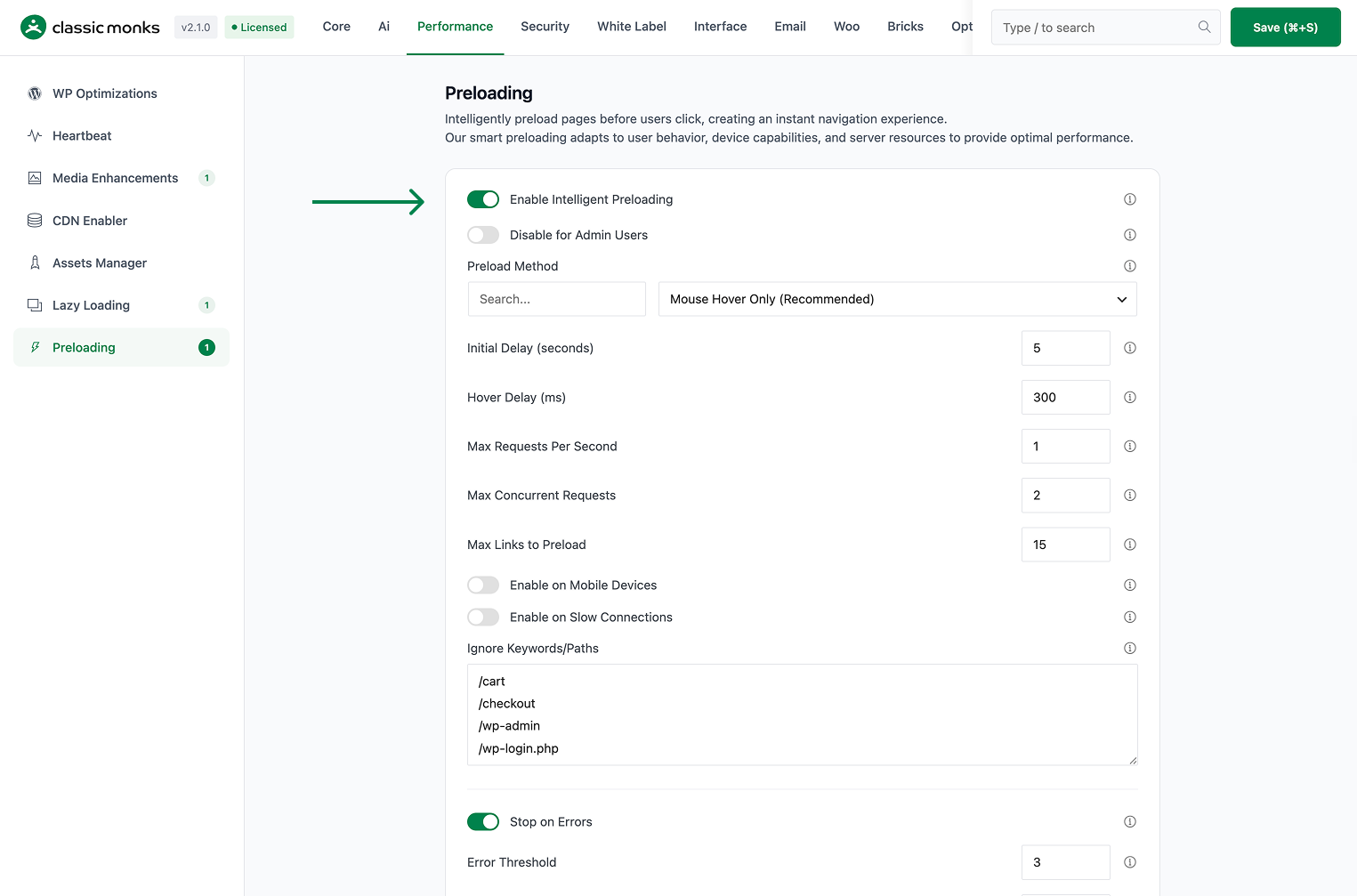
Step 3: Choose the preload trigger
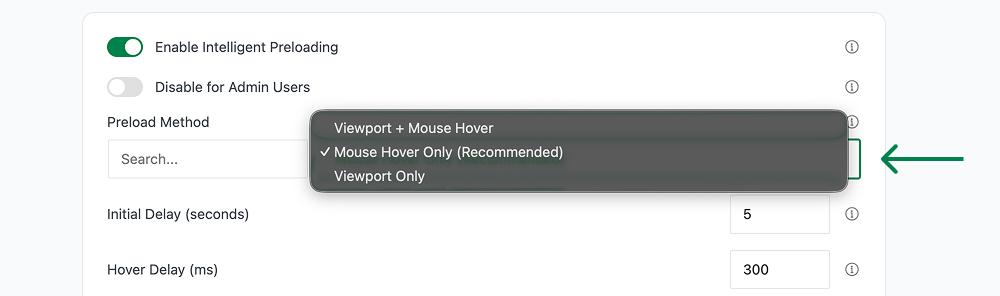
Use Preload Method to choose when preloading starts. The source supports a hover-based trigger by default. Use the available UI option that matches your site’s navigation behavior.
Step 4: Set timing and request limits
Configure:
- Initial Delay (seconds)
- Hover Delay (ms)
- Max Requests Per Second
- Max Concurrent Requests
- Max Links to Preload
Start conservatively. Increase limits only after checking server load and bandwidth.
Step 5: Configure connection rules
Choose whether to enable:
- Enable on Mobile Devices
- Enable on Slow Connections
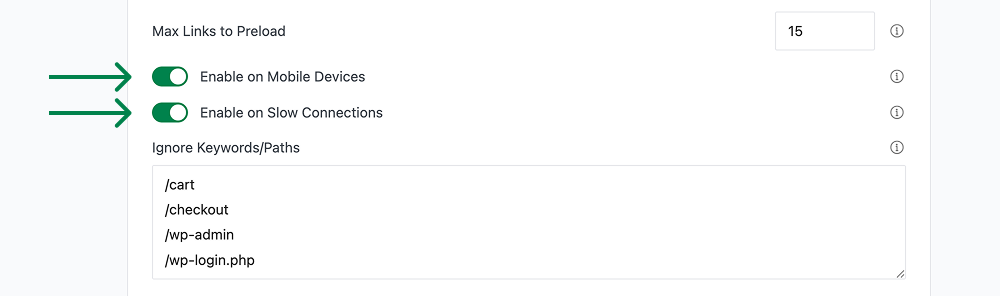
Keep slow-connection preloading off unless you have measured a clear benefit. Preloading on a slow connection can compete with the page the visitor is already viewing.
Step 6: Configure error and memory limits
Use:
- Stop on Errors
- Error Threshold
- Memory Threshold (MB)

These controls prevent failed or excessive preloads from continuing indefinitely.
Step 7: Add ignore keywords
Use the Ignore Keywords/Paths field to exclude URLs that should never be preloaded. Enter one keyword or path fragment per line or comma-separated.
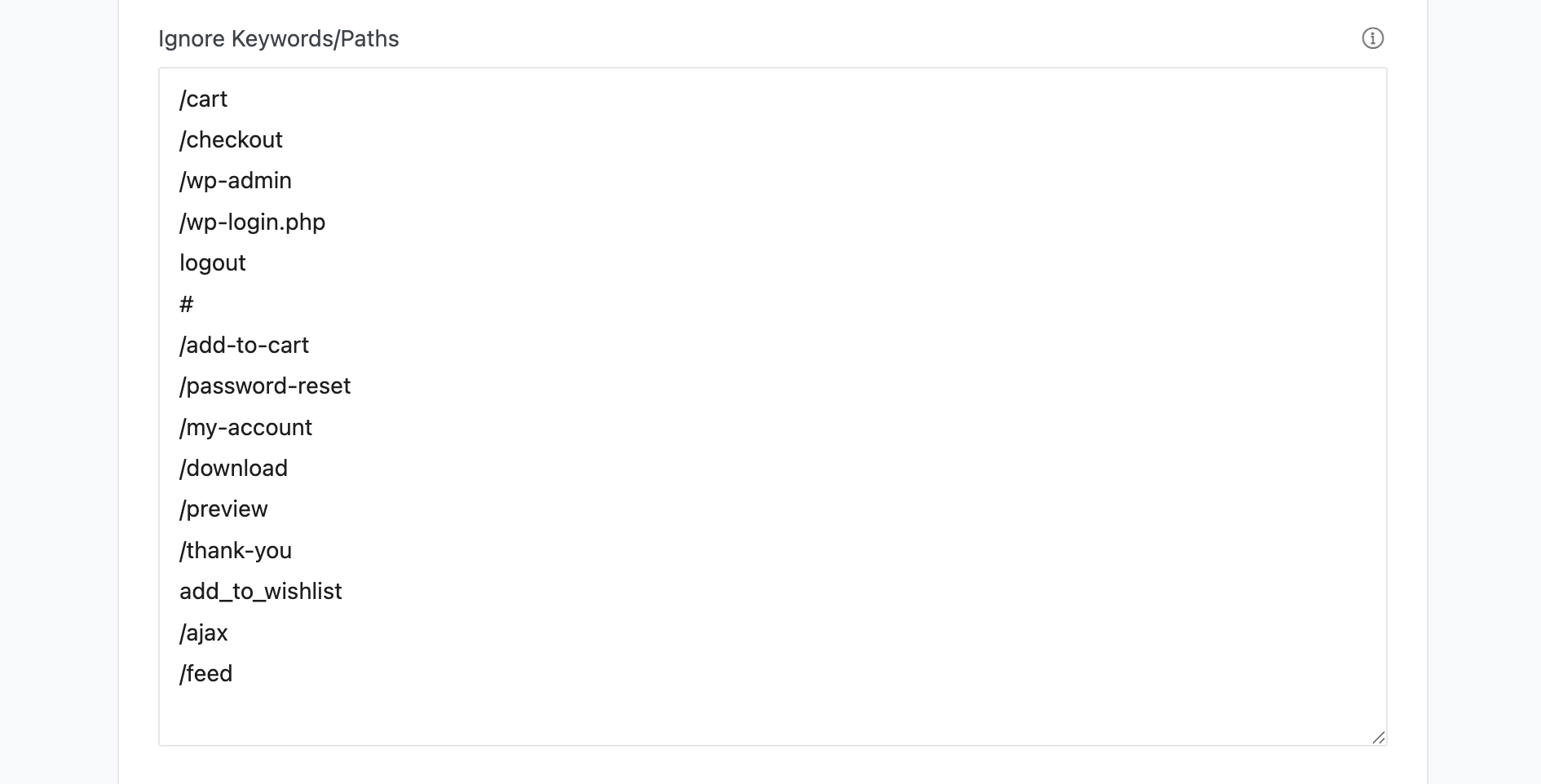
At minimum, exclude transactional and non-document URLs such as:
/cart/checkout/wp-admin/wp-login.php/logout/wp-json//feed/ajax?s=.css.js- image, video, archive, and download extensions
Step 8: Save and test
Click Save Changes. Test in a logged-out private window with the browser Network panel open.
Configuration Options
| Option | What it controls | Source default |
|---|---|---|
| Enable Intelligent Preloading | Master toggle. | Off |
| Disable for Admin Users | Skips preloading for administrators. | On |
| Preload Method | Trigger used to start preloading. | Hover |
| Initial Delay (seconds) | Delay before the engine starts. | 5 |
| Hover Delay (ms) | Time before a hovered link is preloaded. | 300 |
| Max Requests Per Second | Request rate limit. | 1 |
| Max Concurrent Requests | Number of simultaneous preloads. | 2 |
| Max Links to Preload | Maximum links considered at a time. | 15 |
| Ignore Keywords | URL fragments excluded from preloading. | Built-in exclusions |
| Enable on Mobile Devices | Allows preloading on mobile. | Off |
| Enable on Slow Connections | Allows preloading on slow networks. | Off |
| Stop on Errors | Stops after preload failures. | On |
| Error Threshold | Failure count that triggers the stop rule. | 3 |
| Memory Threshold (MB) | Memory limit used by the preloading engine. | 512 |
The saved option keys are implemented in functions/performance/monks-preload.php. Verify the displayed value on the current site before tuning production settings.
Intelligent Preloading vs Other Preload Features
Intelligent Preloading
Preloads likely next pages or links based on navigation behavior. It is request-driven and predictive.
Critical Image Preloading
Preloads a small number of above-the-fold images for LCP. It belongs in the Lazy Loading workflow and should not be used as a replacement for page preloading.
Selective Media Preload
Lets you choose media files or URLs per post/page through a Media Preload Settings metabox. It is a separate feature with a separate operational workflow. See How to Use Selective Media Preload in WordPress.
Verify the Result
Browser Network test
- Open a private window while logged out.
- Open DevTools > Network.
- Reload a page with several internal links.
- Watch for prefetch/preload requests before clicking.
- Hover a link or use the configured trigger.
- Confirm the expected request starts after the configured delay.
- Click the link and confirm navigation is not broken.
- Check that checkout, cart, logout, API, and static asset URLs are ignored.
Server and bandwidth test
Monitor:
- Requests per second
- Concurrent requests
- PHP workers
- CDN cache hit rate
- Transfer volume
- Error rate
Compare the same page before and after enabling the feature. Do not assume a faster navigation experience means lower total resource usage.
Common Use Cases
High-traffic content sites
Use conservative limits to preload likely article navigation without creating a request spike. Start with hover triggering and a low maximum concurrency.
Multi-step funnels
Use custom URL rules when the next page is predictable, but exclude cart and checkout state-changing endpoints from generic preloading.
Mobile-heavy sites
Enable mobile preloading only after measuring bandwidth and cache impact on real mobile connections.
Slow hosting
Preloading can mask server latency for likely next pages, but it can also compete with the current page. Use low request limits and monitor PHP workers.
Developer Notes
Implementation: functions/performance/monks-preload.php and assets/js/monks-preload.js.
Important source options include:
enable_monks_preloadmonks_preload_disable_adminsmonks_preload_triggermonks_preload_delaymonks_preload_hover_delaymonks_preload_max_rpsmonks_preload_max_concurrentmonks_preload_max_linksmonks_preload_ignoremonks_preload_mobilemonks_preload_slow_connectionsmonks_preload_stop_on_errormonks_preload_error_thresholdmonks_preload_memory_threshold
The runtime skips AMP, admin contexts when configured, and several non-document URL patterns by default.

Add your first comment to this post