




What Does the Feature Do?
WooCommerce sends a range of transactional emails for order events, including order confirmation, processing, completed, refunded, cancelled, failed, and on-hold notices to customers, plus new-order and stock alerts to admins. The Disable WooCommerce Emails feature suppresses those transactional email classes.
The customer reset password email is handled through the Allow Reset Password Email option, so you can keep account recovery working while the rest of the transactional emails are off.
Why You Need It
Not every store needs the full transactional email set:
- A store that emails manually or through another system may not want duplicate notifications
- Some workflows want to quiet customer order emails while keeping admin alerts or vice versa
- Test and staging environments avoid noise from transactional emails
- Disabling removes repetitive messages for stores that confirm elsewhere
How to Disable WooCommerce Emails
Step 1: Enable the Feature
- In WordPress admin, open Classic Monks > WooCommerce.
- Open the Email settings area.
- Toggle on Disable WooCommerce Emails.
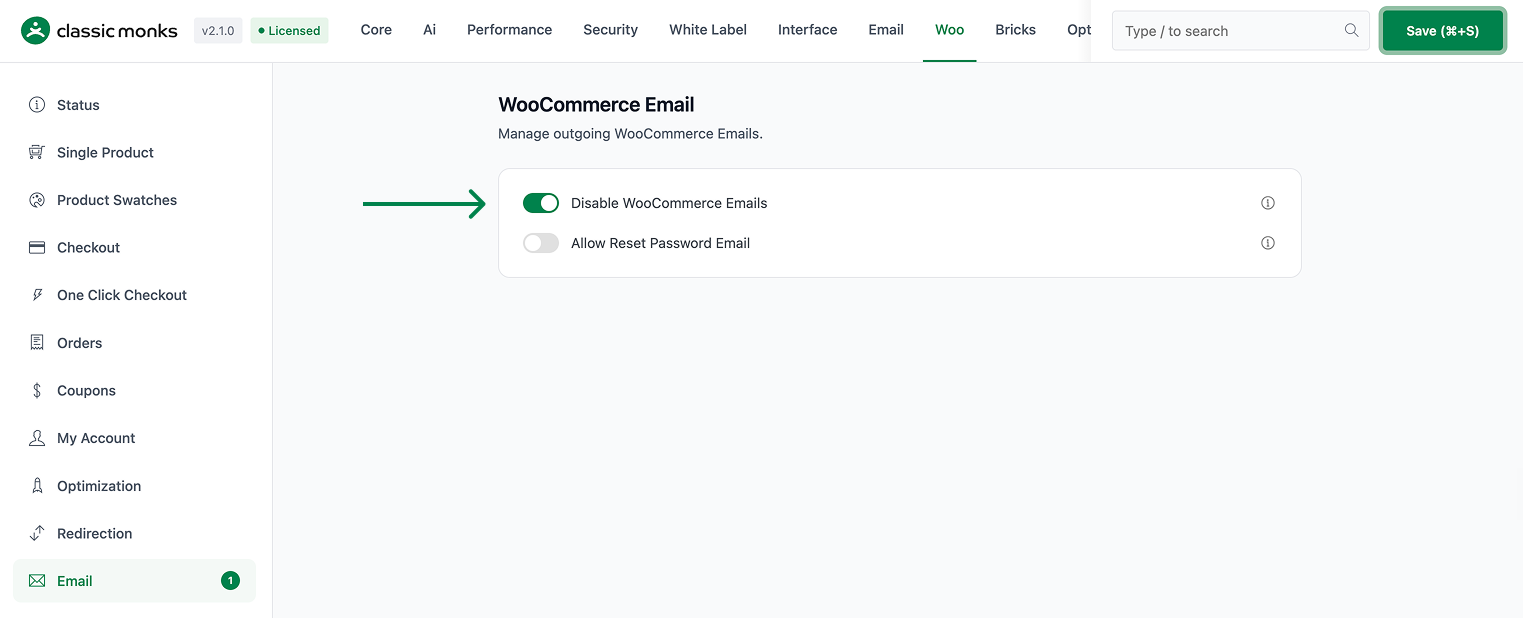
Step 2: Choose Whether to Keep the Reset Password Email
- Allow Reset Password Email (in the same Email settings) keeps the customer reset password email active despite the suppression.
- Leave it off to suppress the reset password email as part of the disable.
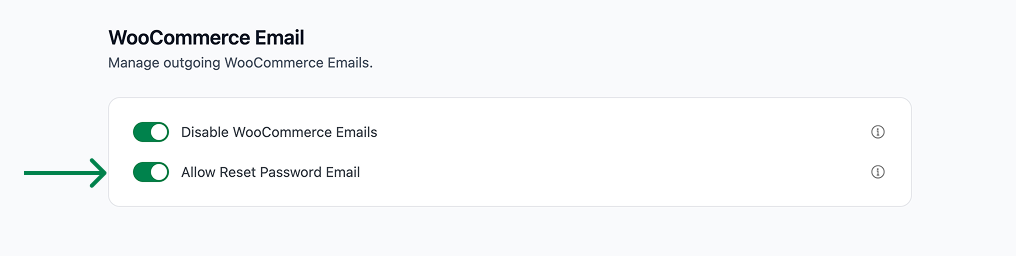
Step 3: Save and Test
Click Save Changes. Place a test order and confirm no transactional email is sent, while (if enabled) the reset password email still works.
Configuration Options
| Option | Effect | Default |
|---|---|---|
| Disable WooCommerce Emails | Suppresses the WooCommerce transactional email classes. | Off |
| Allow Reset Password Email | Exempts the reset password email class from the suppression. | Off |
What Gets Suppressed
- Order confirmation, processing, completed, refunded, cancelled, failed, and on-hold customer emails
- New-order, note, and stock-related admin emails
- Any WooCommerce transactional email class registered through the email classes filter
What Does NOT Get Suppressed
- The reset password email, when Allow Reset Password Email is on
- On-screen order confirmation and account order pages
- WordPress core emails, which are separate
Advanced Options (Developers)
The feature lives in functions/email/disable-woocommerce-emails.php:
add_action( 'plugins_loaded', 'cm_maybe_disable_woocommerce_emails' );

function cm_disable_woocommerce_emails($email_classes) {
    $allow_reset_password_email = cm_get_option( 'woocommerce_allow_reset_password_email', false );
    foreach ( $email_classes as $email_class => $email_obj ) {
        if ( $email_class !== 'WC_Email_Customer_Reset_Password' || ! $allow_reset_password_email ) {
            $email_classes[$email_class]->enabled = false;
        }
    }
    return $email_classes;
}plugins_loadedcallscm_maybe_disable_woocommerce_emails(), which registers thewoocommerce_email_classesfilter at priority 90 only when Disable WooCommerce Emails is on.- The filter disables each email class, skipping
WC_Email_Customer_Reset_Passwordwhen Allow Reset Password Email is enabled.
Common Use Cases
Custom email workflows. Stores that send confirmations through another system avoid duplicate transactional emails.
Quiet digital-store flow. A downloadable store can rely on its download email and skip the order emails.
Test environments. Staging sites avoid sending real customer emails during development.
Controlled rollout. Teams that want most emails off but account recovery on use both toggles together.

Add your first comment to this post