




This Classic Monks vs Perfmatters comparison looks at what Classic Monks adds beyond Perfmatters, including security, WooCommerce, setup, media, staging, AI, and agency delivery.
We compared the official Perfmatters feature page and pricing page with the live Classic Monks feature and pricing pages, the current Classic Monks changelog, and the local feature references used to verify implementation scope. The comparison reflects the August 20, 2026 feature set.
How we selected the differences: We included a category when the current Perfmatters feature list does not represent a comparable workflow and Classic Monks has a documented, implemented capability. We kept material limitations visible where Perfmatters still owns a workflow or where the products take different approaches.
The better question is: What can Classic Monks add to a WordPress site that is outside Perfmatters’ current feature set?
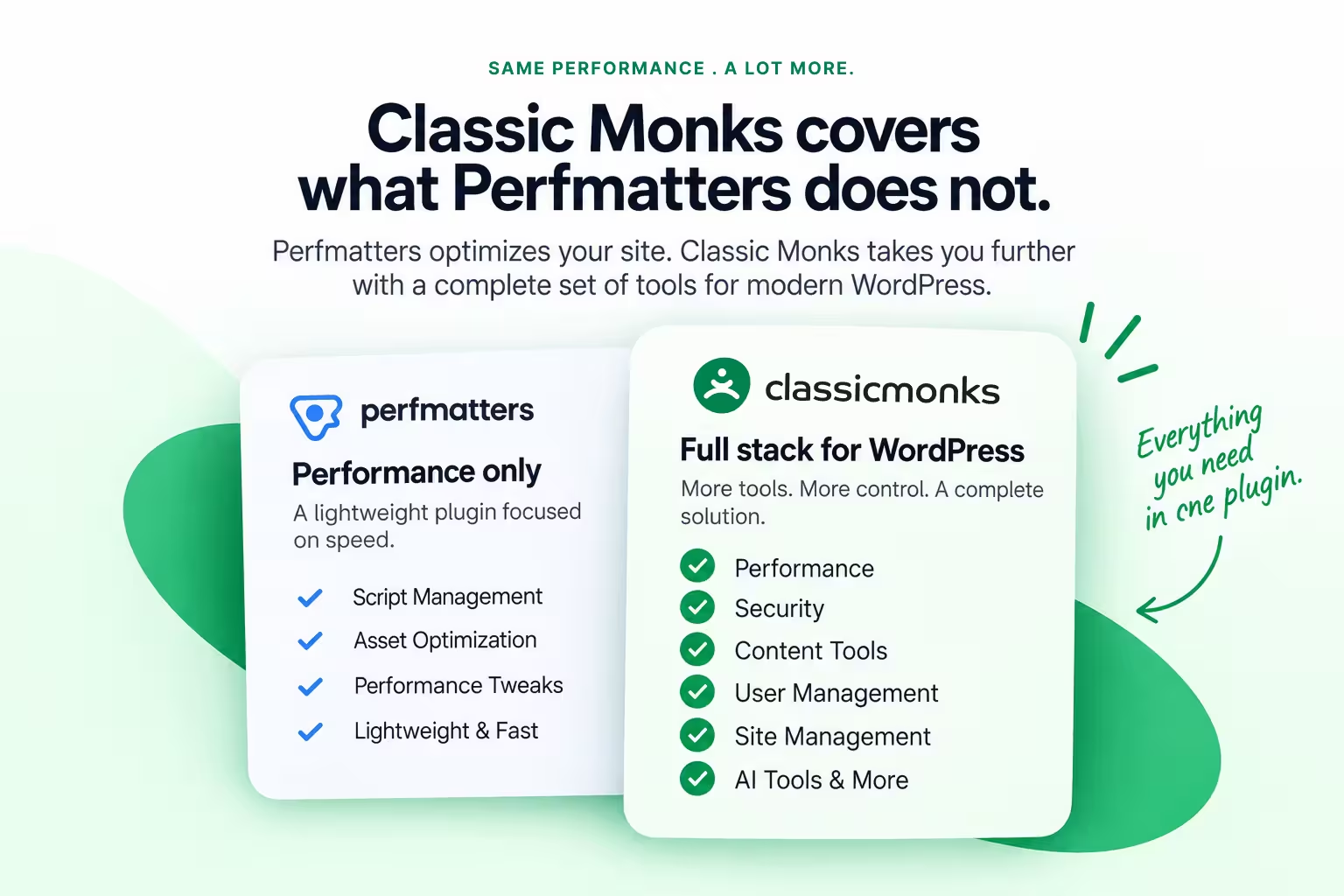
Perfmatters is a focused performance plugin, and it is excellent at that one job. Classic Monks is a modular WordPress stack that includes performance controls as one part of a much wider plugin: security, WooCommerce, media workflows, setup tools, staging protection, AI, admin utilities, and agency white label. The official Classic Monks features library currently lists 393+ features, including 162 Bricks Builder tools.
Perfmatters remains a strong specialist. It also owns workflows Classic Monks does not currently match, including Script Manager depth, JavaScript deferral and delay, unused CSS removal, minification, and scheduled database cleanup. This post focuses on the other side of the decision: the capabilities you gain when Classic Monks becomes your core WordPress stack.
Quick verdict: Choose Classic Monks when you want one modular plugin to cover security, WooCommerce, setup, media, staging, AI, admin, and white-label delivery alongside performance controls. Keep Perfmatters, or run both during migration, when you depend on its deep front-end surgery, such as Script Manager granularity, JS defer and delay, unused CSS removal, or scheduled database cleanup.
Context: This deep-dive is one spoke of the Best All-in-One WordPress Plugins in 2026 hub, which compares Classic Monks and Perfmatters alongside ASE, WP Extended, Jetpack, and WPMU DEV.
Low-risk next step: Explore the full stack in the zero-install Classic Monks demo, then compare the current pricing once you know which categories matter to your sites.
What does Classic Monks have that Perfmatters does not?
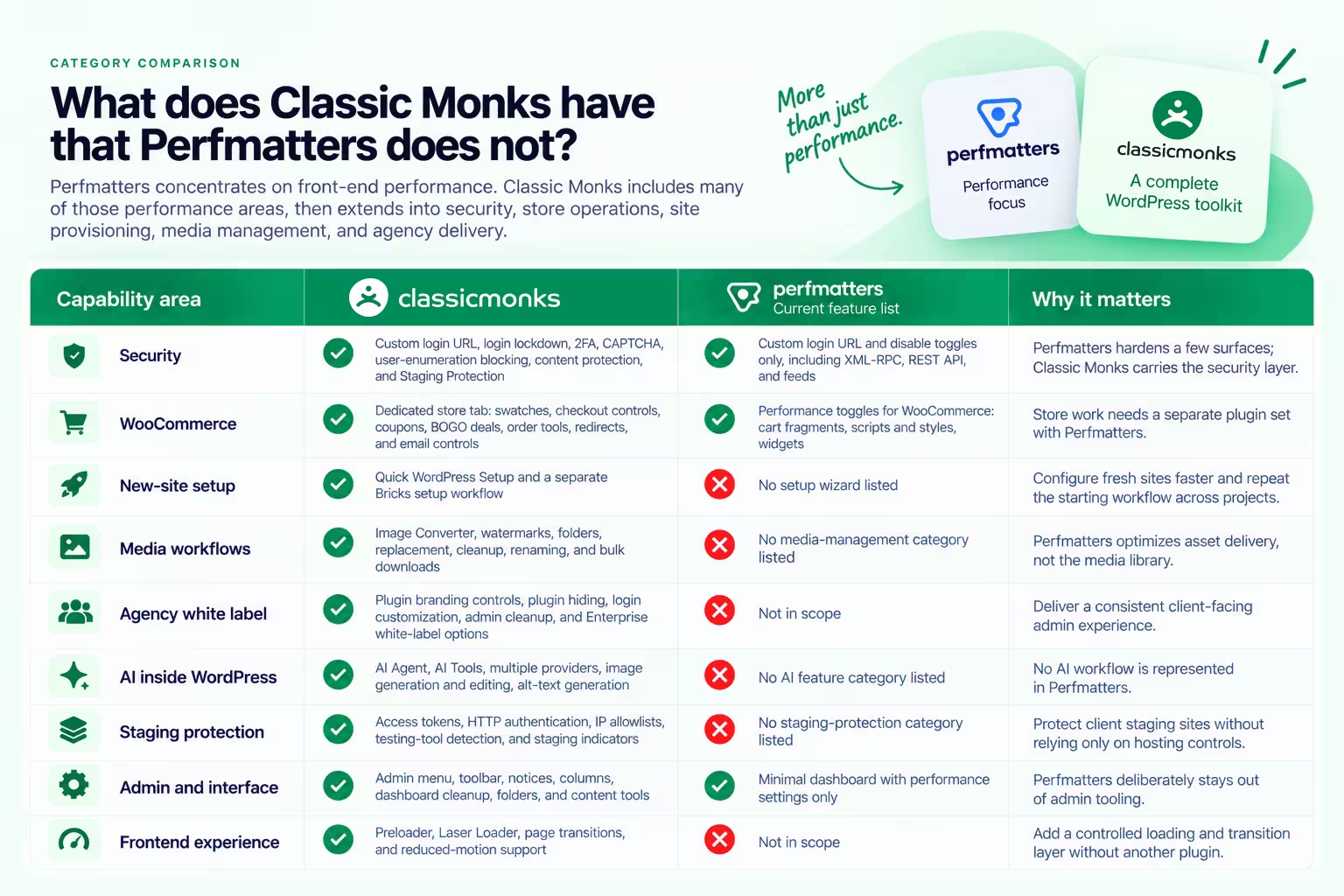
The clearest difference is category coverage. Perfmatters concentrates on front-end performance: quick toggles, script and asset control, lazy loading, preloading, and database cleanup. Classic Monks includes many of those performance areas, then extends into security, store operations, site provisioning, media management, and agency delivery.
| Capability area | Classic Monks | Perfmatters’ current feature list | Why it matters |
|---|---|---|---|
| Security | Custom login URL, login lockdown, 2FA, CAPTCHA, user-enumeration blocking, content protection, and Staging Protection | Custom login URL and disable toggles only, including XML-RPC, REST API, and feeds | Perfmatters hardens a few surfaces; Classic Monks carries the security layer |
| WooCommerce | Dedicated store tab: swatches, checkout controls, coupons, BOGO deals, order tools, redirects, and email controls | Performance toggles for WooCommerce: cart fragments, scripts and styles, widgets | Store work needs a separate plugin set with Perfmatters |
| New-site setup | Quick WordPress Setup and a separate Bricks setup workflow | No setup wizard listed | Configure fresh sites faster and repeat the starting workflow across projects |
| Media workflows | Image Converter, watermarks, folders, replacement, cleanup, renaming, and bulk downloads | No media-management category listed | Perfmatters optimizes asset delivery, not the media library |
| Agency white label | Plugin branding controls, plugin hiding, login customization, admin cleanup, and Enterprise white-label options | Not in scope | Deliver a consistent client-facing admin experience |
| AI inside WordPress | AI Agent, AI Tools, multiple providers, image generation and editing, alt-text generation | No AI feature category listed | No AI workflow is represented in Perfmatters |
| Staging protection | Access tokens, HTTP authentication, IP allowlists, testing-tool detection, and staging indicators | No staging-protection category listed | Protect client staging sites without relying only on hosting controls |
| Admin and interface | Admin menu, toolbar, notices, columns, dashboard cleanup, folders, and content tools | Minimal dashboard with performance settings only | Perfmatters deliberately stays out of admin tooling |
| Frontend experience | Preloader, Laser Loader, page transitions, and reduced-motion support | Not in scope | Add a controlled loading and transition layer without another plugin |
The table is a category comparison, not a claim that every individual Perfmatters feature has a Classic Monks equivalent. For the module-by-module parity review, see the full Classic Monks vs Perfmatters comparison.
Does Classic Monks offer security features that Perfmatters does not?
Yes, and this is the largest category gap. Perfmatters changes the login URL and offers disable toggles for XML-RPC, the REST API, feeds, and a few other surfaces. It has no login lockdown, no 2FA, no CAPTCHA, no content protection, and no staging protection.
Classic Monks includes a full security tab with 39 per-feature docs:
- Custom login URL, login lockdown with extended lockout, Cloudflare Turnstile, and math CAPTCHA
- 2FA with TOTP authenticator app and email OTP, trusted devices, and 2FA rate limiting
- Auto logout, user-enumeration blocking, REST API and XML-RPC controls, and file-modification controls
- Email and phone protection, site-wide password protection, and AI crawler blocking
- Content protection for copying, selection, printing, and inspection
- Staging Protection with access tokens, HTTP authentication, and IP allowlists
For an agency, this changes the stack math. A Perfmatters site still needs a separate security plugin. A Classic Monks site has the security layer inside the same install. Read the WordPress security documentation for the current list.
What does Classic Monks add for WooCommerce that Perfmatters does not?
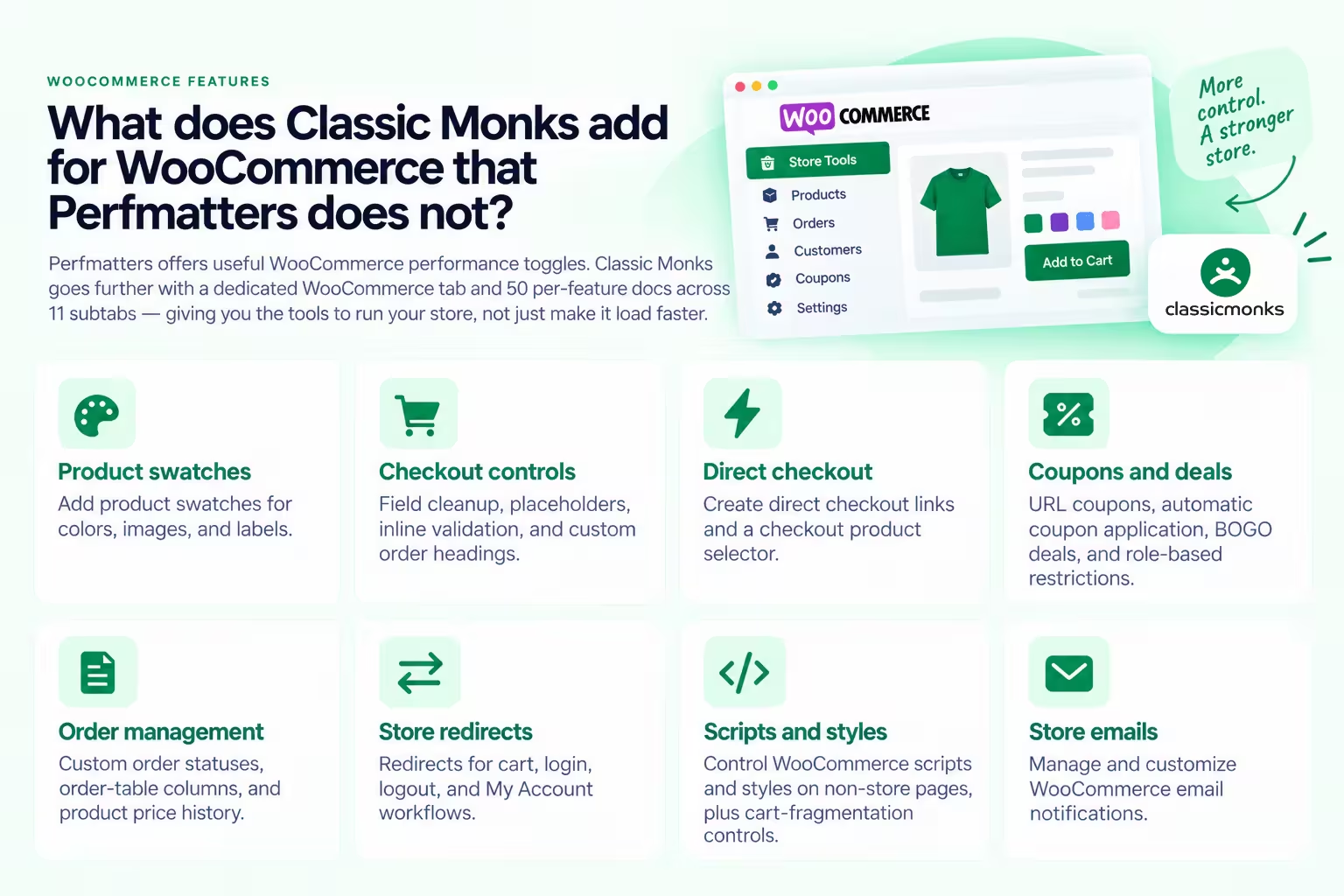
Perfmatters offers useful WooCommerce performance toggles: disable cart fragments, disable WooCommerce scripts and styles on non-store pages, and disable WooCommerce widgets. Those are performance controls, not store features.
Classic Monks includes a dedicated WooCommerce tab with 50 per-feature docs across 11 subtabs:
- Product swatches for colors, images, and labels
- Checkout field cleanup, placeholders, inline validation, and custom order headings
- Direct checkout links and a checkout product selector
- URL coupons, automatic coupon application, BOGO deals, and role-based restrictions
- Custom order statuses, order-table columns, and product price history
- Redirects for cart, login, logout, and My Account workflows
- WooCommerce script and style controls on non-store pages, plus cart-fragmentation controls
- Store email controls
Perfmatters can help a store load faster. Classic Monks also runs the store. For an agency building WooCommerce sites, that difference removes a separate collection of store extensions. Read the WooCommerce documentation for the current store feature set.
How does Classic Monks improve a new WordPress setup?
Perfmatters is configured on an existing site. It has no setup workflow, because provisioning is outside its scope.
Classic Monks includes Quick WordPress Setup, a guided wizard for fresh WordPress installations. It handles site identity, plugin and theme selection, homepage settings, cleanup of default content, and environment configuration in about 2 to 3 minutes. It also includes a separate Bricks setup workflow for importing Bricks theme styles, global settings, and templates.
That matters when an agency repeats the same baseline work across client sites. Instead of installing several utility plugins and rebuilding the same starting checklist, the team begins with one setup workflow and enables only the features needed for that project.
Quick WordPress Setup is a feature for provisioning a real WordPress site. Read the Quick WordPress Setup guide for the workflow and prerequisites. It is not the Classic Monks demo sandbox. If you want to try the plugin without changing an existing site, use the Classic Monks demo.
What media features does Classic Monks add beyond Perfmatters?
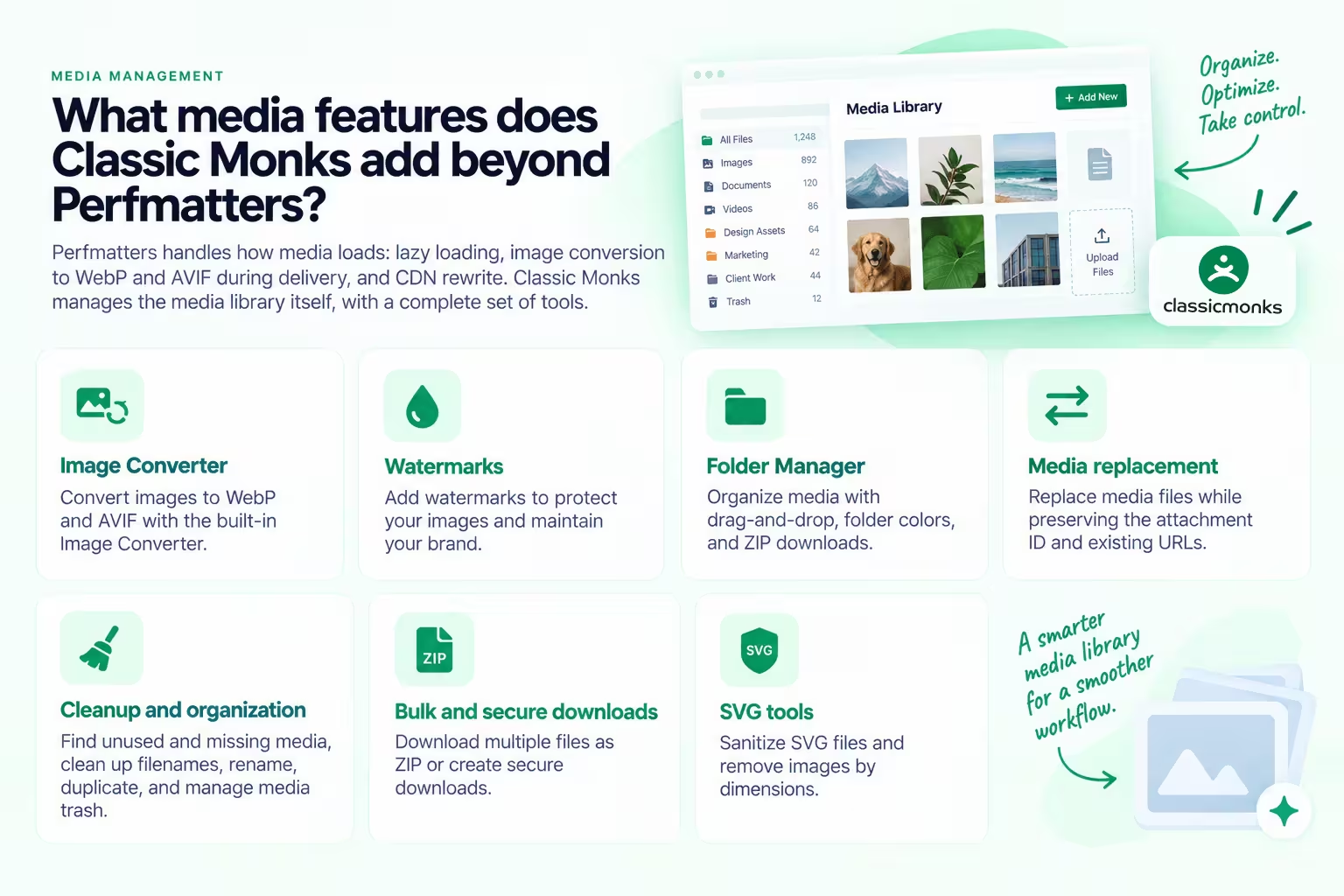
Perfmatters handles how media loads: lazy loading, image conversion to WebP and AVIF during delivery, and CDN rewrite. It does not manage the media library itself.
Classic Monks adds the library and delivery pipeline:
- Image Converter for WebP and AVIF conversion
- Watermarks for images
- Folder Manager with drag-and-drop organization, folder colors, and ZIP downloads
- Media replacement that preserves the attachment ID and existing URLs
- Unused and missing media checks, filename cleanup, renaming, duplication, and media trash management
- Bulk ZIP downloads and secure downloads
- SVG sanitization and dimension-based cleanup
Choose Classic Monks when the media problem is larger than loading behavior. The Folder Manager guide covers the organization workflow in detail.
What agency and white-label features does Classic Monks add?
Perfmatters has no white-label capability and no admin customization layer. It keeps a minimal dashboard by design.
Classic Monks includes admin-bar greeting changes, admin footer customization, WordPress logo replacement, dashboard cleanup, help-tab removal, custom login logos, login form styling, plugin hiding, version hiding, and controls for hiding support or community links. The full white-label plugin capability is listed under the Enterprise plan. It should not be treated as included in every plan.
For agencies, the value is not cosmetic. A cleaner admin reduces the number of third-party settings clients see, makes handover easier, and gives the team more control over what remains visible after launch.
Does Classic Monks include AI features that Perfmatters does not?
Yes. Classic Monks includes an AI layer that is not represented in Perfmatters’ current feature list.
Classic Monks can connect to providers such as OpenRouter, OpenAI, Anthropic, Google Gemini, NVIDIA, Zhipu AI, OpenAI-compatible services, and custom endpoints, with a separate vision or image provider for image-aware workflows. The practical tools include an AI Agent chat overlay in the WordPress admin, AI-powered content and management workflows, alt-text generation for Media Library images, image generation from prompts, image editing, and Bricks AI Builder for converting HTML designs into Bricks structures.
Perfmatters optimizes the site that already exists. Classic Monks adds an AI-assisted production layer for the work that happens around it.
What does Perfmatters still own that Classic Monks does not?
This is where the comparison stays honest. Perfmatters is the deeper front-end optimization tool, and its Script Manager is the reason.
- Script Manager depth. Disable scripts per post or page, per device, and per login state. Scripts are grouped by plugin and theme. Regex rules target combinations of scripts. MU mode disables a plugin’s front-end scripts, inline code, and MySQL queries entirely. Testing Mode previews the configuration before it reaches the public site. Classic Monks has an Assets Manager that conditionally disables scripts and styles per page, but nothing with this level of per-device, per-state, or regex control.
- Defer and delay JavaScript. Add defer tags, defer inline JavaScript, and delay scripts until user interaction, with exclusions per file and per page. Classic Monks does not defer or delay global JavaScript.
- Remove unused CSS. Two methods (file and inline), three behaviors for the original stylesheet, and selector or per-page exclusions. Classic Monks has no remove-unused-CSS feature.
- Minify JS and CSS. Global minification with exclusions. Classic Monks minifies Bricks styles but not global JavaScript or CSS.
- Scheduled database cleanup. Delete revisions, auto-drafts, spam, trash, and expired transients, optimize tables, and schedule it daily, weekly, or monthly. Classic Monks limits revisions and configures autosave but does not schedule routine cleanup.
- Local Google Analytics and Google Fonts. Host both locally to remove third-party DNS lookups. Classic Monks can disable Google Fonts but does not host them locally.
- Preload depth. DNS prefetch, preconnect, fetch priority, Early Hints, and speculative loading for hover pre-rendering. Classic Monks preloads critical images and predicts navigation with Monks Preloading, but does not expose this full control set.
- Performance-specific extras. YouTube preview thumbnails for lazy-loaded iframes, DOM monitoring, CLS fixing via added width and height attributes, WP-CLI support, and 135+ step-by-step docs.
One boundary applies to both products: neither Classic Monks nor Perfmatters is a full-page caching plugin. Classic Monks includes asset controls, lazy loading, preloading, and CDN rewrite, but it does not claim full-page caching. Perfmatters officially describes itself as designed to work alongside your caching plugin. Keep the caching layer the site needs either way.
Should you switch from Perfmatters to Classic Monks?
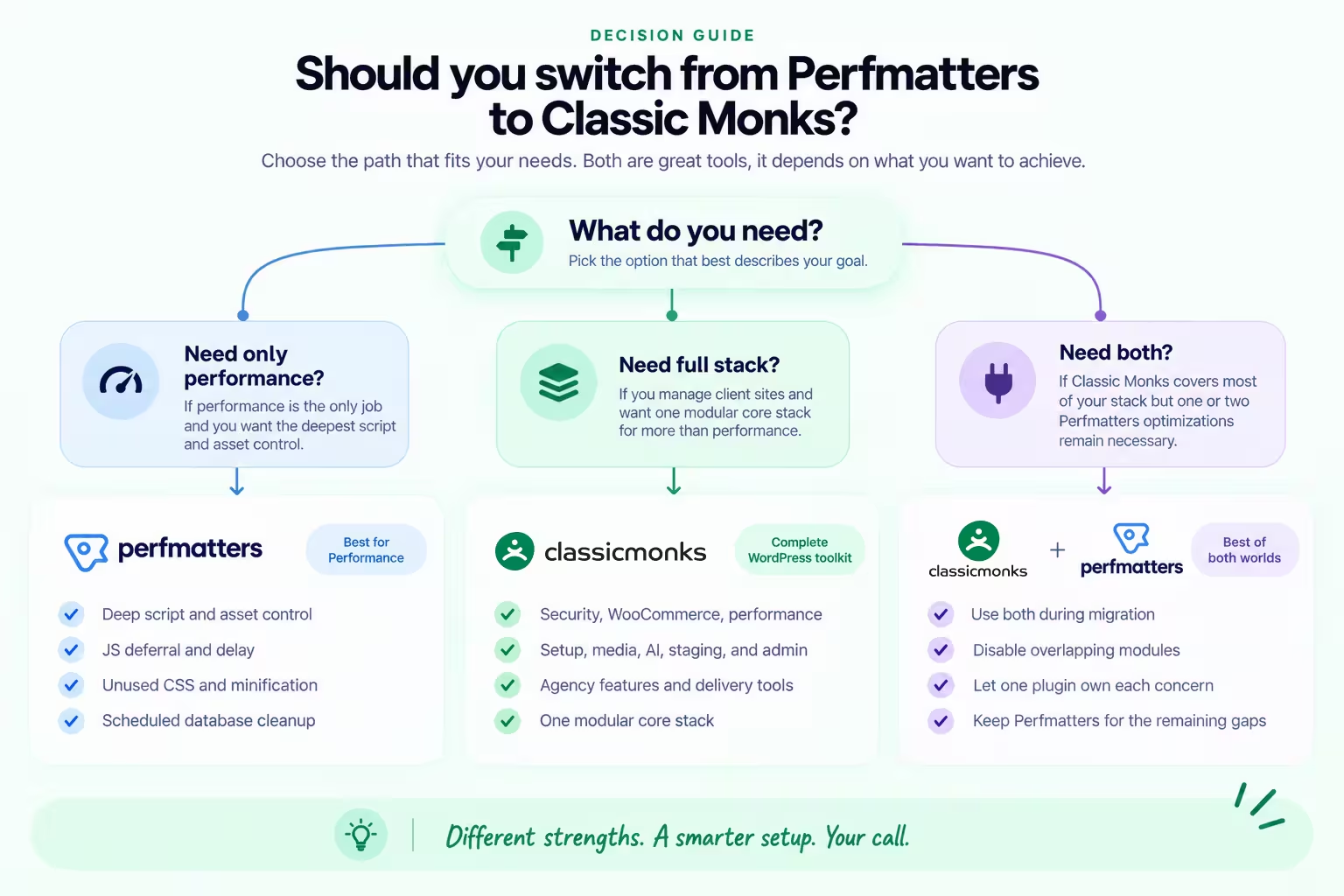
Use this decision rule:
- Choose Classic Monks if you manage client sites and want one modular core stack for security, WooCommerce, performance, setup, media, AI, staging, admin, and agency delivery.
- Keep Perfmatters if performance is the only job and you want the deepest script and asset control available, especially JS deferral and delay, unused CSS, minification, and scheduled database cleanup.
- Use both during migration if Classic Monks covers most of your stack but one or two Perfmatters optimizations remain necessary. Disable overlapping modules so one plugin owns each concern.
Migration is partial in both directions, so do it on staging:
- List every Perfmatters toggle you have enabled, per site.
- Map the overlapping controls to Classic Monks: emojis, Dashicons, embeds, feeds, XML-RPC, REST API, Google Fonts, Google Maps, jQuery Migrate, revisions, autosave, Heartbeat, login URL, lazy loading, and CDN rewrite.
- Enable one Classic Monks replacement at a time on staging.
- Keep Perfmatters active for the gaps: JS defer and delay, unused CSS, minification, database cleanup, local analytics and fonts, and per-device script control.
- Take a full-site backup, then test login, checkout, forms, and front-end output on staging.
- Clear caches, compare speed scores, and keep Perfmatters on the live site until the Classic Monks configuration soaks for a few days.
Classic Monks pricing currently includes Yearly plans from $39 for one site to $299 for unlimited sites, plus Lifetime plans at $299 for 100 sites and $599 for unlimited sites. Perfmatters costs $29.95 per year for one site, $59.95 for three sites, and $124.95 for unlimited sites, with a 15% renewal discount and a 30-day money-back guarantee. All Classic Monks plans include the core feature library. Enterprise-only white-label and priority-support benefits remain plan-specific. Check the current Classic Monks pricing before buying because pricing and plan contents can change.
Final verdict
Perfmatters is a focused performance specialist. Classic Monks covers much of that territory, but its larger advantage is what sits outside the Perfmatters model: security, WooCommerce, setup automation, media management, staging protection, AI, admin tools, and agency white label.
If those are the tools you need, Classic Monks is not just a Perfmatters alternative. It is a broader core stack that can replace several categories of plugins around Perfmatters’ original job.
Start with your enabled Perfmatters toggles, test on staging, and move the site to Classic Monks when the real workflows pass. Keep Perfmatters for the front-end surgery Classic Monks does not claim.

Add your first comment to this post