




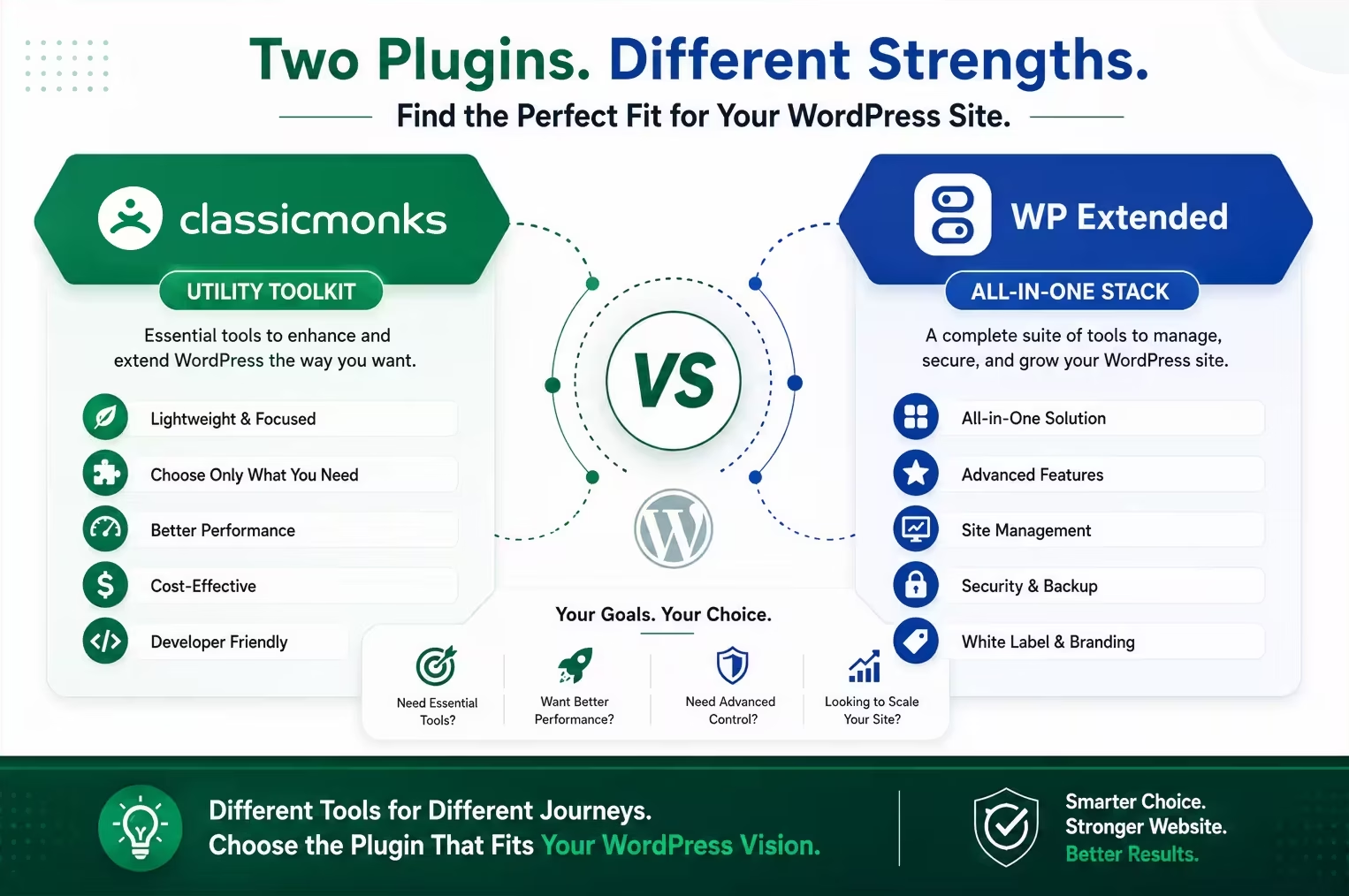
Classic Monks and WP Extended both exist to consolidate the small plugins a WordPress site accumulates, but they are built around different jobs.
WP Extended is a modular utility toolkit. Classic Monks is a broader operating stack.
That distinction matters. If your problem is admin cleanup, content utilities, code snippets, and a handful of developer and security controls, WP Extended is a strong, honest option with a generous free tier. If you also need Bricks Builder tools, WooCommerce controls, AI workflows, a deeper performance layer, staging protection, media management, and agency white labeling, Classic Monks is the broader fit.
See this comparison in context: Best All-in-One WordPress Plugins in 2026 (the hub article that ranks Classic Monks and WP Extended alongside ASE, Jetpack, WPMU DEV, and Perfmatters).
Quick verdict: Choose Classic Monks when you want one modular stack for building, operating, and handing over WordPress sites, including Bricks, WooCommerce, security, performance, and agency delivery. Choose WP Extended when your needs are mostly admin and content utilities and you want a lightweight toolkit with a generous free tier. Use both during migration if that is the safest path, but assign one owner per shared concern.
Low-risk next step: Use the zero-install Classic Monks demo to explore the stack, then validate the workflows that matter on staging before changing plugin ownership.
This comparison was checked on August 20, 2026 against the WP Extended modules page, WP Extended pricing, the official Classic Monks feature library, the local feature inventory (cm-features-what-is-it.md), and the Classic Monks changelog.
How we classified the comparison: We marked a workflow as covered when Classic Monks supports the core job in its current implementation or documentation, and where the local feature inventory documents it. Differences involving depth, roles, execution contexts, or edge cases remain noted as limitations.
Classic Monks vs WP Extended at a glance
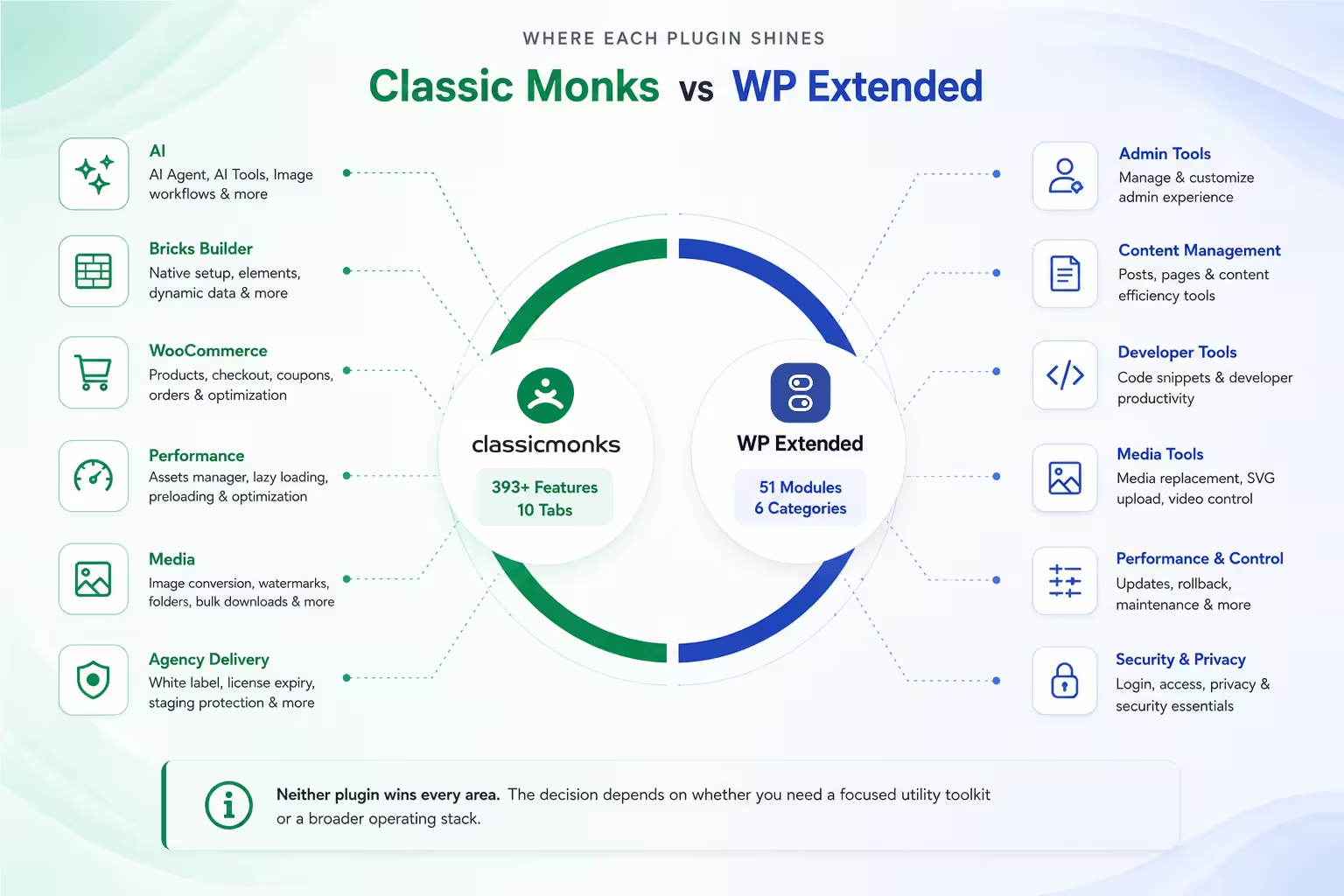
WP Extended presents 51 modules across 6 categories: Admin Tools, Content Management, Developer Tools, Media Tools, Performance & Control, and Security & Privacy. The free WordPress.org plugin includes 36 of its modules; the rest are Pro. Classic Monks presents a 393+ feature library across 10 tabs: AI, Core, Email, WooCommerce, Bricks Builder, Security, Interface, Performance, White Label, and Options. The counts use different inventory methods, so they are not an apples-to-apples benchmark. The useful comparison is what each plugin lets your team do.
| Area | Classic Monks | WP Extended | Better fit |
|---|---|---|---|
| Core focus | Broader modular stack for building and operating sites | Modular admin, content, and developer utility toolkit | Depends on scope |
| Admin cleanup | Menu, toolbar, notices, columns, widgets, roles, branding | Strong admin and content cleanup coverage | Tie for core admin work |
| Custom code | Code Manager with validation, safe mode, hooks, recovery | Code Snippets module | Classic Monks for the deeper workflow |
| AI | AI Agent, AI Tools, image workflows, multiple providers | No AI category | Classic Monks |
| Bricks Builder | Native setup, elements, dynamic data, conditions, interactions, optimization | No Bricks category | Classic Monks |
| WooCommerce | Product, checkout, coupons, orders, My Account, redirects, optimization | No WooCommerce category | Classic Monks |
| Performance | Assets Manager, lazy loading, preloading, image conversion, output controls | Performance and control modules (updates, updates rollback, maintenance) | Classic Monks for broader operations |
| Media | Image conversion, watermarks, folder manager, bulk downloads, SVG sanitization | Media tools (replacement, trash, SVG upload, video-upload control) | Classic Monks for the wider workflow |
| Agency delivery | White label plus client license expiry and staging protection | Admin and login branding features | Classic Monks for broader agency control |
Neither plugin wins every row. The decision depends on whether you are buying a focused utility toolkit or a broader operating stack.
Which plugin is better for WordPress admin controls?
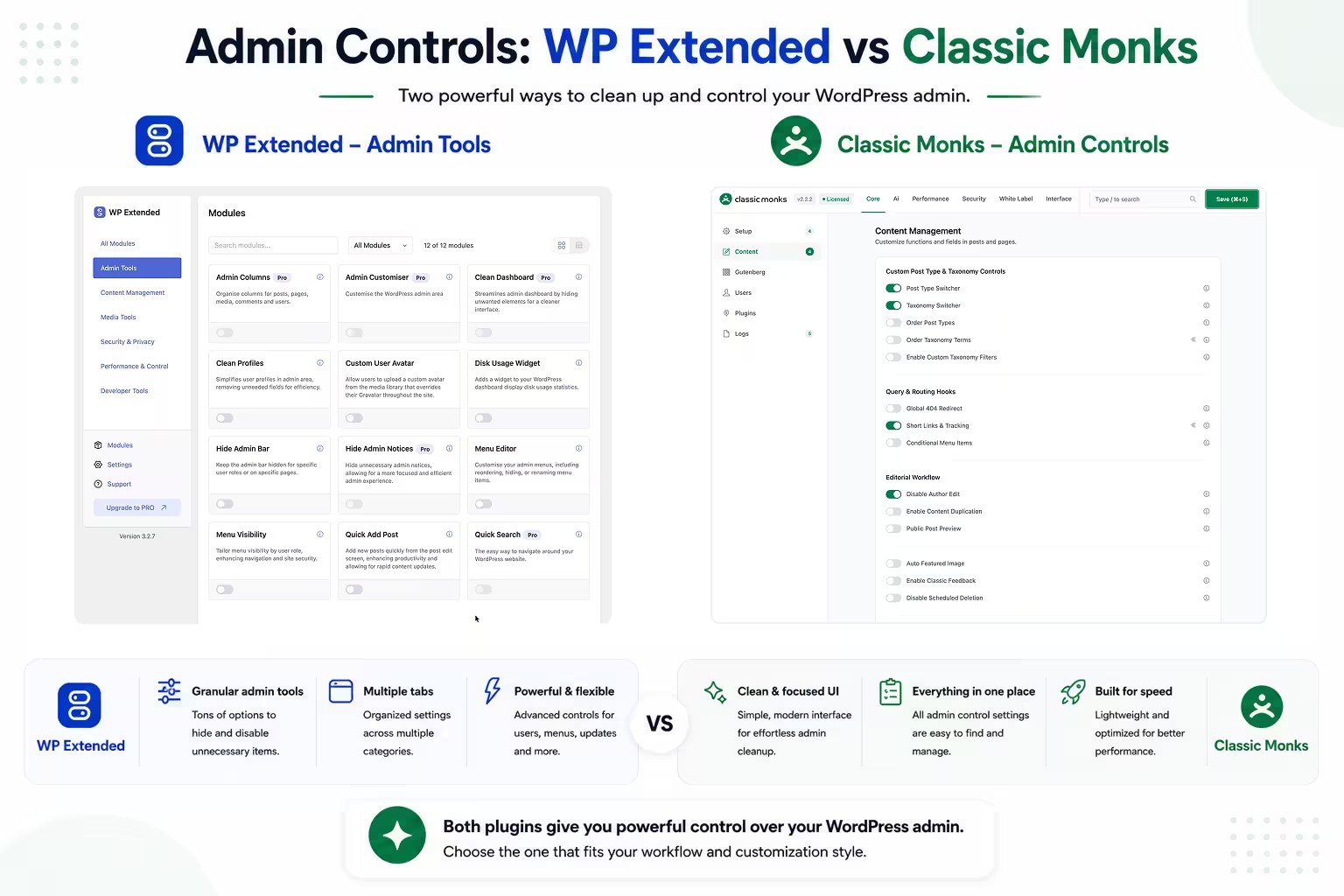
For traditional admin work, the comparison is close, and this is WP Extended’s strongest territory. Its Admin Tools category is deep and well organized: Admin Columns, Clean Dashboard, Hide Admin Notices, Admin Bar, Admin Menu, Menu Items, Quick Search, Quick Post, and user-profile tools.
Classic Monks covers many of the same core jobs:
- Admin Menu Manager and Top Toolbar Manager
- Admin Notices Manager
- Admin Columns Manager
- Remove Dashboard Widgets
- Wider Admin Sidebar
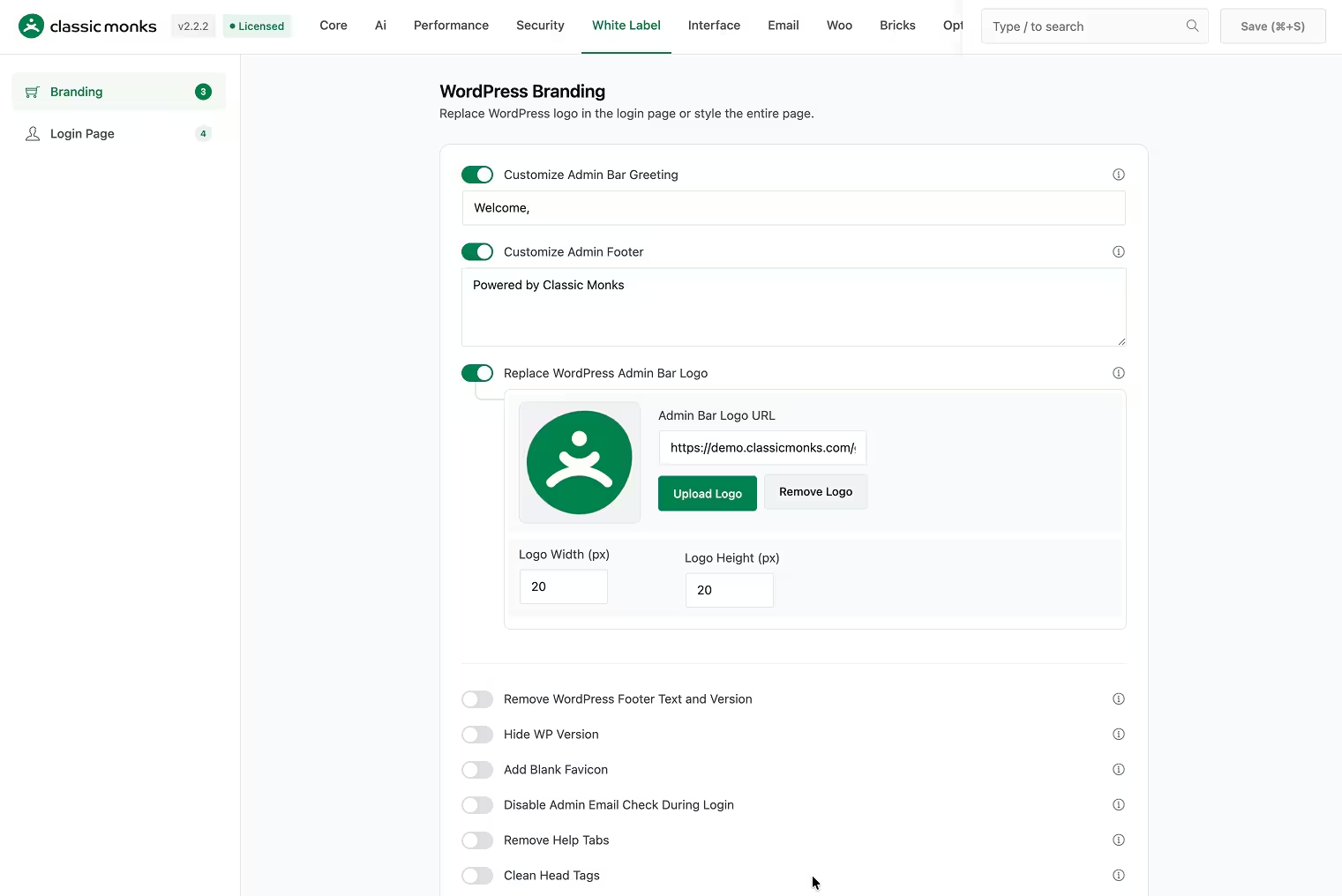
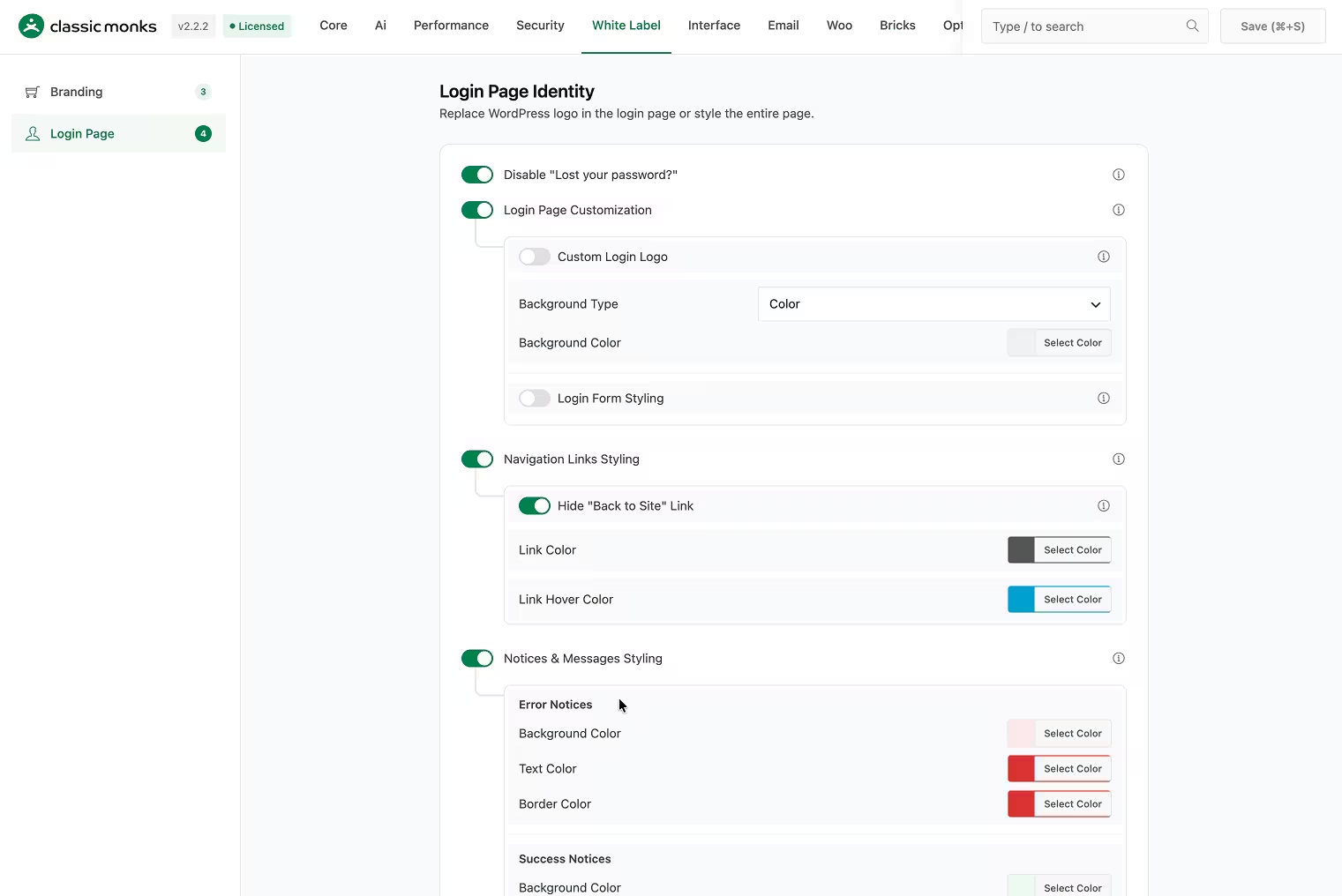
- Login Page Customization
- Custom Taxonomy Filters
- Post Type Switcher and Taxonomy Switcher
- Content Duplication
- Folder Manager
For basic cleanup and hardening, Classic Monks can replace a meaningful part of a WP Extended setup. WP Extended has some narrow, focused tools of its own (Quick Search, Quick Post, user-profile simplification, avatar, disk-usage display) that are worth keeping during migration if they are not already matched by a CM feature.
Verdict: ASE-grade admin cleanup is close; WP Extended is a strong admin toolkit and Classic Monks becomes the better call when admin controls are only one part of a larger stack.
Which plugin is better for code snippets?
Both plugins let you add PHP, HTML, CSS, and JavaScript without editing theme files.
WP Extended’s Code Snippets module manages snippets in one place and is included in the free plugin. It suits tracking scripts, styling tweaks, header and footer code, and small behavior changes.
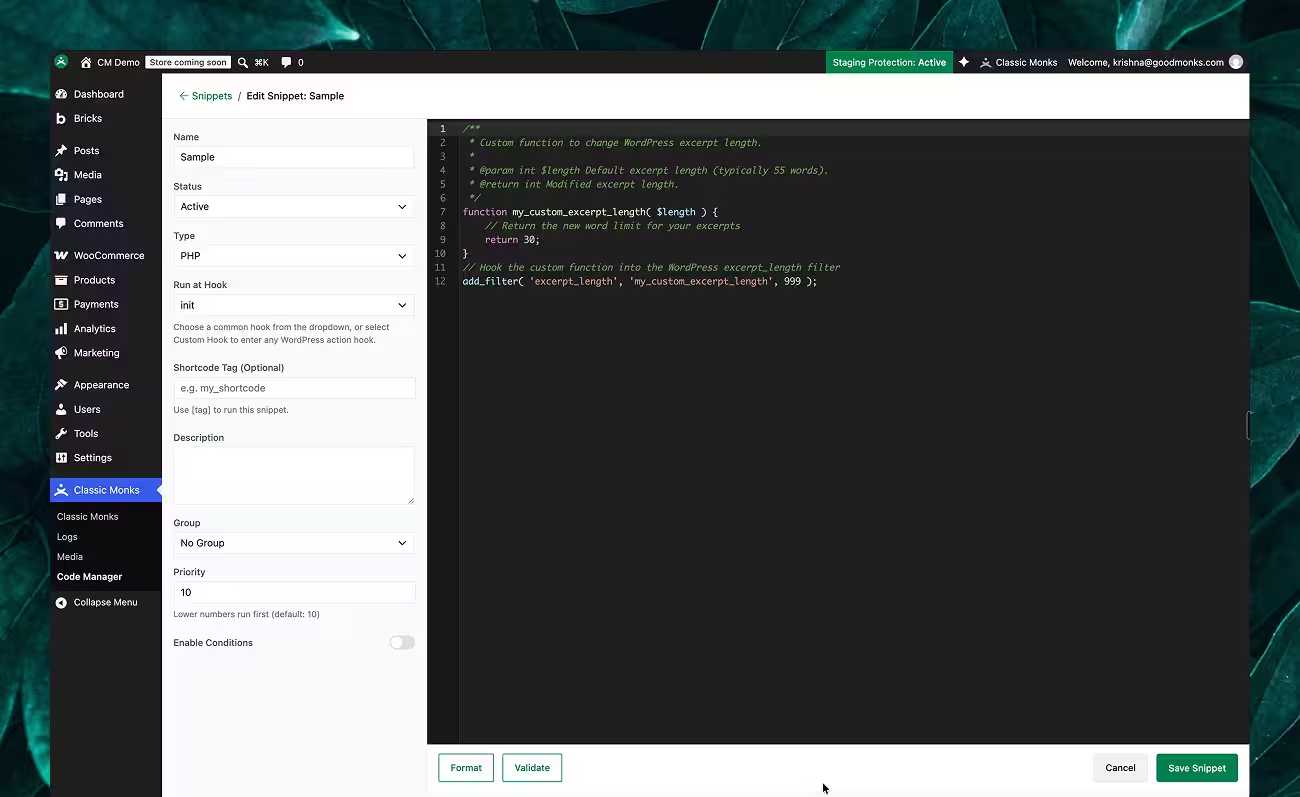
Classic Monks’ Code Manager is a deeper workflow. It supports PHP, JavaScript, CSS, HTML/PHP Content, and TXT files, with conditional execution, syntax validation, safe mode, automatic fatal-error recovery, and hook placement for head, body, footer, and content locations. It also exposes developer controls and works inside the broader plugin rather than as a standalone utility.
Verdict: If code snippets are a small part of the job, either works, and WP Extended’s free tier is a fair low-cost option. If snippets are core to the workflow, Classic Monks’ Code Manager is the stronger tool.
Does Classic Monks offer more than WP Extended for Bricks Builder, WooCommerce, and AI?
Yes. These are the biggest differences between the two plugins.
WP Extended has no Bricks, no WooCommerce, and no AI categories in its module list. Classic Monks has dedicated tabs for each:
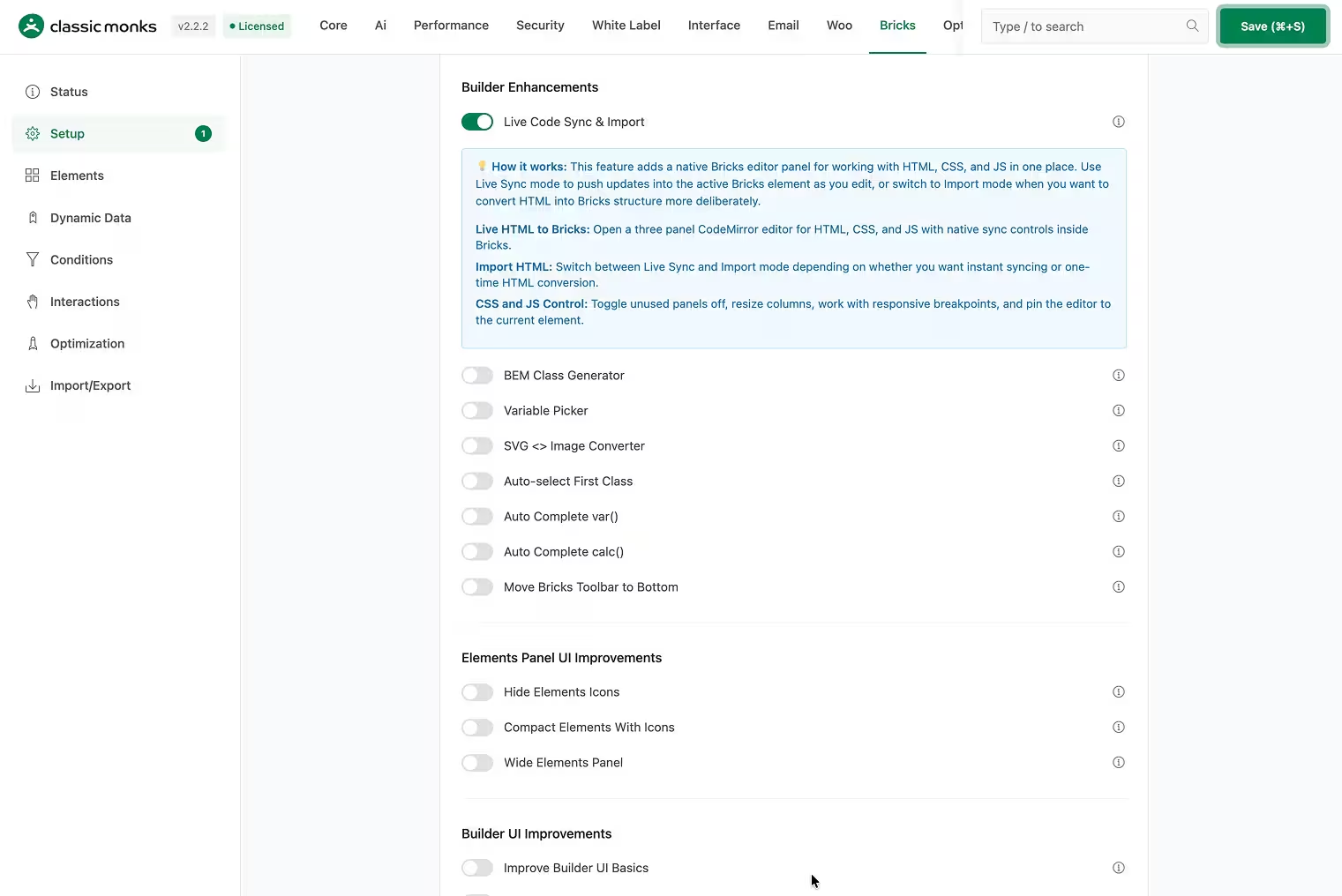
- Bricks Builder: native setup, core and query elements, dynamic data, conditions, interactions, animations, import/export, asset controls, and CSS minification. If your teams build client sites with Bricks, Classic Monks sits inside the builder workflow rather than only cleaning up the dashboard around it.
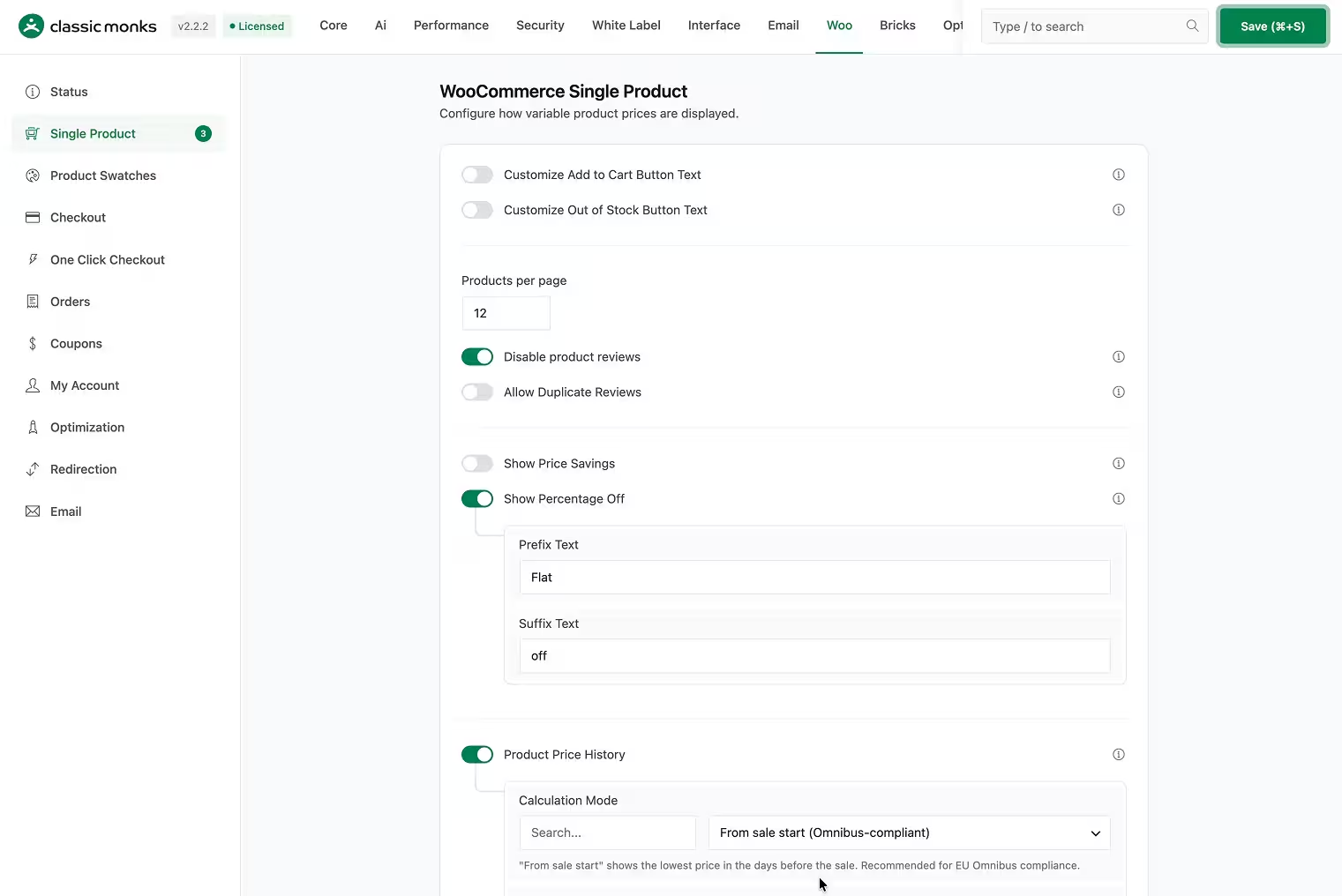
- WooCommerce: product swatches, single product, checkout, one-click checkout, coupons, orders, My Account, redirection, optimization, and email tools. WP Extended has no store-specific module category.
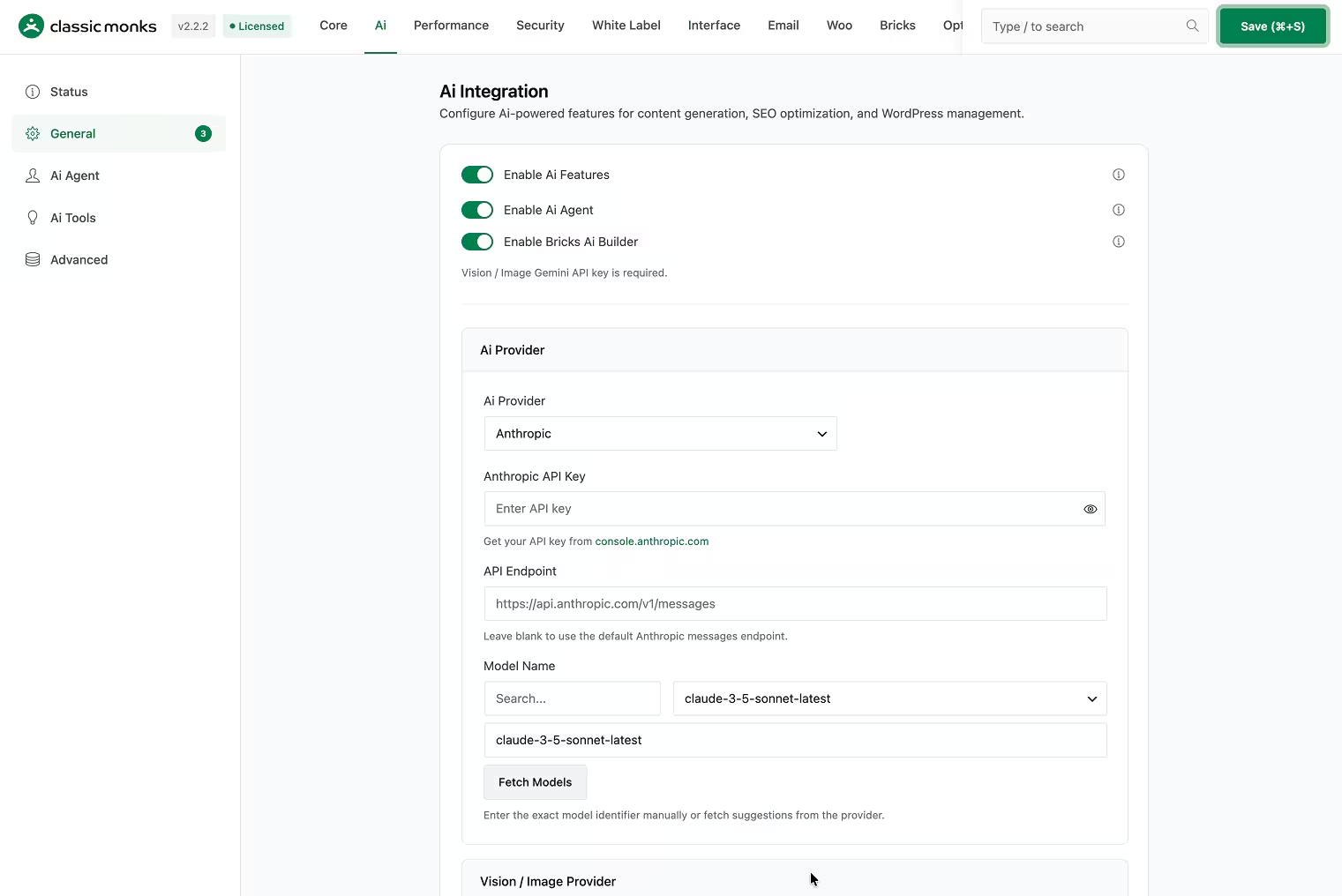
- AI: AI Agent in the admin, AI Tools for content and media, image generation and editing, and multiple provider integrations. WP Extended has no AI layer.
Read the Bricks Builder documentation for the current builder workflow.
Which plugin has stronger performance, media, and security tools?
Classic Monks carries the broader operating layer across three areas.
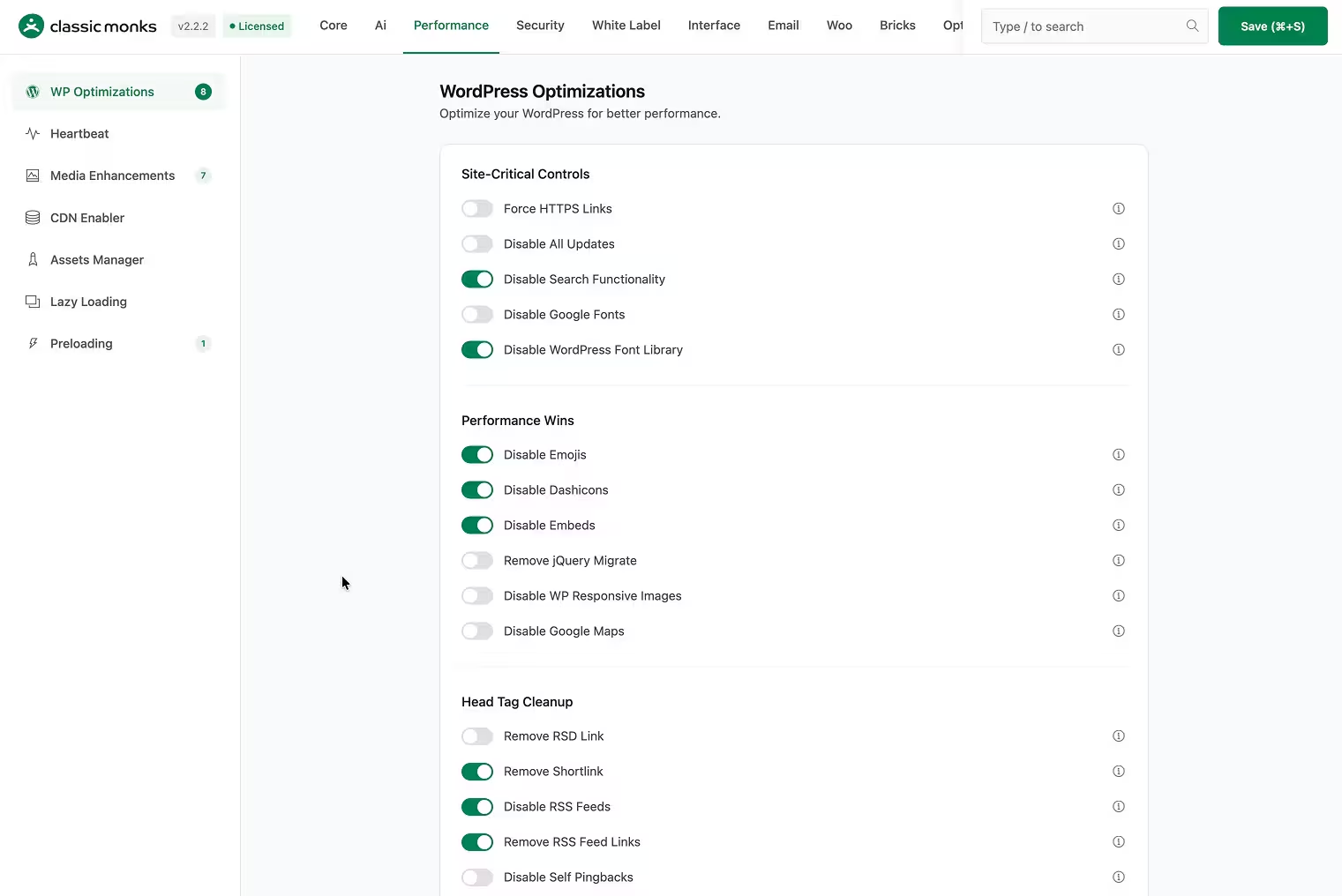
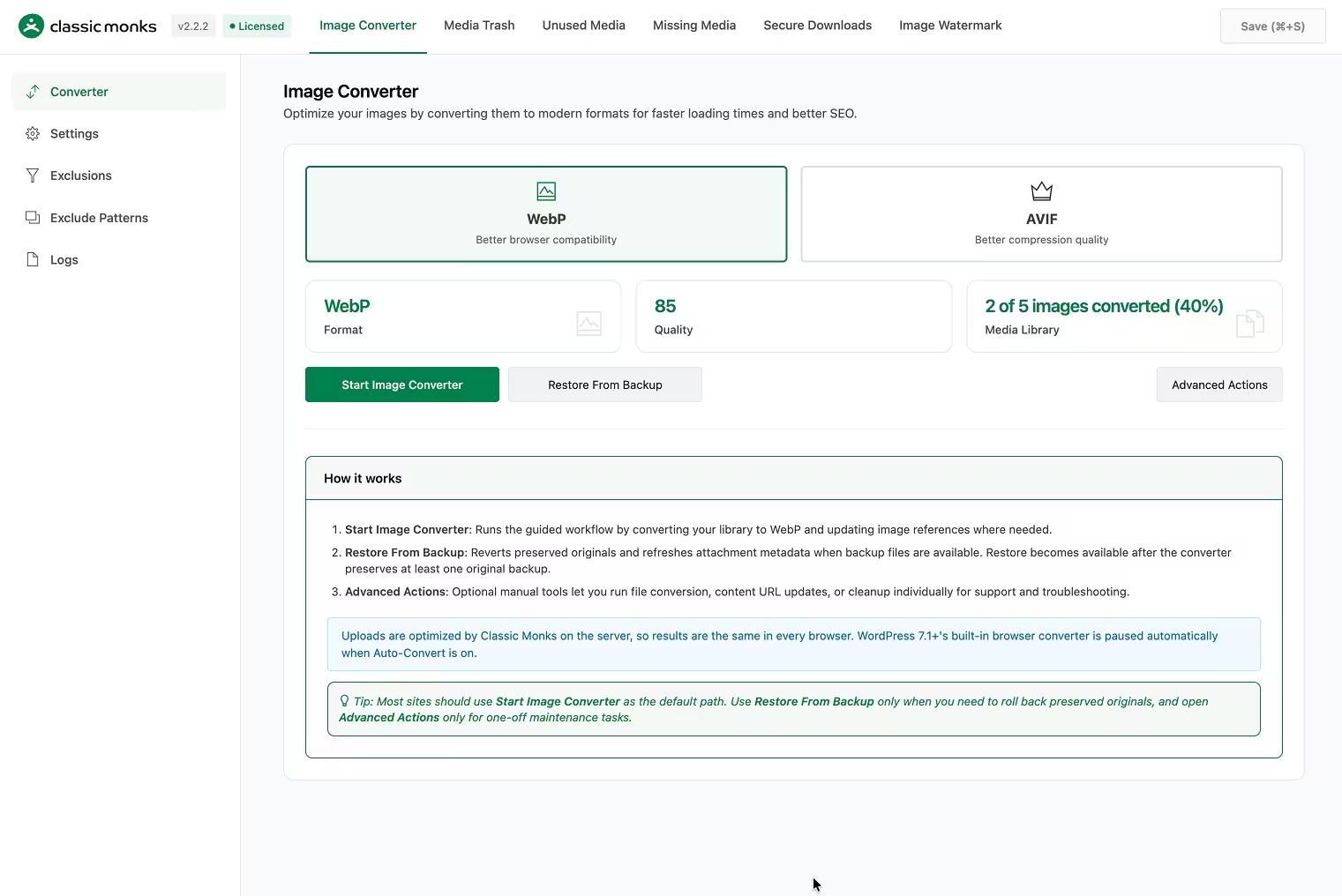
Performance. Classic Monks includes an Assets Manager for disabling CSS and JavaScript per page, lazy loading, intelligent preloading, CDN rewrite, image conversion to WebP and AVIF, and WordPress output controls. WP Extended’s Performance & Control category is more about site behavior: disabling auto updates, disabling blog features, disabling comments and RSS, external-link handling, maintenance mode, plugin/theme rollback, and search-engine visibility notices. These are different jobs. WP Extended does not claim the asset, loading, and conversion layer Classic Monks provides.
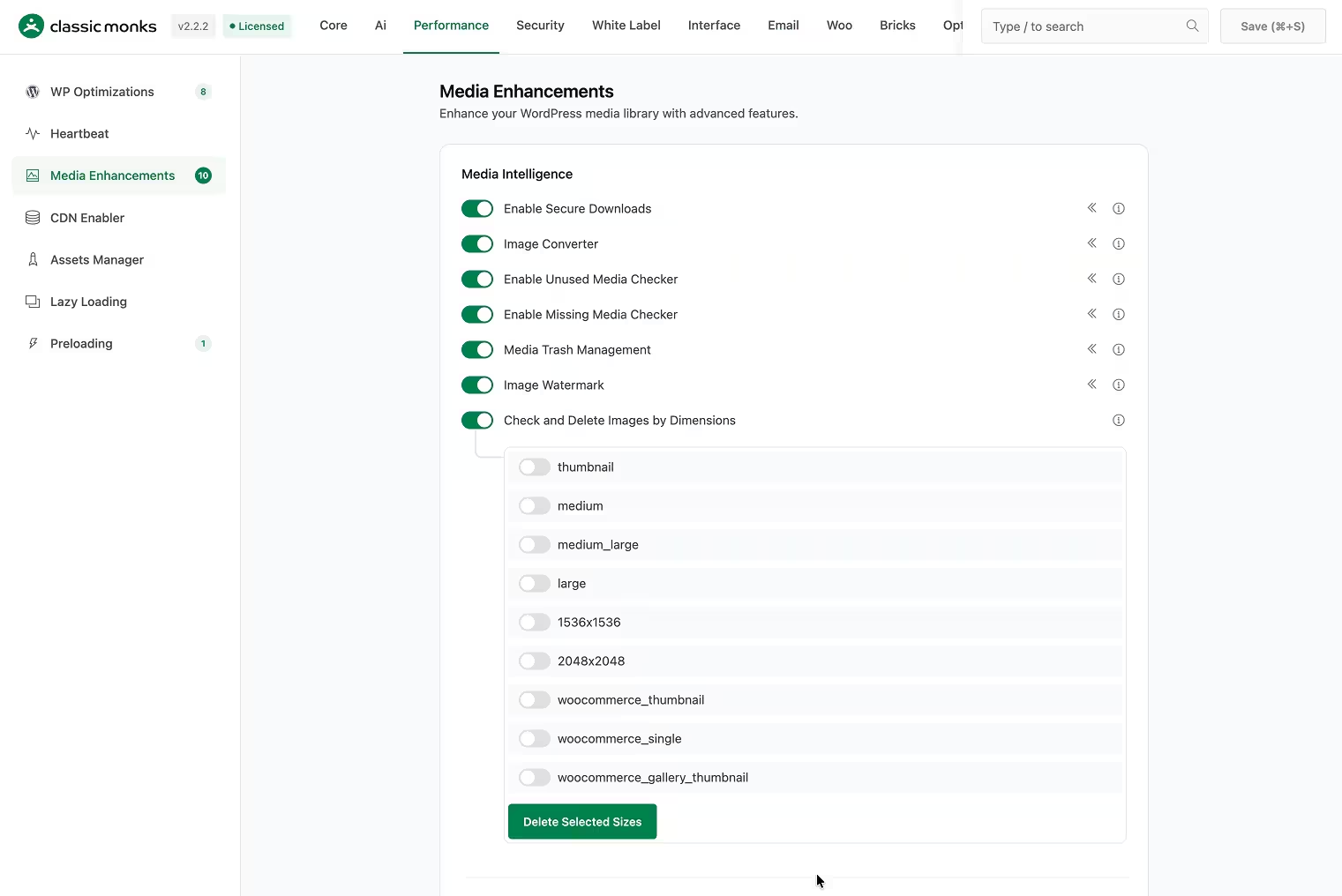
Media. WP Extended has useful tools: media replacement, media trash, SVG upload, and video-upload control. Classic Monks adds image format conversion, watermarks, unused and missing media checks, bulk media downloads, image renaming, secure downloads, media trash, SVG sanitization, and a folder manager. The difference is breadth and the delivery pipeline, not just a single toggle.
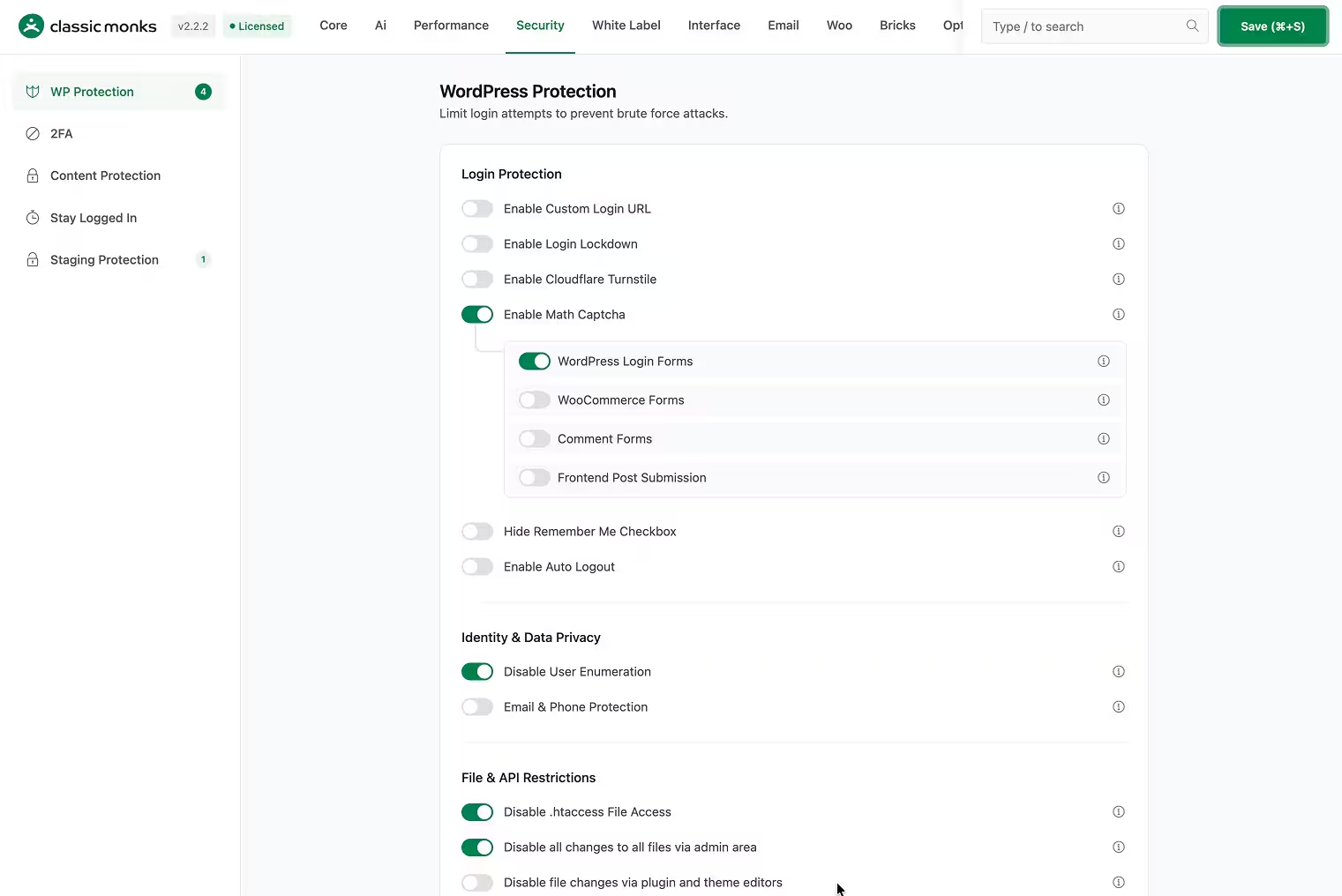
Security. WP Extended’s Security & Privacy modules handle reserved usernames, custom login URL, XML-RPC disable, author-slug and version hiding, login limits, 404 redirects, user-enumeration blocking, and last-login display. Classic Monks covers many of those (login lockdown, custom login URL, XML-RPC disable, user-enumeration protection, version hiding), then adds 2FA with TOTP and email OTP, trusted devices and rate limiting, Cloudflare Turnstile and Math Captcha, content protection, post access restriction, and staging protection.
Classic Monks does not claim full-page caching, backups, or a WAF. Its job is the broader asset, media, and security layer; it routes caching to a dedicated caching product.
Which plugin is better for site setup and agency delivery?
Classic Monks is the clear fit for repeatable provisioning and agency handover.
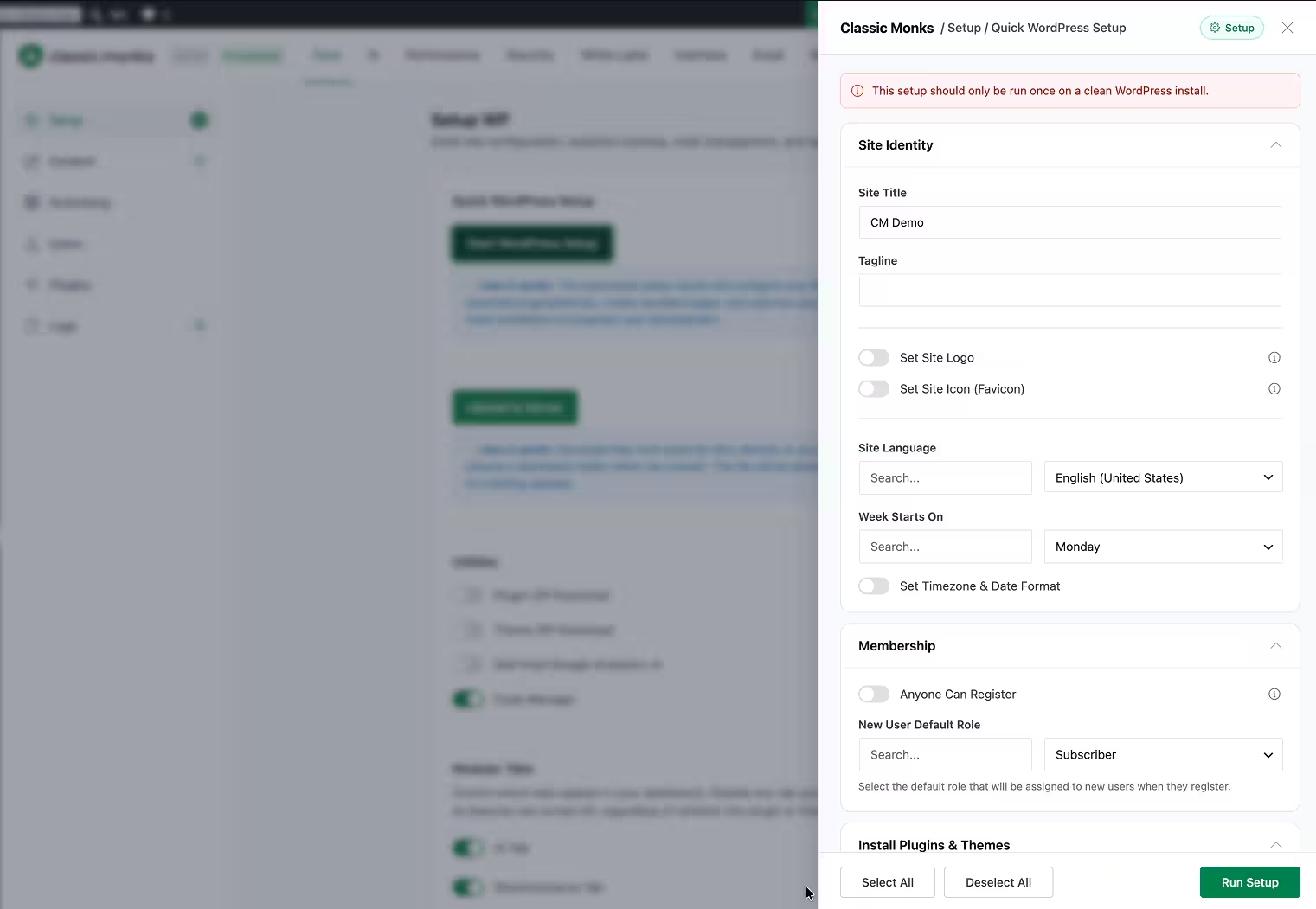
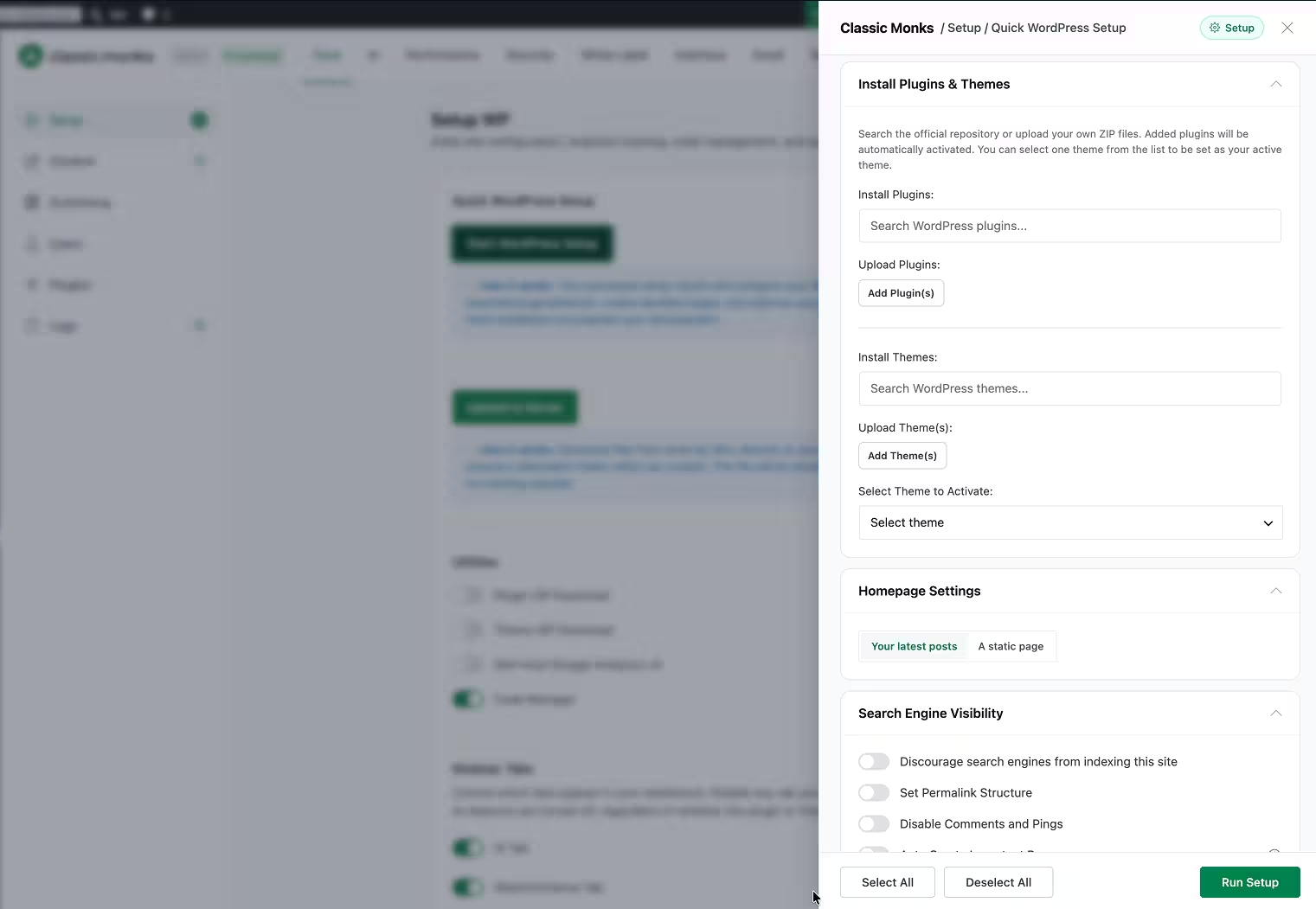
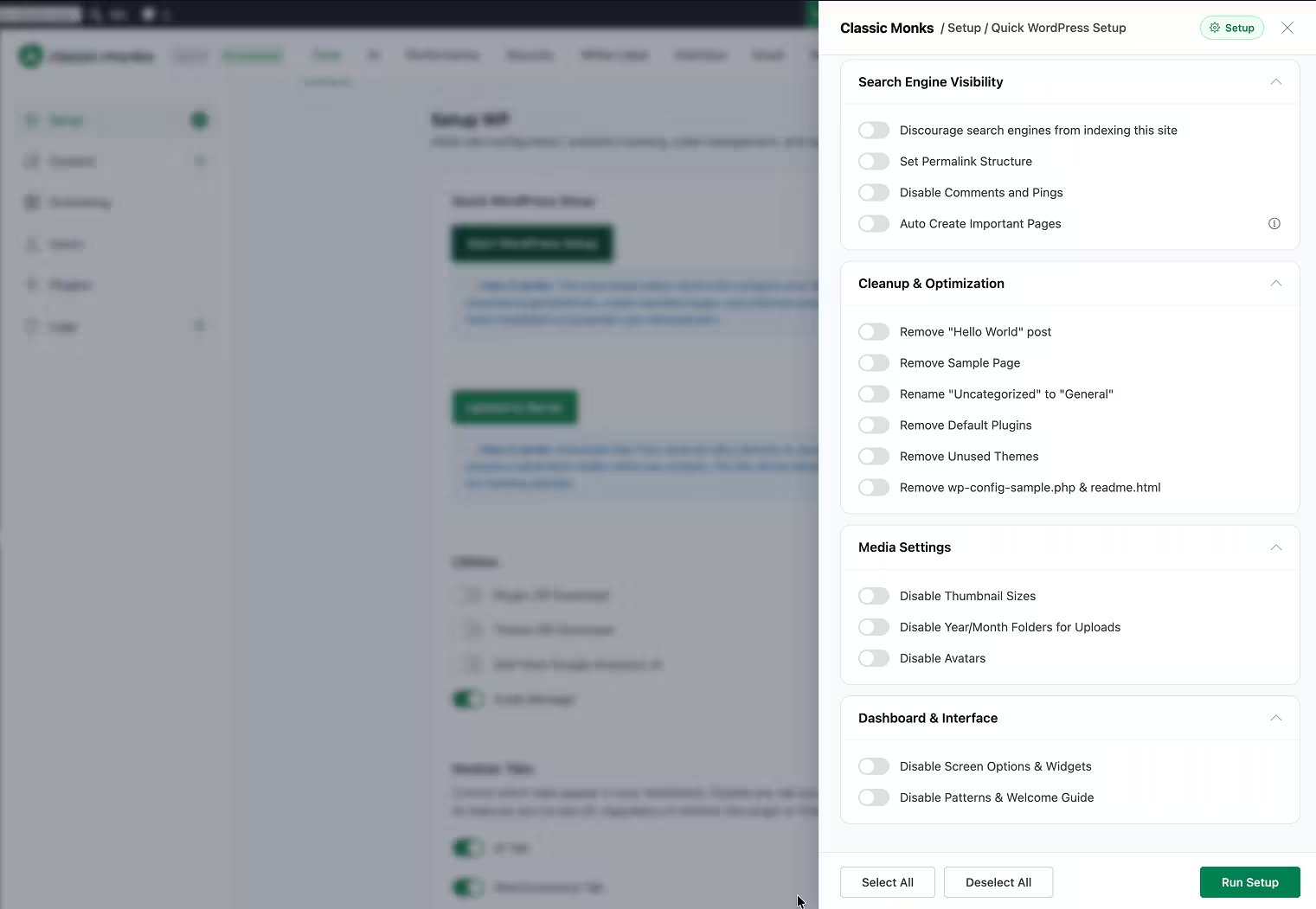
Quick WordPress Setup provisions a fresh WordPress site in around ten minutes, covering site identity, plugins, themes, homepage settings, permalinks, and cleanup. Classic Monks also includes Staging Protection with HTTP authentication, access tokens, IP allowlists, testing-tool allowances, and staging indicators, plus white labeling and client license expiry controls on higher tiers.
WP Extended does not show an equivalent setup wizard, staging-protection category, or client license expiry manager.
Verdict: For a solo site or developer, this may not matter. For an agency that reproduces the same baseline across client projects, Classic Monks is the broader delivery system.
What does WP Extended do better than Classic Monks?
This is where the comparison stays honest. Classic Monks is broader, but it is not a 100% WP Extended replacement on every module.
Keep WP Extended, or use a dedicated product, when you depend on a module Classic Monks does not document as a direct match:
- Quick Search (a fast global search interface across the WordPress admin)
- Quick Post (create posts directly from the editing workflow)
- User-profile tools (profile simplification and a custom avatar uploader)
- Disk-usage display (storage pressure on the dashboard)
- Clone menu (duplicate an existing menu quickly)
- Plugin/theme rollback (WP Extended’s rollback module restores earlier versions after a bad update)
- Export tools (WP Extended includes export modules for posts and users that some teams need even when Classic Monks has its own export workflows)
- External permalink (point content to external URLs while keeping it in WordPress)
- Tracking pixels (WP Extended’s tracking-tag manager for analytics and marketing pixels)
These are real, named modules. Some overlap with Classic Monks’ broader export, folder, and user workflows; several do not have a confirmed direct CM equivalent. Do not replace a required workflow because a feature-count headline looks attractive.
See the Classic Monks feature library before you disable a required WP Extended module.
For the categories where Classic Monks goes beyond WP Extended, see Classic Monks vs WP Extended: What WP Extended Doesn’t Include.
Classic Monks vs WP Extended pricing
Pricing changes, so these are the values verified during this comparison.
WP Extended pricing
WP Extended’s pricing is published directly. The free WordPress.org plugin includes 36 modules; Pro adds 15 more modules plus advanced options.
| Plan | Sites | Model |
|---|---|---|
| Single Site | 1 | $29/year |
| Multi Site | 50 | $119/year |
| Unlimited | Unlimited | $199/year |
| Unlimited Lifetime | Unlimited | $499 one-time |
Prices verified August 20, 2026 on WP Extended pricing.
Classic Monks pricing
| Plan | Sites | Yearly | Lifetime |
|---|---|---|---|
| Personal | 1 | $39/year | Not listed |
| Professional | 25 | $119/year | Not listed |
| Agency | 100 | $199/year | $299 one-time |
| Enterprise | Unlimited | $299/year | $599 one-time |
The price is not the whole story. WP Extended’s free tier is genuinely useful, and that matters if your budget is zero. Classic Monks bundles a wider stack, including AI, Bricks, WooCommerce, performance, setup, security, media, and email tools, and its Agency tier sites let you consolidate across a portfolio.
Check the current Classic Monks pricing before buying. Plan contents and limited-time offers can change.
Can you use Classic Monks and WP Extended together?
Yes. Running both during migration is often the safest approach.
Do not let both plugins own the same concern. Pick one owner for:
- SMTP and email delivery
- Login lockdown and login URL
- XML-RPC and user enumeration
- Code snippets
- Redirects
- Media replacement
- Admin menu and toolbar cleanup
- Export workflows
Duplicate ownership can create conflicting hooks, duplicate emails, confusing login behavior, and rules that are hard to debug. Keep WP Extended for the gaps that matter, then disable the overlapping modules you have tested.
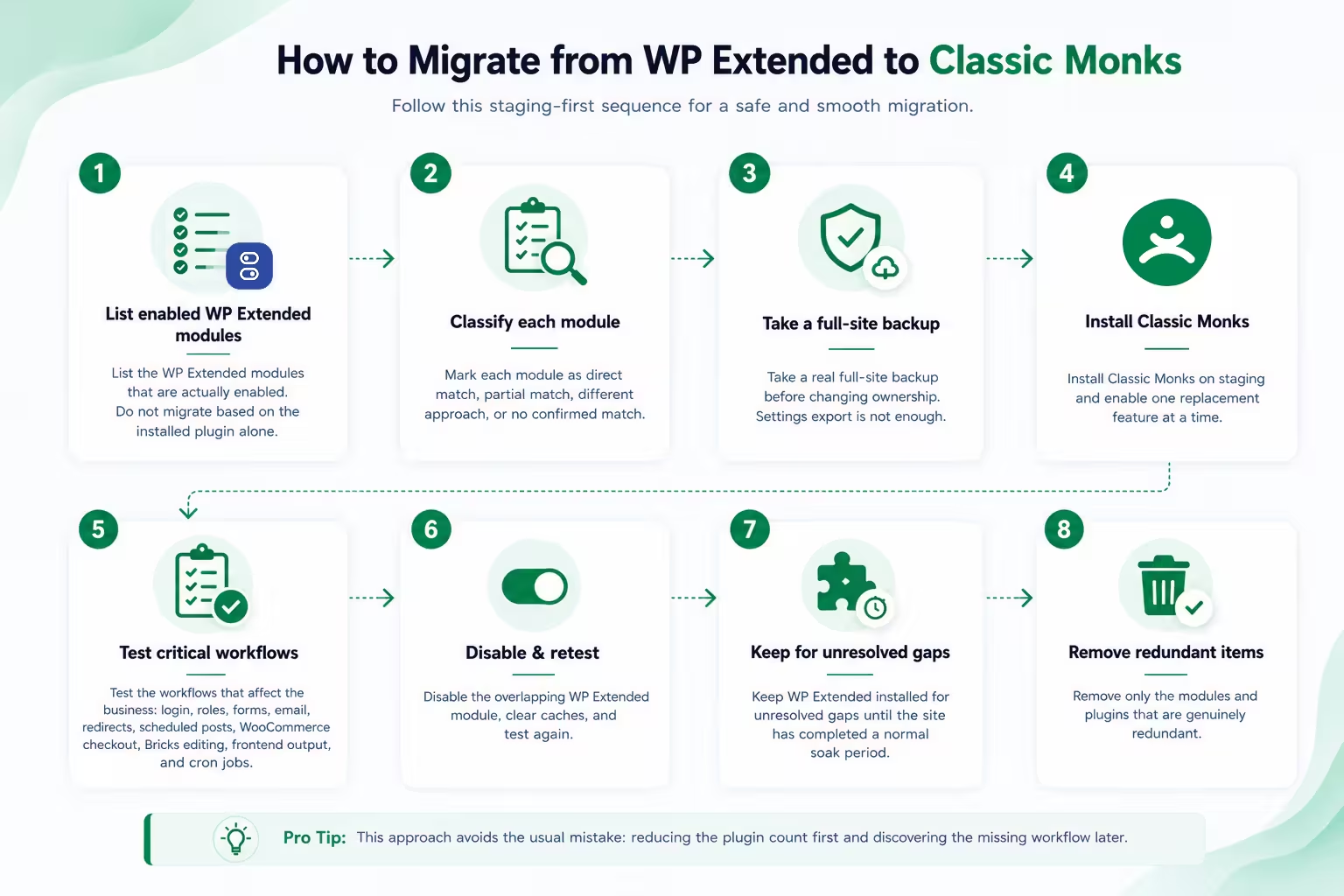
How to migrate from WP Extended to Classic Monks
Use this sequence on staging:
- List the WP Extended modules that are actually enabled. Do not migrate based on the installed plugin alone.
- Mark each module as direct match, partial match, different approach, or no confirmed match.
- Take a real full-site backup before changing ownership. Settings export is not enough.
- Install Classic Monks on staging and enable one replacement feature at a time.
- Test the workflows that affect the business: login, roles, forms, email, redirects, scheduled posts, WooCommerce checkout, Bricks editing, frontend output, and cron jobs.
- Disable the overlapping WP Extended module, clear caches, and test again.
- Keep WP Extended installed for unresolved gaps until the site has completed a normal soak period.
- Remove only the modules and plugins that are genuinely redundant.
This approach avoids the usual mistake: reducing the plugin count first and discovering the missing workflow later.
Who should choose Classic Monks?
Choose Classic Monks if you run Bricks or WooCommerce sites. The native builder and store tools are outside WP Extended’s module list.
Choose Classic Monks if you want one core stack for agencies. Setup, staging, performance, media, AI, email, security, white-label, and client license expiry all live in the same system.
Choose Classic Monks if you are replacing several surrounding plugins, not only WP Extended. The value comes from the categories around the admin toolkit.
Keep WP Extended if you depend on Quick Search, Quick Post, user-profile tools, disk-usage display, clone menu, plugin rollback, or its export module and there is no confirmed CM direct match. That is the right decision even if it leaves two plugins installed.
Use both if Classic Monks is the broader stack and WP Extended fills one clearly defined gap. One plugin does not need to win every row for the migration to make sense.
Final verdict
WP Extended is a clean, focused modular utility toolkit with a genuinely useful free tier. Classic Monks is the broader choice when WordPress administration is only one part of the job.
Choose Classic Monks for the wider stack: AI, Bricks, WooCommerce, performance, media, setup, staging, security, email, and agency delivery. Keep WP Extended where it still owns a workflow Classic Monks does not match. Use both during migration when that reduces risk.
The practical next step is simple: install Classic Monks on staging, run the workflows that matter, and compare the result against the Classic Monks feature library.

Add your first comment to this post