




What Is the Admin Footer
The admin footer is the small text area at the bottom of the WordPress admin screens. By default it shows a “Thank you for creating with WordPress” message and the version number. Classic Monks lets you replace it with your own text, which is useful for white-labeling the admin for a client.
It is a white-label option in the White Label tab. It is separate from Remove WordPress Footer Text and Version, which hides the footer entirely.
Customize the Admin Footer
Step 1: Open the Branding Settings
In your WordPress dashboard, go to Classic Monks, open the White Label tab, then the Branding subtab.
Step 2: Turn On Customize Admin Footer
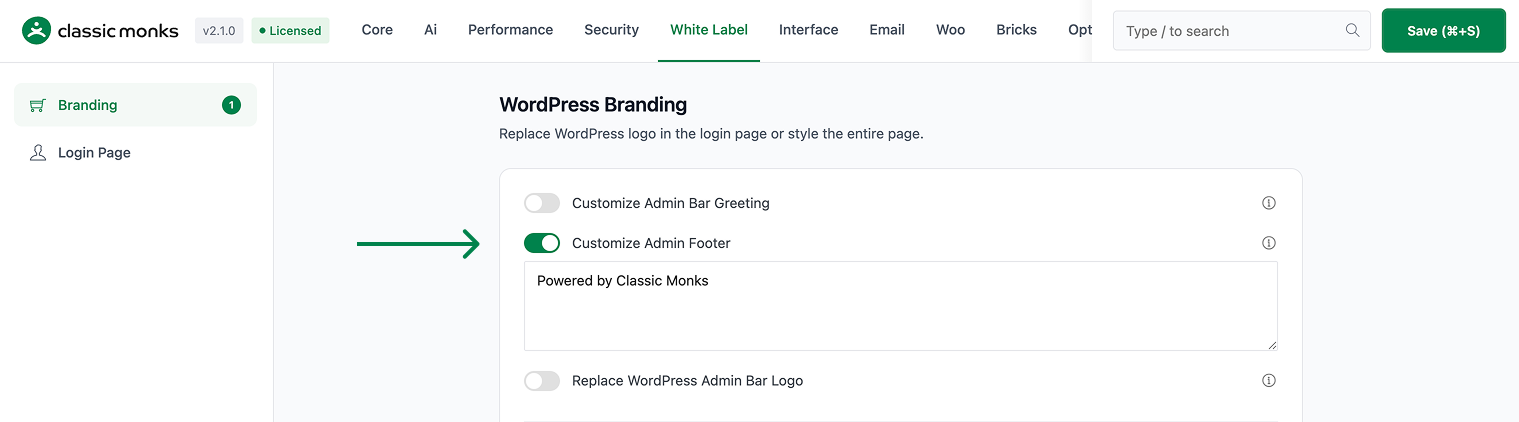
In the Branding subtab, toggle on Customize Admin Footer.
Step 3: Enter Your Footer Text
In the Custom Footer text area, enter the text you want to show in the admin footer. The default is Powered by Classic Monks. You can add HTML, such as a link to your agency’s support page.
Step 4: Save and Test
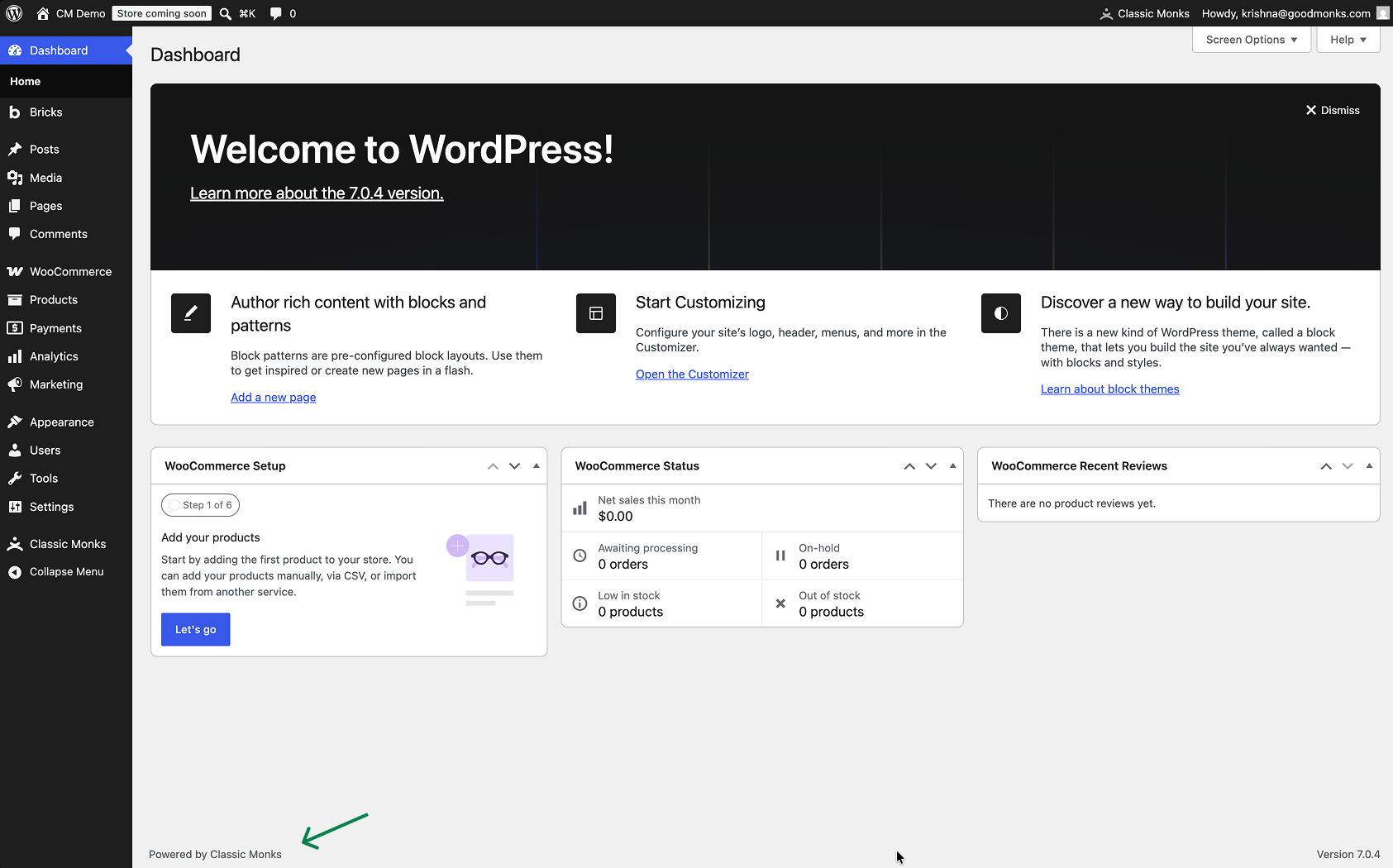
Click Save (⌘+S). Check the bottom of any admin page to confirm the custom footer appears.
Verify It Works
After saving, open any admin page and confirm:
- The admin footer shows your custom text instead of the default WordPress message.
- Any HTML in the footer, such as a link, renders correctly.
- The footer appears consistently across admin pages.
If the footer does not change, confirm the toggle is on, the text is entered, and the changes were saved.
Examples
Example 1: Add Your Agency Name
An agency wants clients to see its name in the admin. Set the footer to Designed by [Agency Name]. The client sees the agency’s branding in the admin footer.
Example 2: Add a Support Link
A support team wants clients to reach help easily. Set the footer to Need help? Contact support with a link to the support page. Clients can click the link from any admin page.
Example 3: A Branded Tagline
A company wants a branded admin. Set the footer to the company’s tagline. The admin footer reinforces the brand on every page.
Common Use Cases
White-label the admin for a client
When you build a site for a client, the default admin footer shows a WordPress message. Replacing it with your agency name or a support message makes the admin look like a custom product rather than a stock WordPress install.
Add a support link for clients
A support team can add a link to their help or support page in the admin footer. Clients can reach support from any admin screen, which reduces support tickets and improves the client experience.
Reinforce the brand on every page
The admin footer appears on every admin screen. Setting it to a brand tagline or message reinforces the brand continuously, which is useful for agencies and companies that want consistent branding.

Add your first comment to this post