




What Is the Admin Email Check
WordPress periodically reminds the admin to re-verify their site admin email by showing a notice during login. It is a security feature, but it can interrupt the login flow. Disable Admin Email Check During Login is a white-label option in the Classic Monks White Label tab that disables this reminder so the admin does not see the re-verify prompt.
Disable the Admin Email Check
Step 1: Open the Branding Settings
In your WordPress dashboard, go to Classic Monks, open the White Label tab, then the Branding subtab.
Step 2: Turn On Disable Admin Email Check During Login
In the Branding subtab, toggle on Disable Admin Email Check During Login.
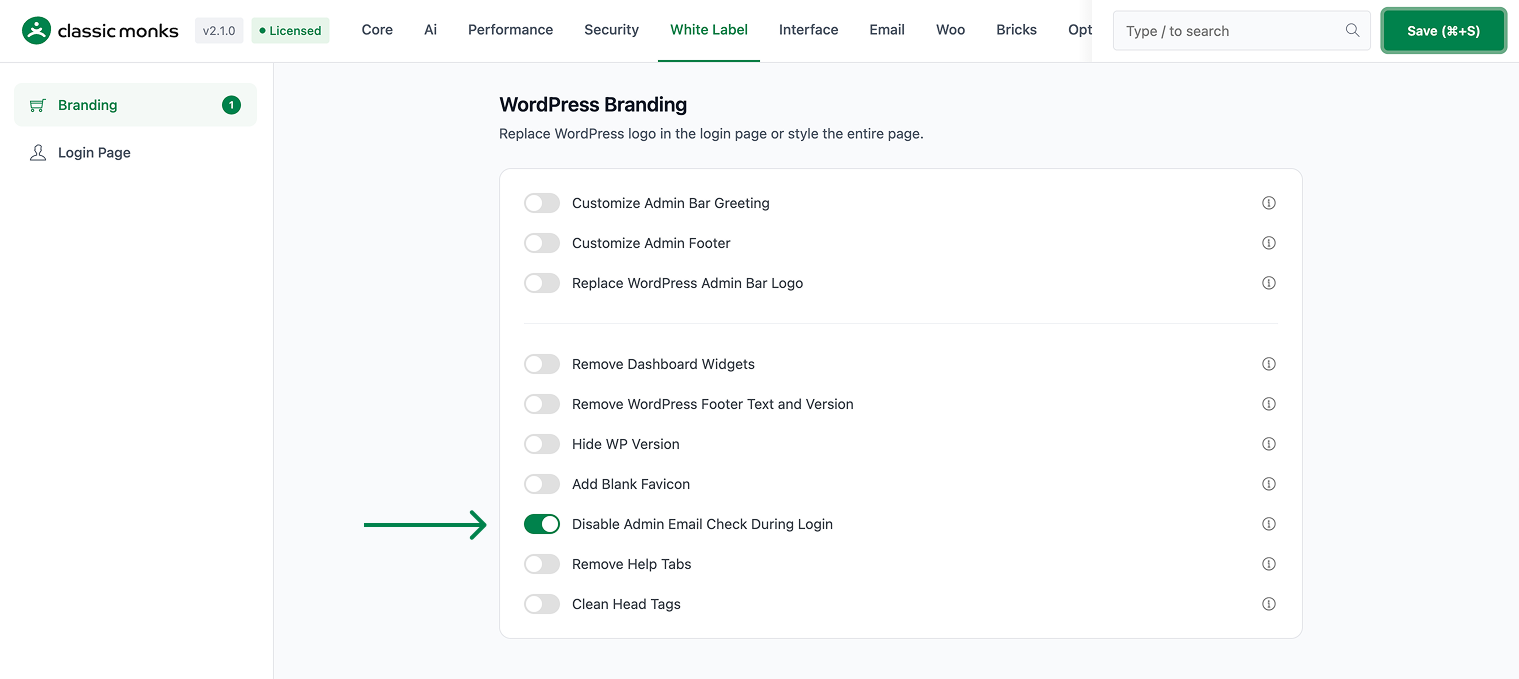
Step 3: Save and Test
Click Save (⌘+S). Log out and log back in as an admin to confirm the email verification reminder no longer appears.
Verify It Works
After saving, log in as an admin and confirm:
- The admin email verification reminder no longer appears during login.
- The login flow is uninterrupted.
If the reminder still appears, confirm the toggle is on and the changes were saved.
Examples
Example 1: Avoid Interrupting the Login Flow
An admin finds the email verification reminder intrusive. Toggle on Disable Admin Email Check During Login. The login flow no longer shows the re-verify prompt.
Example 2: A Cleaner Login for Clients
An agency wants clients to log in without prompts. Toggle on Disable Admin Email Check During Login. Clients no longer see the admin email verification reminder.
A stable single-admin site
A site with one admin who rarely changes the admin email can disable the reminder. The login flow is smooth and the admin does not see the re-verify prompt.
A smoother multi-user login
In a team with several admins, the email verification reminder can appear for each login. Disabling it removes the repeated prompt, so the team logs in more smoothly.
Reduce repeated admin prompts
The email verification reminder can appear repeatedly until the admin verifies it. Disabling the check removes the recurring prompt, so the admin can log in without the interruption each time.
A clean workflow for a managed agency
An agency that manages many client sites can disable the email verification reminder on each site. This keeps the login flow consistent across all client sites and avoids support calls about the verification prompt.
Recommendations Before Enabling
- Keep the check if you manage the admin email. The email verification reminder helps you catch a wrong admin email. Only disable it if the email is stable and verified.
- Test by logging out and in. After enabling, log out and back in as an admin to confirm the reminder is gone.
- Understand the tradeoff. The reminder is a security feature, so weigh the convenience against the check.
Common Use Cases
Avoid interrupting the login flow
The admin email verification reminder can interrupt the login flow. Disabling it lets administrators log in without the re-verify prompt.
A cleaner login for a client
A client who does not need the email verification reminder can log in without the prompt. Disabling it keeps the login flow smooth and uninterrupted.
Focus on the admin experience
For teams that want a clean admin experience, disabling the email check removes a recurring reminder. This is useful when the admin email is already verified and stable.

Add your first comment to this post