




What Is Clean Head Tags
Clean Head Tags is a white-label option in the Classic Monks White Label tab that removes unnecessary meta tags from the HTML head of your site. It removes the RSD link, the Windows Live Writer (wlwmanifest) link, the WordPress generator tag, and the feed and adjacent-post relation links. These tags are mostly unused today, so removing them cleans up your HTML and slightly reduces page size.
Clean the Head Tags
Step 1: Open the Branding Settings
In your WordPress dashboard, go to Classic Monks, open the White Label tab, then the Branding subtab.
Step 2: Turn On Clean Head Tags
In the Branding subtab, toggle on Clean Head Tags.
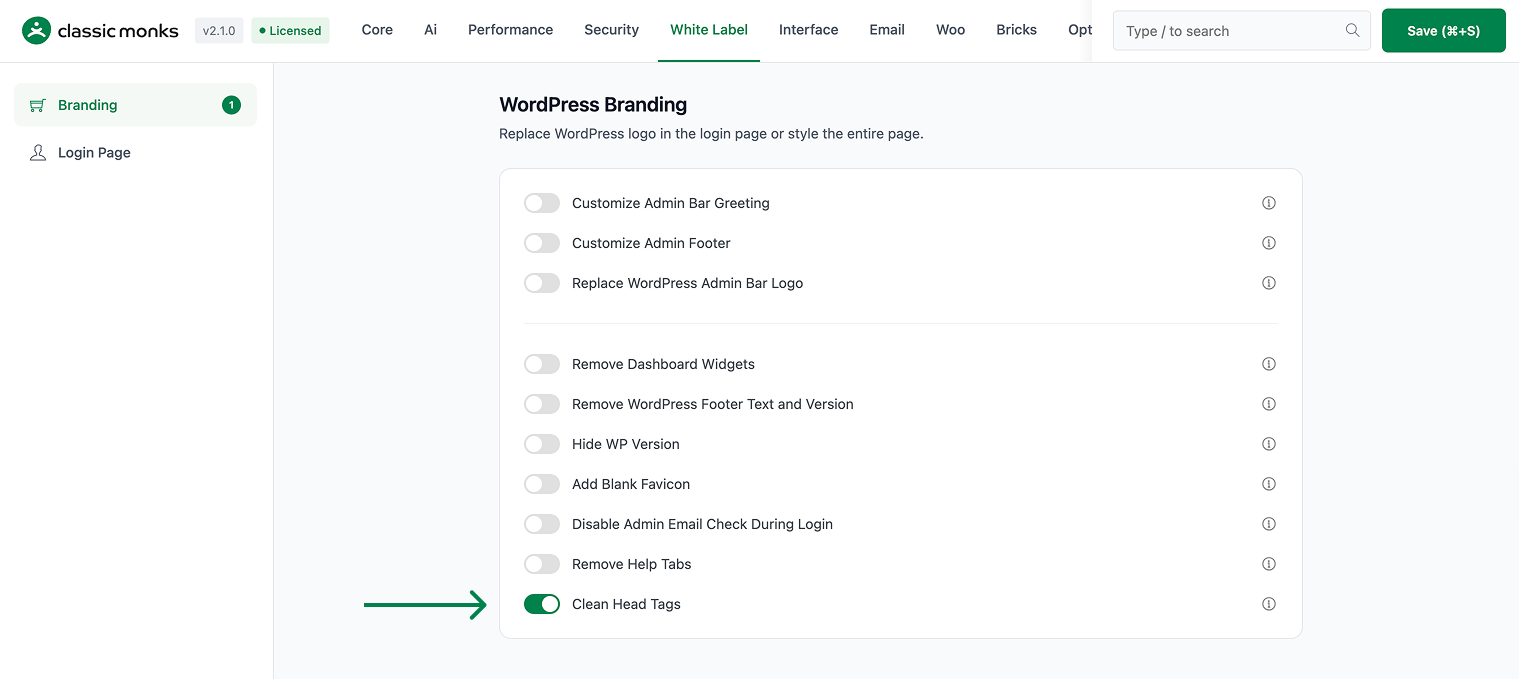
Step 3: Save and Test
Click Save (⌘+S). Open your site’s frontend and inspect the page source to confirm the unwanted tags are gone.
Verify It Works
After saving, open your site’s frontend and inspect the page source:
- The RSD link, Windows Live Writer manifest, and generator tag are gone.
- The feed and adjacent-post relation links are removed.
- The head is cleaner.
If the tags still show, confirm the toggle is on and clear any page cache.
Examples
Example 1: Cleaner Page Source
A developer wants a clean document head. Toggle on Clean Head Tags. Unused meta tags like the RSD link and Windows Live Writer manifest are removed for cleaner code.
Example 2: Reduce Page Size
A site wants a slightly smaller page. Toggle on Clean Head Tags. Removing the unused head tags reduces the HTML size by a small amount.
Example 3: Combine With Hide WP Version
A site wants a lean head. Toggle on Clean Head Tags to remove the meta tags, and Hide WP Version to remove the version generator tag.
A lean head for a marketing site
A marketing site that does not use the RSD link or Windows Live Writer manifest can remove them. The head is leaner and the page loads slightly faster.
A cleaner head for a custom theme
A custom theme may not use the default WordPress head tags. Removing them with Clean Head Tags gives a cleaner, more controlled document head that matches the theme’s markup.
Recommendations Before Enabling
- Combine with Hide WP Version. Use Clean Head Tags with Hide WP Version to remove the head meta tags and the version generator tag together.
- Check feed links. Clean Head Tags removes feed relation links, so confirm your feed still works if you use it.
- Clear the cache. A caching plugin may serve the old head, so clear it after enabling.
Common Use Cases
Cleaner page source for developers
Unused head tags like the RSD link and Windows Live Writer manifest add clutter to the source. Removing them gives a cleaner, easier-to-read document head.
Reduce page size slightly
Removing unused head tags reduces the HTML size by a small amount. This contributes to a lighter page, especially on content-heavy sites.
Combine with Hide WP Version
Use Clean Head Tags with Hide WP Version to remove the head meta tags and the version generator tag. This gives a lean, clean document head.

Add your first comment to this post