




What Is the Language Dropdown
The WordPress login page shows a language dropdown that lets users switch the language of the login page. For sites that use one language, this dropdown is unnecessary. Disable Language Dropdown is a white-label option in the Classic Monks White Label tab that removes it from the login page for a cleaner appearance.
Disable the Language Dropdown
Step 1: Open the Login Page Settings
In your WordPress dashboard, go to Classic Monks, open the White Label tab, then the Login Page subtab.
Step 2: Turn On Disable Language Dropdown on Login Page
In the Login Page subtab, toggle on Disable Language Dropdown on Login Page.
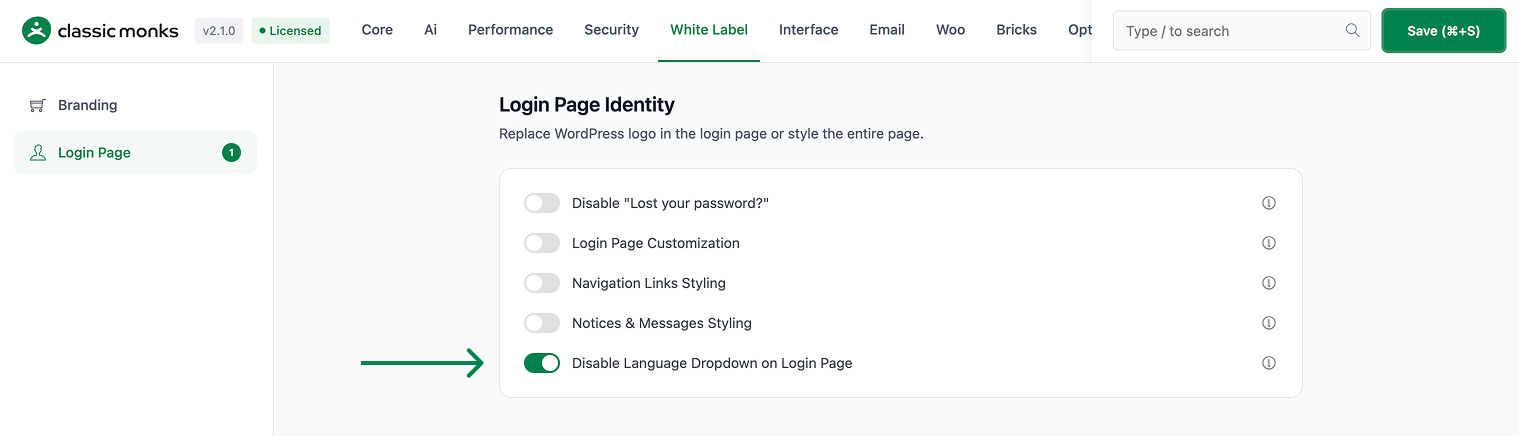
Step 3: Save and Test
Click Save (⌘+S). Open the login page in a private browser window to confirm the language dropdown is gone.
Verify It Works
After saving, open the login page and confirm:
- The language dropdown is no longer visible on the login page.
- The login page looks cleaner.
If the dropdown still shows, confirm the toggle is on and the changes were saved.
Examples
Example 1: A Cleaner Login for a Single-Language Site
A site uses one language. Toggle on Disable Language Dropdown on Login Page. The language switcher is removed, leaving a cleaner login page.
Example 2: A Branded Login Page
An agency wants a clean, branded login page for a client. Toggle on Disable Language Dropdown on Login Page to remove the language switcher. The login page looks more professional.
A clean login for a regional site
A regional site that serves one language can remove the language dropdown. The login page is cleaner and more focused for the audience.
A cleaner login for a brand
A brand with a specific login page design can remove the language dropdown to keep the design clean. The login page stays true to the brand without extra UI elements.
A simpler login for a business site
A business site that serves one language and one region can remove the language dropdown. The login page is simpler and users are not offered a choice they do not need.
A consistent login for a multilingual brand
Even a multilingual brand might want a single login language. If the login page is part of a specific brand design, removing the language dropdown keeps the login page consistent and on-brand for all users.
Recommendations Before Enabling
- Use it for single-language sites. If your site uses one language, the language dropdown is unnecessary.
- Keep it for multilingual sites. If your site serves multiple languages, keep the dropdown so users can switch the login language.
- Test on the login page. Open the login page in a private window to confirm the dropdown is gone.
Common Use Cases
A cleaner login for a single-language site
For a site that uses one language, the language dropdown is unnecessary. Removing it gives a cleaner login page.
White-label the login page
An agency that white-labels the login page for a client can remove the language switcher. This makes the login page look more professional and on-brand.
Keep the login focused
Removing the language dropdown keeps users focused on logging in. This is useful for a clean, minimal login experience.

Add your first comment to this post