




What Is the Hide Remember Me Checkbox feature?
By default, the WordPress login form has a “Remember Me” checkbox. When checked, the user’s session persists for 14 days (even if the browser is closed). When unchecked, the session expires when the browser closes.
The Hide Remember Me Checkbox feature removes this checkbox from the login form, forcing all sessions to expire at browser close.
Why You Need It
Long sessions are convenient but create security risks:
- Shared computers: An admin who forgets to log out leaves a persistent session
- Lost or stolen devices: A 14-day session is still valid even after the device is gone
- Public computers: Anyone using the computer after the admin can stay logged in
For high-security sites, forcing session expiry at browser close is a critical hardening step.
How to Hide the Remember Me Checkbox in WordPress
Step 1: Navigate to Settings
Click into the Classic Monks plugin settings in your WordPress dashboard.
Step 2: Go to the Security Tab
Click on the Security menu, then click the WP Protection subtab.
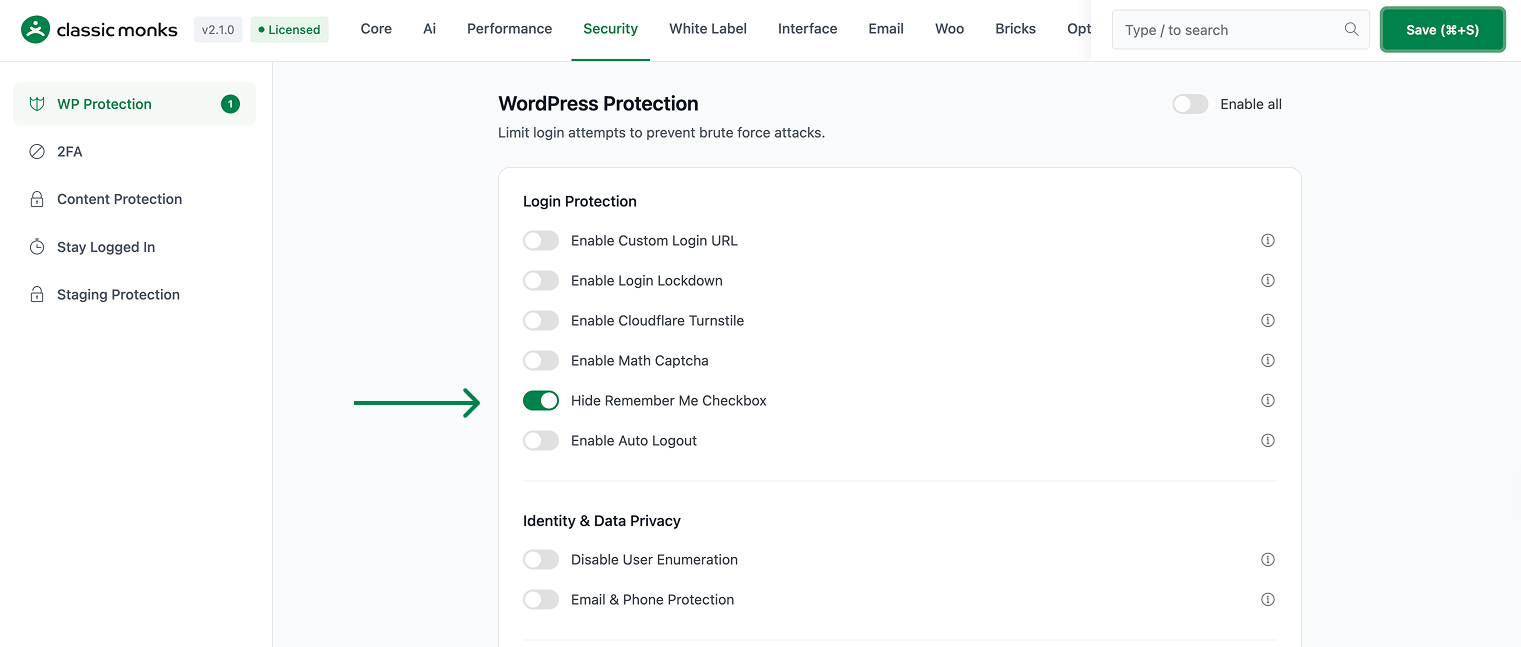
Step 3: Enable Hide Remember Me Checkbox
Scroll to Hide Remember Me Checkbox and toggle on.
Step 4: Save Changes
Click Save Changes.
Step 5: Test
Log out. Visit the login form. The “Remember Me” checkbox should not be visible.
Configuration Options
| Option | Description | Default |
|---|---|---|
| Hide Remember Me Checkbox | Master toggle. | Off |
No nested options.
What Gets Affected
- The login form: the “Remember Me” checkbox is removed
- The user sessions: all sessions expire when the browser closes
- The default session duration: changed from 14 days to “session” (browser close)
What Does NOT Get Affected
- The wp-admin: not affected (after login)
- The user experience: users don’t notice the difference unless they try to stay logged in
- The custom login forms: not affected (only the default WordPress login form)
- The remember me functionality: still works if the user manually sets the cookie (not via the checkbox)
Advanced Options (Developers)
This feature registers 1 WordPress hook in security-functions.php:
Actions:
login_headcallscm_hide_remember_me()(Hides Remember Me checkbox via CSS)
// Hooked in security-functions.php
add_action( 'login_head', 'cm_hide_remember_me' );
The feature modifies WordPress behavior by registering or removing hooks. Disabling it reverses those changes and WordPress returns to its default behavior.

Add your first comment to this post