




What Is the Restrict Editor Access feature?
By default, WordPress editors can view and edit all posts, regardless of who authored them. The Restrict Editor Access feature limits editors to their own posts (and posts they are explicitly granted access to).
This is useful for multi-author sites where:
- Editors should not see other editors’ drafts
- Sensitive content should only be accessible to specific editors
- Workflow separation is needed (e.g., one editor per topic)
Why You Need It
The default WordPress behavior has issues for multi-author sites:
- Privacy: Editors can see all drafts, including private or unfinished posts
- Workflow confusion: An editor may edit a post that another editor is working on
- Information disclosure: Internal posts (e.g., company news) are visible to all editors
- Access control: No way to limit an editor to specific posts
The Restrict Editor Access feature provides per-editor post access control.
How to Restrict Editor Access to Specific Posts in WordPress
Step 1: Navigate to Settings
Click into the Classic Monks plugin settings in your WordPress dashboard.
Step 2: Go to the Security Tab
Click on the Security menu, then click the Content Protection subtab.
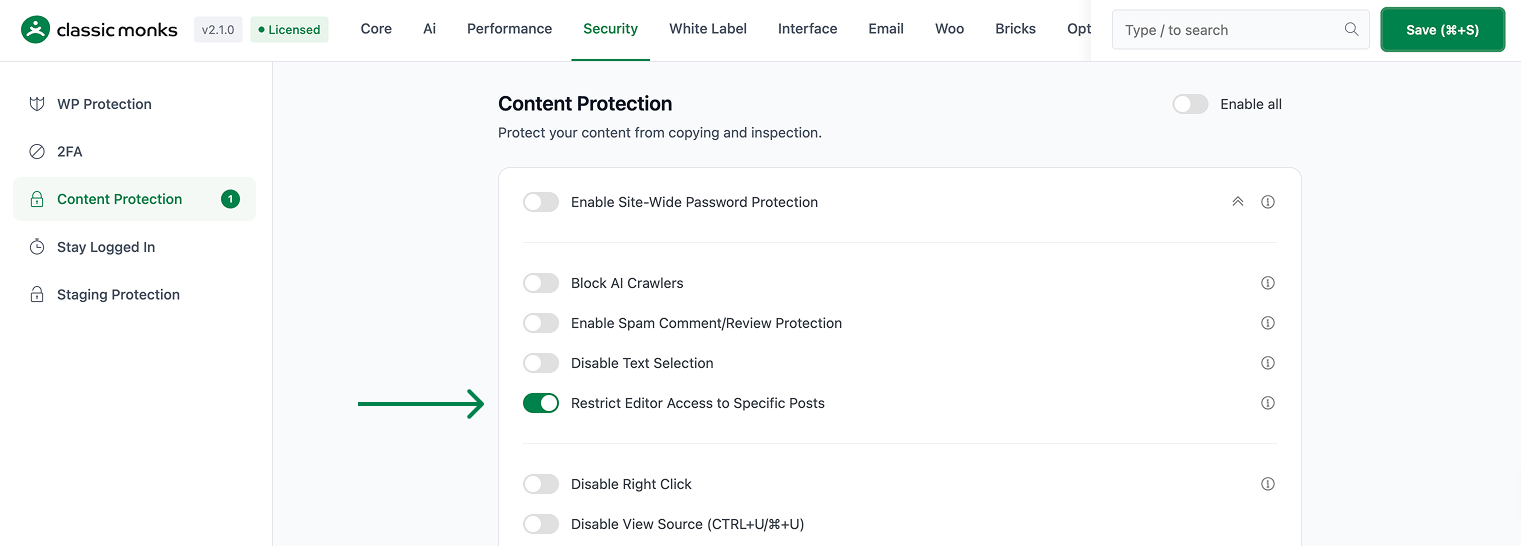
Step 3: Enable Restrict Editor Access
Scroll to Restrict Editor Access to Specific Posts and toggle on.
Step 4: Save Changes
Click Save Changes.
Step 5: Test
Log in as an editor (not admin). Go to Posts. You should see only the posts you authored. To edit a post by another author, you need to be granted access.
Step 6: Grant Access to Specific Posts (Optional)
To allow an editor to access a specific post by another author:
- Go to the post edit screen (as admin)
- In the “Post Access” meta box (added by the feature), check the editors who should have access
- Save the post
The selected editors can now view and edit the post.
Configuration Options
| Option | Description | Default |
|---|---|---|
| Restrict Editor Access to Specific Posts | Master toggle. | Off |
The Post Access meta box on the post edit screen is where you grant access to specific editors.
What Gets Affected
- The post list: editors see only their own posts (plus posts they’re granted)
- The post edit: editors can only edit their own posts (plus posts they’re granted)
- The “All Posts” view: not available to editors
- The admin: full access to all posts
- The author filter on the post list: still available (for the editor’s own posts)
What Does NOT Get Affected
- The admin: full access to all posts
- The author profile pages: not affected
- The post author: still the original author
- The post publication: not affected
- The post types: works for posts, pages, and custom post types
Advanced Options (Developers)
This feature registers 5 WordPress hooks in post-access-restriction.php:
Actions:
add_meta_boxescallsCM_Post_Access_Restriction::add_access_restriction_meta_box()(Adds access restriction metabox to posts)save_postcallsCM_Post_Access_Restriction::save_access_restriction_meta()(Saves access restriction settings)load-post.phpcallsCM_Post_Access_Restriction::check_post_access()(Checks access when editing a post)
Filters:
parse_querycallsCM_Post_Access_Restriction::filter_posts_for_editors()(Filters post query for restricted editors)rest_dispatch_requestcallsCM_Post_Access_Restriction::restrict_rest_api_access()(Restricts REST API access (priority 10))
// Hooked in post-access-restriction.php
add_action( 'add_meta_boxes', 'CM_Post_Access_Restriction::add_access_restriction_meta_box' );
The feature modifies WordPress behavior by registering or removing hooks. Disabling it reverses those changes and WordPress returns to its default behavior.

Add your first comment to this post