




What Is the Protection for Admin feature?
Most content protection features in Classic Monks (Disable Text Selection, Disable Right Click, Disable Copy/Paste, etc.) have a built-in “Apply to Administrators” sub-option. When that sub-option is on (the default), admins are exempt from the content protection.
The Protection for Admin feature is a master switch that overrides all the “Apply to Administrators” sub-options. When enabled, content protection applies to admins too.
Why You Need It
The default behavior (admins bypass content protection) is correct for most sites. But there are cases where admins should also have the protection:
- Shared admin environments: Where multiple admins use the same device
- Compliance requirements: Some industries require content protection to apply to all users, including internal staff
- Demo environments: Where admins are showing the site to clients and want to demonstrate the protection
- Standardization: To ensure consistent behavior across all users
For most sites, the default (admins bypass) is correct. For the above cases, enabling this feature is useful.
Trade-offs vs excluding admins
Applying content protection to admins has trade-offs:
- Workflow: Admins cannot easily copy text from the frontend to use in marketing, support responses, etc.
- Development: Devs working on the site cannot easily test the content without disabling the protection
- Debugging: Admins may have trouble reporting issues if they cannot see the same view as regular users
For most sites, the trade-offs favor excluding admins.
How to Apply Content Protection to Administrators in WordPress
Step 1: Navigate to Settings
Click into the Classic Monks plugin settings in your WordPress dashboard.
Step 2: Go to the Security Tab
Click on the Security menu, then click the Content Protection subtab.
Step 3: Enable Apply to Administrators
Scroll to Apply to Administrators and toggle on. This is a master switch that turns on content protection for admins.
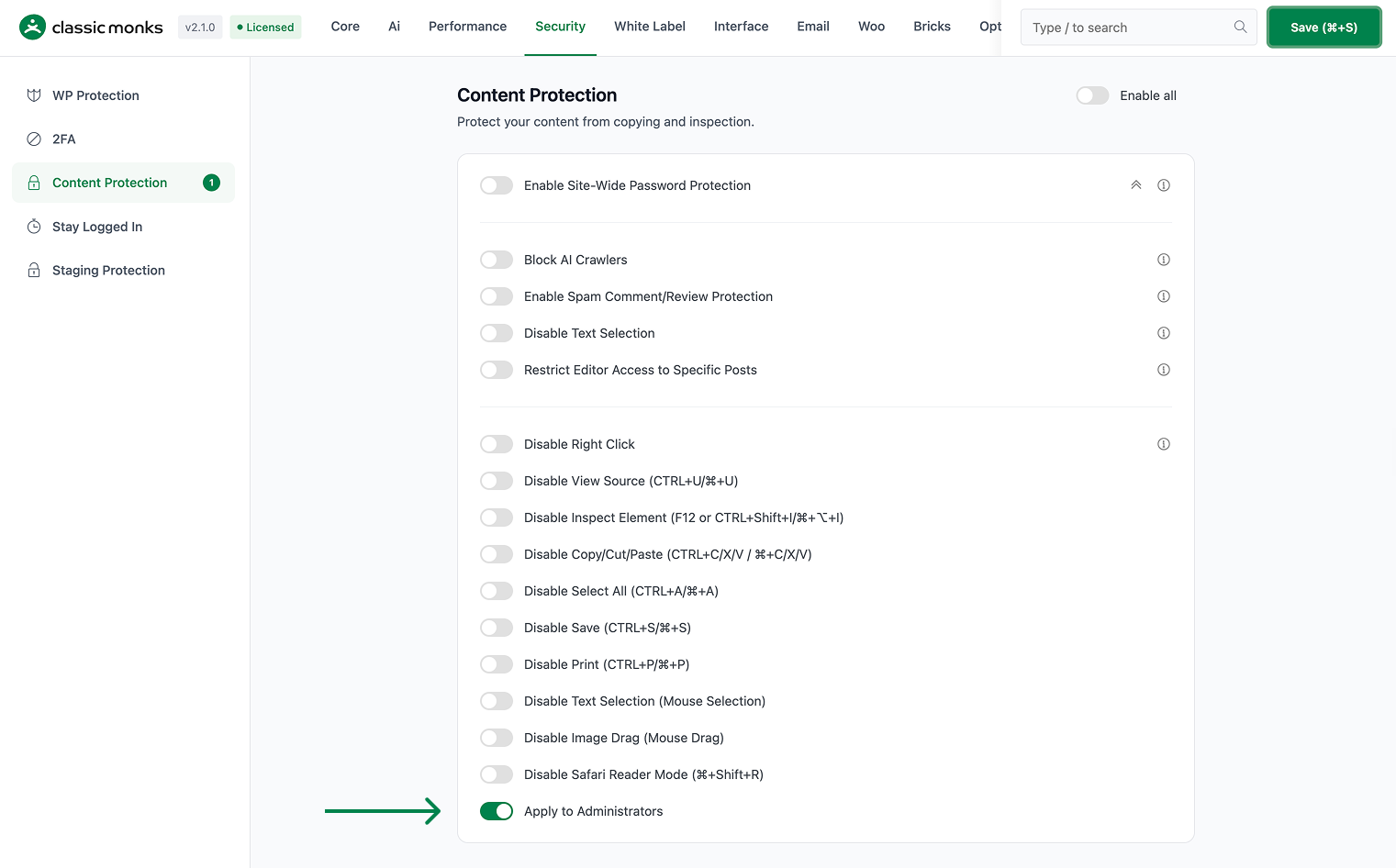
Step 4: Save Changes
Click Save Changes.
Step 5: Test
Log in as an admin. Visit the frontend. Try to select text, right-click, etc. These actions should now be disabled (if the corresponding content protection features are also enabled).
Configuration Options
| Option | Description | Default |
|---|---|---|
| Apply to Administrators | Master toggle to apply content protection to admins. | Off |
No nested options. The toggle overrides the per-feature “Apply to Administrators” sub-options.
What Gets Affected
- The content protection features: all apply to admins
- The admin’s workflow: text selection, right-click, etc. are disabled
- The admin’s debugging: harder to test the frontend without disabling protection
- The user experience: admins and regular users see the same behavior
What Does NOT Get Affected
- The admin’s own data: the admin can still access the wp-admin
- The admin’s content editing: the editor is not affected (only the frontend)
- The content protection features themselves: still toggleable independently
- The “Apply to Administrators” sub-options: still work, but the master switch overrides them

Add your first comment to this post