




What Is the Allow Duplicate Comments feature?
WordPress by default blocks the second comment from a user with the same name and email on the same post. This prevents accidental double-posts and reduces trivial spam. Allow Duplicate Comments disables that check, so the same user can comment as many times as they want on a single post.
Why You Need It
The default duplicate block is correct for most blogs, but some use cases call for multiple comments from the same user:
- Discussion threads: A user wants to reply to multiple comments, not just one
- Polls or surveys: The same user voting multiple times (not recommended for actual surveys, but works for casual polls)
- Multi-part Q&A: A user asking follow-up questions, each as a separate comment
- Forums and discussion-heavy sites: Where conversation flow is more important than duplicate prevention
The toggle is the only setting. The risk is increased spam; combine with comment moderation or Akismet if you enable this on a public site.
How to Use Allow Duplicate Comments in Classic Monks
Step 1: Navigate to Settings
Click into the Classic Monks plugin settings in your WordPress dashboard.
Step 2: Go to the Content Subtab
Click on the Core menu, then click the Content subtab.
Step 3: Enable Allow Duplicate Comments
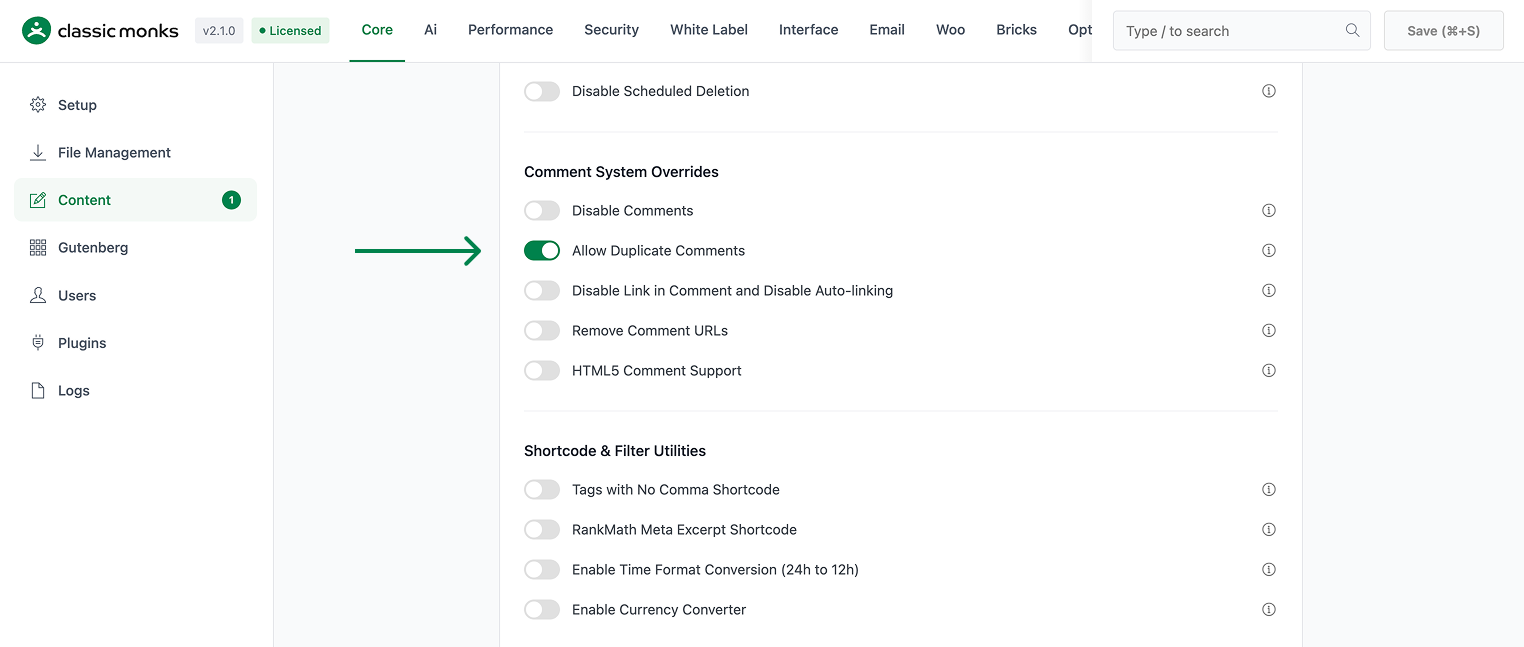
Scroll to the Comment System Overrides section and toggle on Allow Duplicate Comments.
Step 4: Save Changes
Click Save Changes.
Step 5: Test
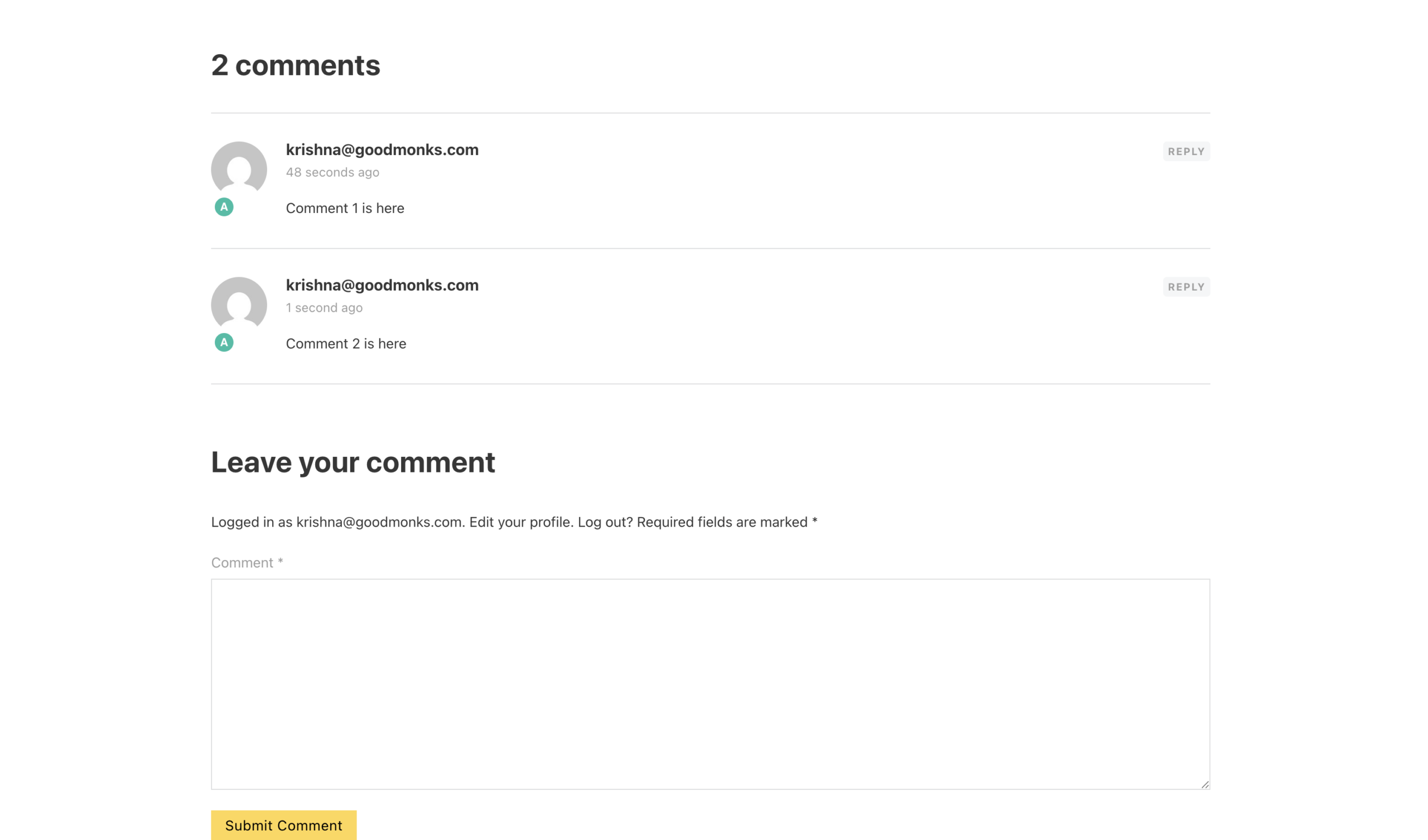
Open any post on the front-end. Submit a comment with a name and email. Then submit a second comment with the same name and email. Both should appear (rather than the second one being blocked with the default “duplicate comment detected” message).
Configuration Options
| Option | Description | Default |
|---|---|---|
| Allow Duplicate Comments | Master toggle. Disables WordPress’s duplicate check. | Off |
No nested options.
Developer Notes
Allow Duplicate Comments permits the same user to comment multiple times on the same post. No developer hooks are currently exposed.
Options used:
| Option | Type | Default |
|---|---|---|
allow_duplicate_comments |
Boolean | false |

Add your first comment to this post