




What Is the Disable Core Sitemaps feature?
WordPress 5.5 (released August 2020) added a built-in XML sitemap at /wp-sitemap.xml. It’s a basic sitemap that includes all public post types, taxonomies, and users. For many sites, this is the only sitemap they need.
For sites running a dedicated SEO plugin (Yoast SEO, RankMath, SEOPress, etc.), the built-in sitemap creates a problem: two sitemaps, one of which is canonical and one of which is not. Submitting both to Google Search Console can cause:
- Duplicate sitemap entries
- Confusion about which is the canonical sitemap
- Sitemap errors in Search Console
- Wasted crawl budget
Disable Core Sitemaps turns off the built-in sitemap, leaving your SEO plugin’s sitemap as the only one. This is the recommended setup for any site running a dedicated SEO plugin.
Why You Need It
The built-in sitemap is functional but minimal:
- No priority or changefreq hints (most SEO plugins add these)
- No image sitemap (most SEO plugins add this)
- No news sitemap (if you run a news site)
- No control over which post types or taxonomies are included
If you’re already running a full SEO plugin, the built-in sitemap is redundant. Disable it so the SEO plugin’s sitemap is the only one.
How to Use Disable Core Sitemaps in Classic Monks
Step 1: Navigate to Settings
Click into the Classic Monks plugin settings in your WordPress dashboard.
Step 2: Go to the Content Subtab
Click on the Core menu, then click the Content subtab.
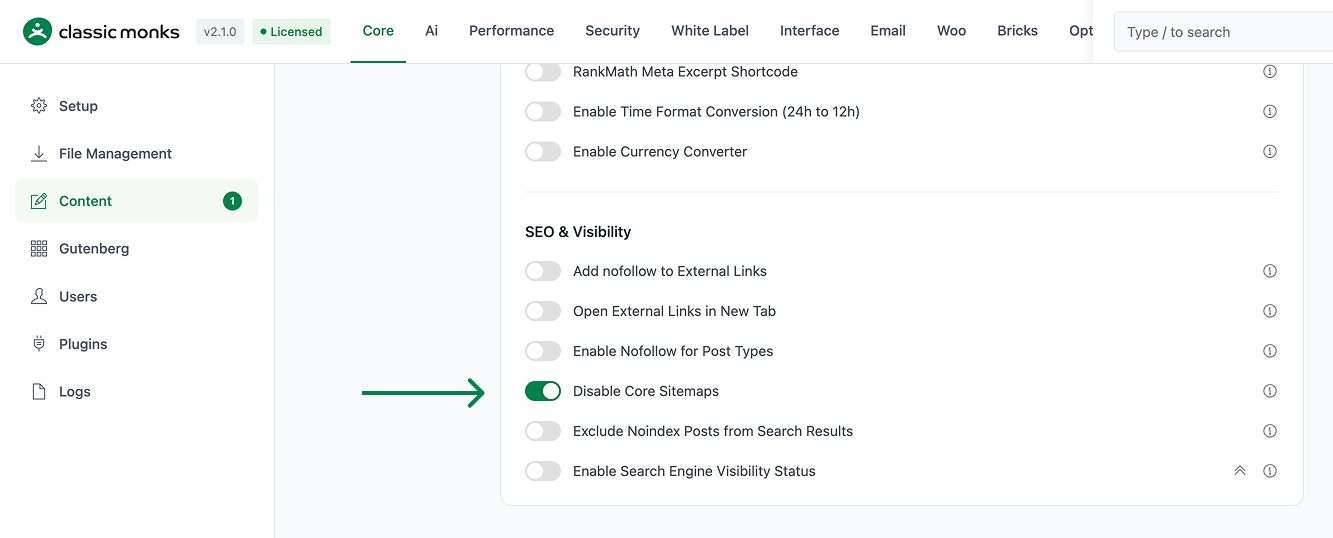
Step 3: Enable Disable Core Sitemaps
Scroll to the SEO and Visibility section and toggle on Disable Core Sitemaps.
Step 4: Save Changes
Click Save Changes.
Step 5: Verify
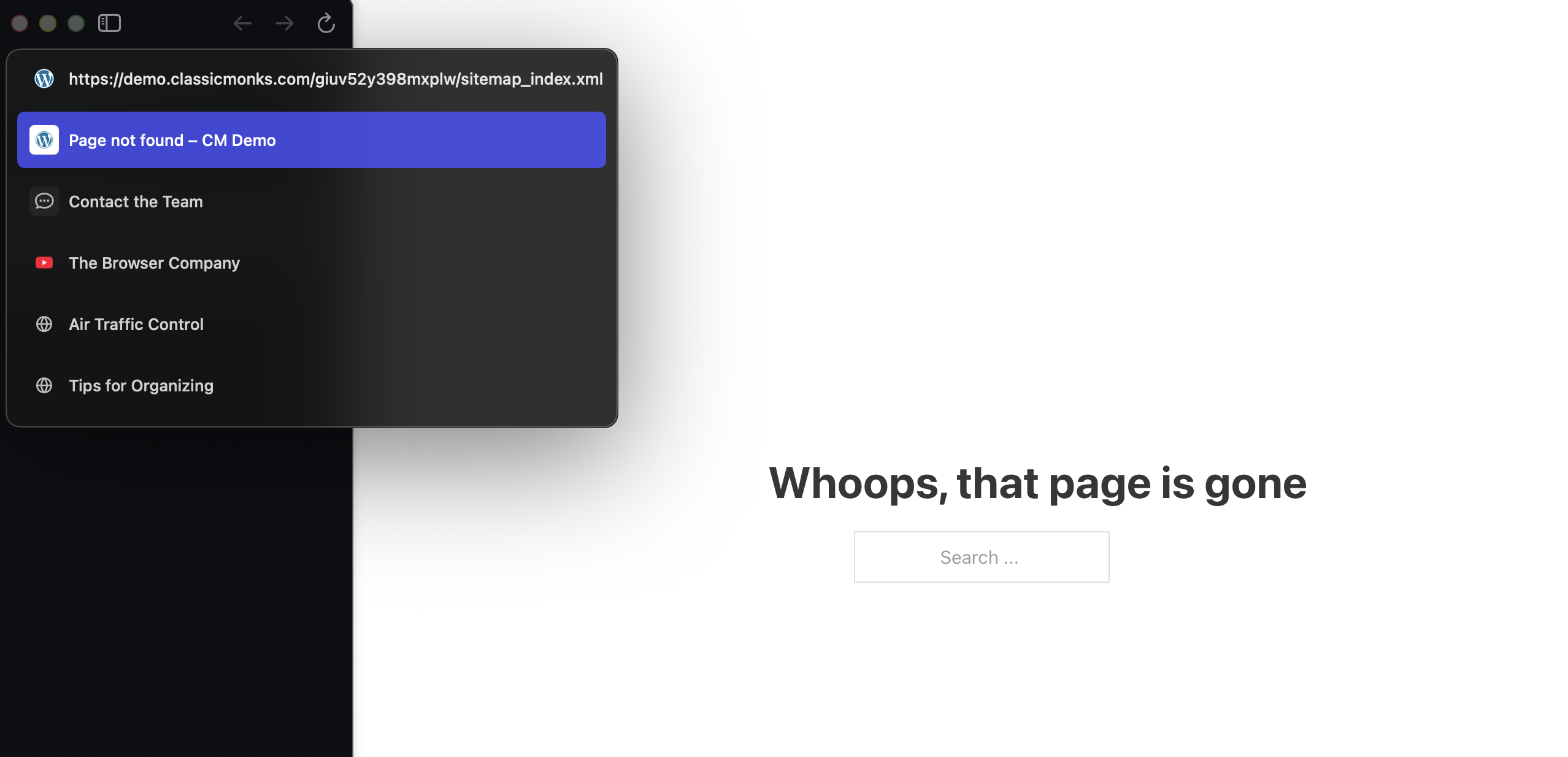
Visit https://yoursite.com/wp-sitemap.xml in a browser. The page should return a 404 (or a “sitemap not found” message) instead of the built-in sitemap.
Step 6: Update Google Search Console
If you previously submitted the built-in sitemap to Google Search Console, remove it and submit your SEO plugin’s sitemap instead. Common replacements:
- Yoast SEO:
/sitemap_index.xml - RankMath:
/sitemap_index.xmlor/sitemaps.xml - SEOPress:
/sitemaps.xml
Configuration Options
| Option | Description | Default |
|---|---|---|
| Disable Core Sitemaps | Master toggle. | Off |
No nested options.
What Gets Disabled
When the toggle is on, WordPress’s built-in sitemap system is fully disabled:
| Endpoint | Before | After |
|---|---|---|
/wp-sitemap.xml |
Returns the sitemap index | Returns 404 |
/wp-sitemap-posts-post-1.xml |
Returns posts sitemap | Returns 404 |
/wp-sitemap-taxonomies-1.xml |
Returns taxonomies sitemap | Returns 404 |
/wp-sitemap-users-1.xml |
Returns users sitemap | Returns 404 |
/robots.txt includes Sitemap: /wp-sitemap.xml |
Yes | No |
wp_sitemaps filter and wp_sitemaps_index filter |
Active | Inactive (filters removed) |
What Does NOT Get Disabled
- Your SEO plugin’s sitemap: Yoast, RankMath, etc. continue to generate their own sitemaps independently
- WordPress’s other XML-RPC and feed endpoints:
/feed/,/comments/feed/, etc. are unaffected - Custom sitemaps from other plugins: If you have a separate sitemap plugin (e.g., for a custom post type), it continues to work
Developer Notes
This feature is a single toggle with no developer hooks currently exposed. The feature-specific logic is loaded conditionally when the toggle is enabled.
Options used:
| Option | Type | Default |
|---|---|---|
| Feature toggle | Boolean | false |

Add your first comment to this post