




What Is the Disable Link in Comment feature?
WordPress comments have two link behaviors:
- Auto-linking: Bare URLs in comment text (e.g., “Check out example.com”) are automatically converted to clickable anchor tags when displayed
- Rendered links: Existing
<a>tags in the comment HTML (e.g.,<a href="...">text</a>) are displayed as clickable links
Disable Link in Comment turns off both behaviors. URLs appear as plain text (e.g., “Check out example.com” stays as text, not a link), and existing link tags are stripped from the rendered output. The raw comment data is unchanged; only the display is affected.
Why You Need It
Comment links are a primary vector for comment spam and for users to drive traffic away from your site. Disabling them has several effects:
- Reduced spam: Spammers cannot post clickable links; their primary motivation is gone
- Lower bounce rate: Visitors who click links in comments leave your site; removing the links keeps them on-page
- Cleaner appearance: Long URLs in comments can break formatting; plain text is cleaner
- Better SEO: Outbound links from comments pass link equity; removing them concentrates equity on your own content
The trade-off is that legitimate commenters who want to share a URL have to type it as plain text. For most sites, this is acceptable.
How to Use Disable Link in Comment in Classic Monks
Step 1: Navigate to Settings
Click into the Classic Monks plugin settings in your WordPress dashboard.
Step 2: Go to the Content Subtab
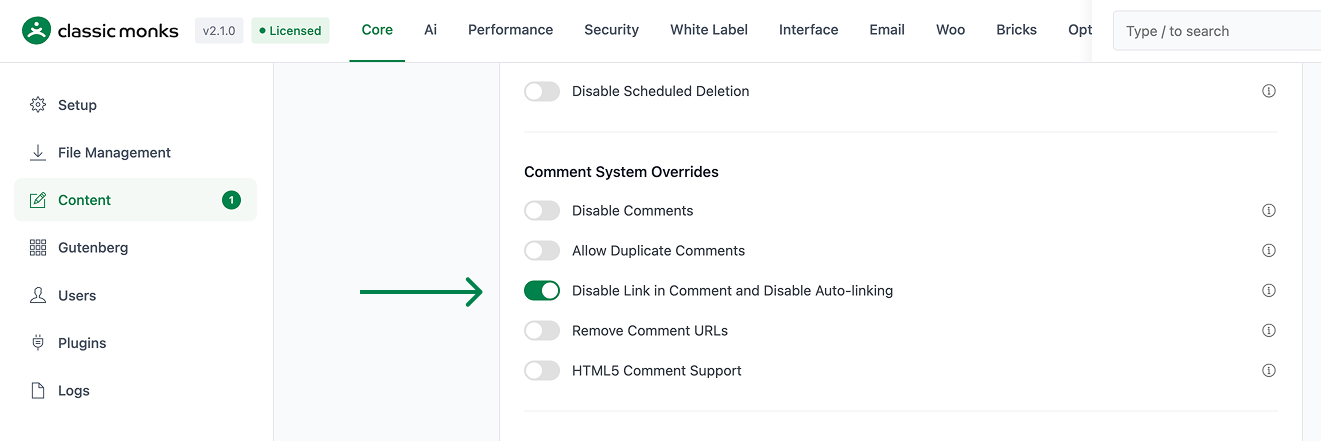
Click on the Core menu, then click the Content subtab.
Step 3: Enable Disable Link in Comment
Scroll to the Comment System Overrides section and toggle on Disable Link in Comment and Disable Auto-linking.
Step 4: Save Changes
Click Save Changes.
Step 5: Test
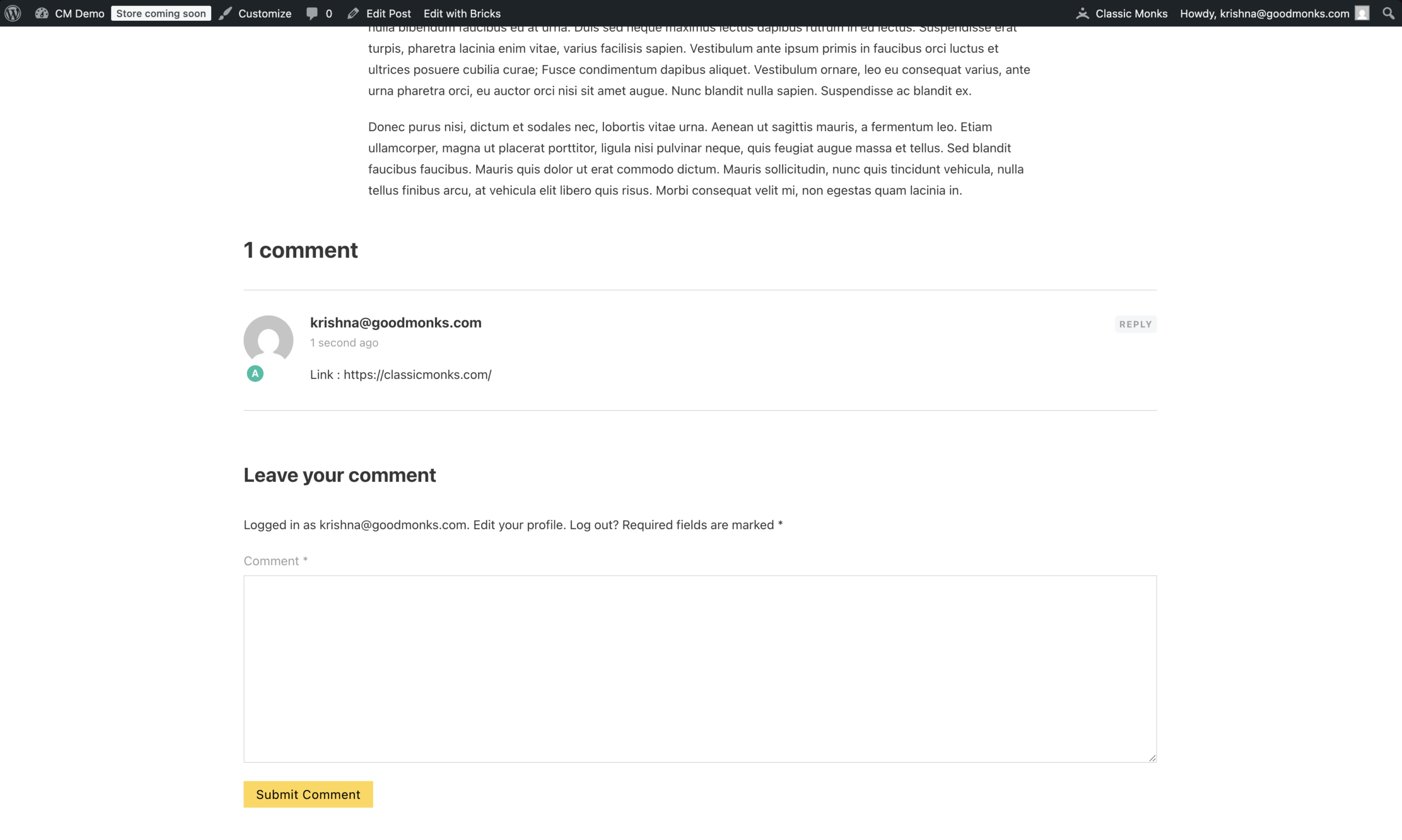
Open any post with comments. View the comments on the front-end. URLs in comment text should appear as plain text, not as clickable links.
Configuration Options
| Option | Description | Default |
|---|---|---|
| Disable Link in Comment and Disable Auto-linking | Master toggle. Two effects in one. | Off |
No nested options.
What Gets Disabled
| Behavior | Before | After |
|---|---|---|
| Bare URL in comment (“example.com”) | Auto-converted to <a href="example.com">example.com</a> |
Rendered as plain text “example.com” |
HTML link in comment (“<a href="...">text</a>“) |
Rendered as clickable link | Rendered as plain text “text” (anchor tag stripped) |
| Markdown-style link in comment (“text“) | Rendered as text + URL | Rendered as text + URL (no link) |
| Email link in comment (mailto:) | Rendered as clickable email | Rendered as plain text email address |
| HTML in comment text (other tags) | Rendered as HTML | Rendered as HTML (only links are affected) |
| Comment author’s URL field (the website field) | Rendered as clickable author name | Rendered as plain text (or hidden if you also enabled “Remove Comment URLs”) |
Developer Notes
Disable Link in Comments removes hyperlinks from comment content. No developer hooks are currently exposed.
Options used:
| Option | Type | Default |
|---|---|---|
disable_link_in_comments |
Boolean | false |

Add your first comment to this post