




What Is Disable Laser Loader in the Bricks Builder
Disable Laser Loader in the Bricks Builder is an option in the Classic Monks Interface tab, Laser Loader subtab. When the laser loader is enabled and you are editing a page in the Bricks Builder, the progress bar can appear and interfere with the visual editor. This toggle stops the laser loader from showing while you work in the Bricks Builder, while leaving it active for visitors on the frontend.
Recommendations Before Using
- Enable the laser loader first. This option only works when Enable Laser Loader is on, so turn the laser loader on before you use it.
- Understand the scope. The toggle affects only the Bricks Builder editor, not the frontend. Visitors still see the progress bar.
- Test in the editor. After enabling, open the Bricks Builder to confirm the laser loader no longer appears while you edit.
Disable the Laser Loader in the Bricks Builder
Step 1: Open the Interface Tab
In your WordPress dashboard, go to Classic Monks, then open the Interface tab.
Step 2: Open the Laser Loader Subtab
Click the Laser Loader subtab.
Step 3: Enable the Laser Loader
Toggle on Enable Laser Loader so the progress bar is active.
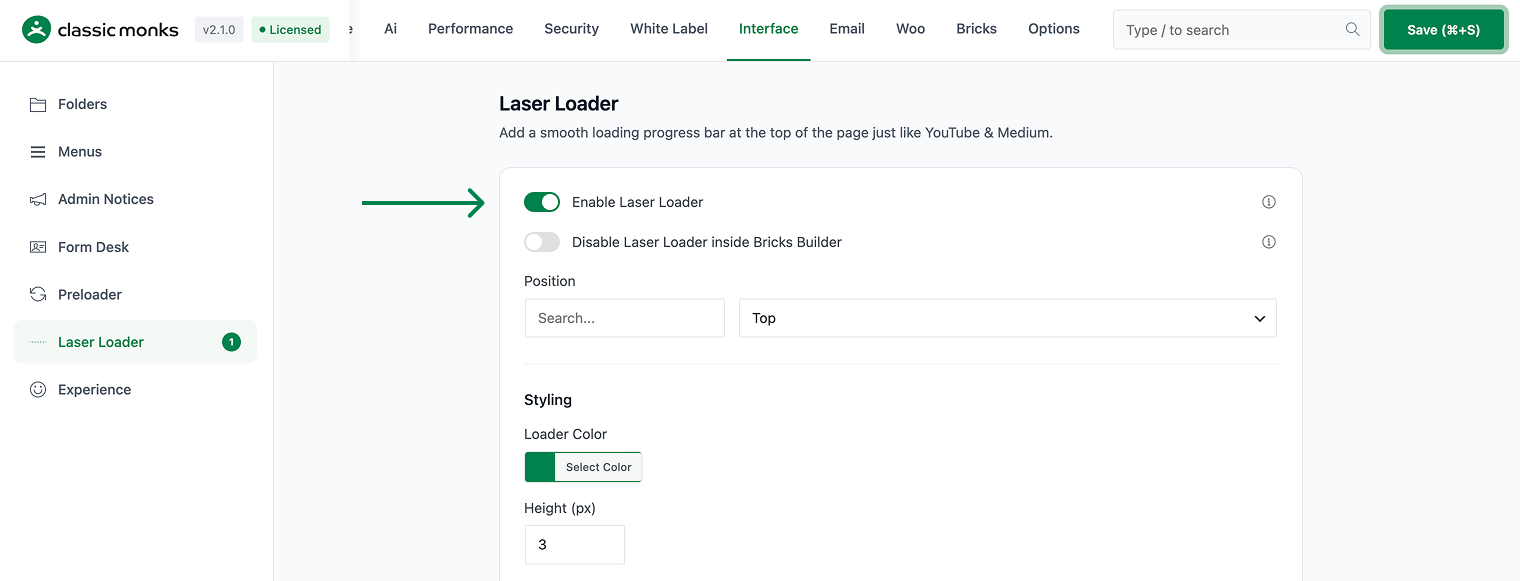
Step 4: Disable It in the Bricks Builder
Toggle on Disable Laser Loader inside Bricks Builder. The progress bar will no longer show while you edit in the Bricks Builder.
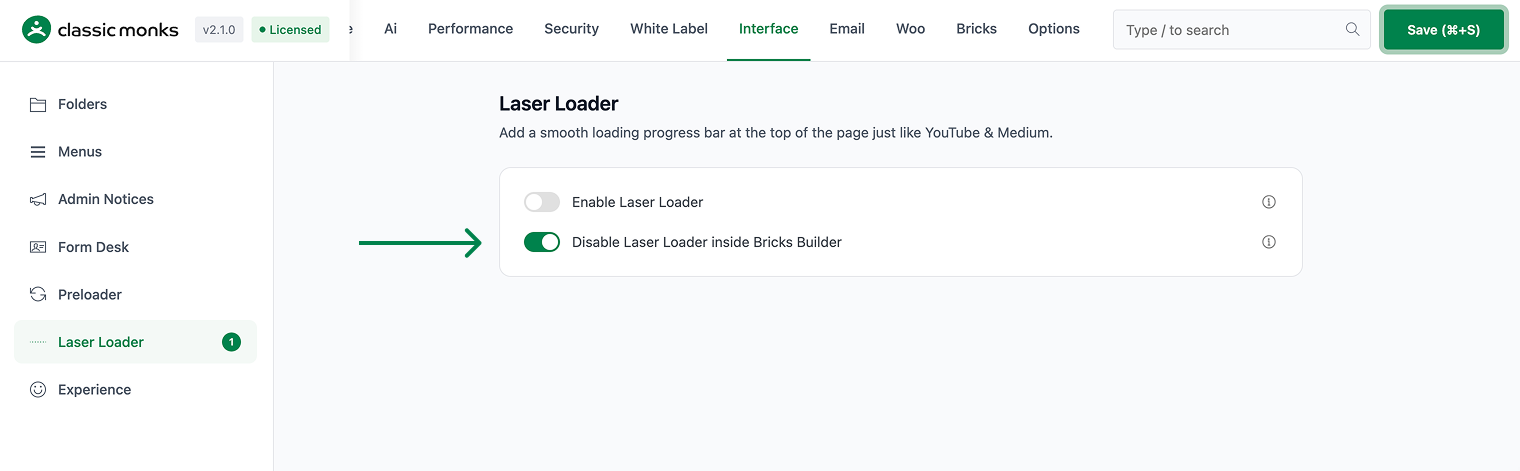
Step 5: Save and Test
Click Save (⌘+S). Open a page in the Bricks Builder and confirm the laser loader does not appear, then check the frontend to confirm visitors still see it.
Verify It Works
After saving, verify the change:
- Open a page in the Bricks Builder and confirm the laser loader does not appear.
- View the site on the frontend and confirm the progress bar still shows for visitors.
- Confirm the Enable Laser Loader toggle is on.
If the laser loader still appears in the editor, confirm both toggles are set correctly and the page was refreshed.
Common Use Cases
Design without the progress bar interrupting
A designer builds a page in the Bricks Builder and finds the laser loader flashes on every reload. They toggle on Disable Laser Loader inside Bricks Builder. The editor is clean and the design workflow is uninterrupted, while visitors still see the progress bar.
Test the laser loader only on the frontend
A developer wants to verify the laser loader behavior without it interfering in the editor. They disable it in the Bricks Builder and check the frontend. The progress bar works for visitors and stays out of the way during editing.
Keep the laser loader for the live site
A site uses a laser loader for a modern loading experience, but the developer does not want the progress bar while editing. They disable it in the Bricks Builder. The live site keeps the progress bar, and the editor stays clean for the developer.

Add your first comment to this post