




What Is this feature?
This feature is part of the Experience system in Classic Monks. It modifies how your WordPress site behaves or appears to visitors. Each feature is independently configurable.
Why You Need It
Customizing the site experience allows you to:
- Match the behavior to your site’s design and purpose
- Improve user experience for specific contexts (mobile, admin, accessibility)
- Create a more professional or modern impression
How to Configure this Feature
Step 1: Navigate to Settings
Click into the Classic Monks plugin settings, then the Interface tab, Experience subtab.
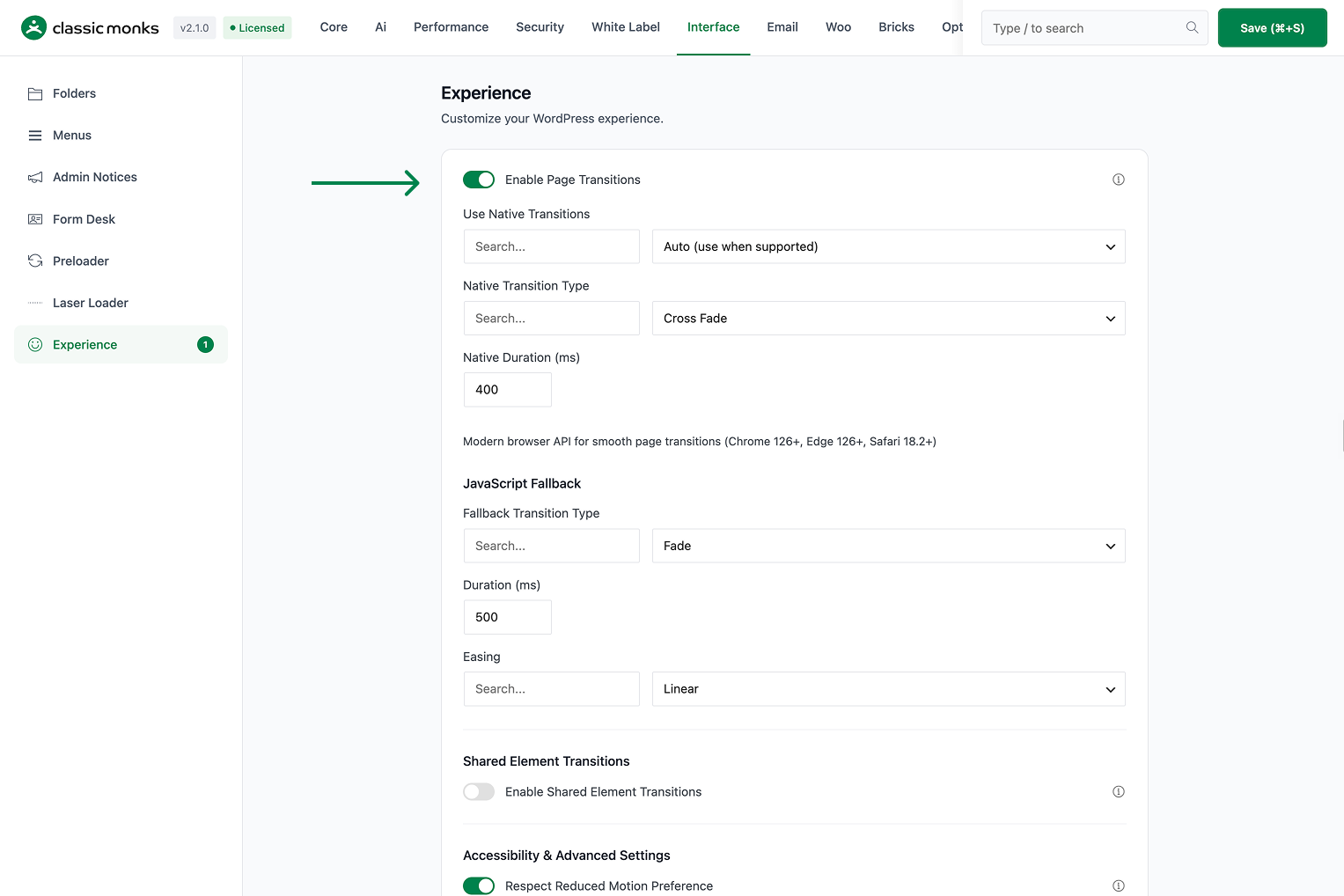
Step 2: Enable the Feature
Toggle on this feature.
Step 3: Save Changes
Click Save Changes.
Step 4: Test
Visit the frontend (or admin, depending on the feature) and verify the behavior matches your configuration.
Configuration Options
| Option | Description | Default |
|---|---|---|
| This feature | Master toggle. | Off |
What Gets Affected
- The site behavior: modified per this feature
- The user experience: enhanced or modified for the configured context
- The admin experience: (if admin-related feature) modified for the admin
What Does NOT Get Affected
- The actual page load time: unchanged
- The page content: unchanged
- The search engine indexing: unchanged
Common Use Cases
Mobile-first sites
On mobile devices, the admin bar at the top is harder to reach. Moving it to the bottom puts it within thumb reach.
Fixed-header themes
If your theme has a fixed header, the admin bar at the top creates a double-header effect. Moving it to the bottom resolves this conflict.
Better admin UX
Some users prefer the admin bar at the bottom for ergonomic reasons (thumb reach on both mobile and desktop).
Ergonomic admin workflow
For admins who spend hours in the WordPress dashboard, the admin bar at the bottom is more ergonomic. The eye naturally rests at the bottom of the screen after scrolling. This reduces eye strain and improves the overall admin experience. Some users report being able to work longer in the admin when the bar is at the bottom.
Accessibility considerations
The admin bar at the bottom is also better for accessibility. Users who rely on keyboard navigation can reach the admin bar without scrolling to the top. The bottom position is closer to the primary content area, making the transition between admin and content more fluid.
Improved admin navigation
The admin bar at the bottom provides quick access to common admin functions (Dashboard, New Post, Comments, etc.) without scrolling to the top. For admins who work on multiple browser tabs, this means faster access to admin shortcuts. The bottom position is also closer to the main content area, making the transition between editing and admin navigation more fluid.
Better screen real estate usage
With the admin bar at the top, the content area starts below the bar, creating wasted vertical space. Moving the bar to the bottom reclaims this space for content, which is particularly useful on smaller screens where every pixel matters.

Add your first comment to this post