




What Is this feature?
This feature is part of the Experience system in Classic Monks. It modifies how your WordPress site behaves or appears to visitors. Each feature is independently configurable.
Why You Need It
Customizing the site experience allows you to:
- Match the behavior to your site’s design and purpose
- Improve user experience for specific contexts (mobile, admin, accessibility)
- Create a more professional or modern impression
How to Configure this Feature
Step 1: Navigate to Settings
Click into the Classic Monks plugin settings, then the Interface tab, Experience subtab.
Step 2: Enable the Feature
Toggle on this feature.
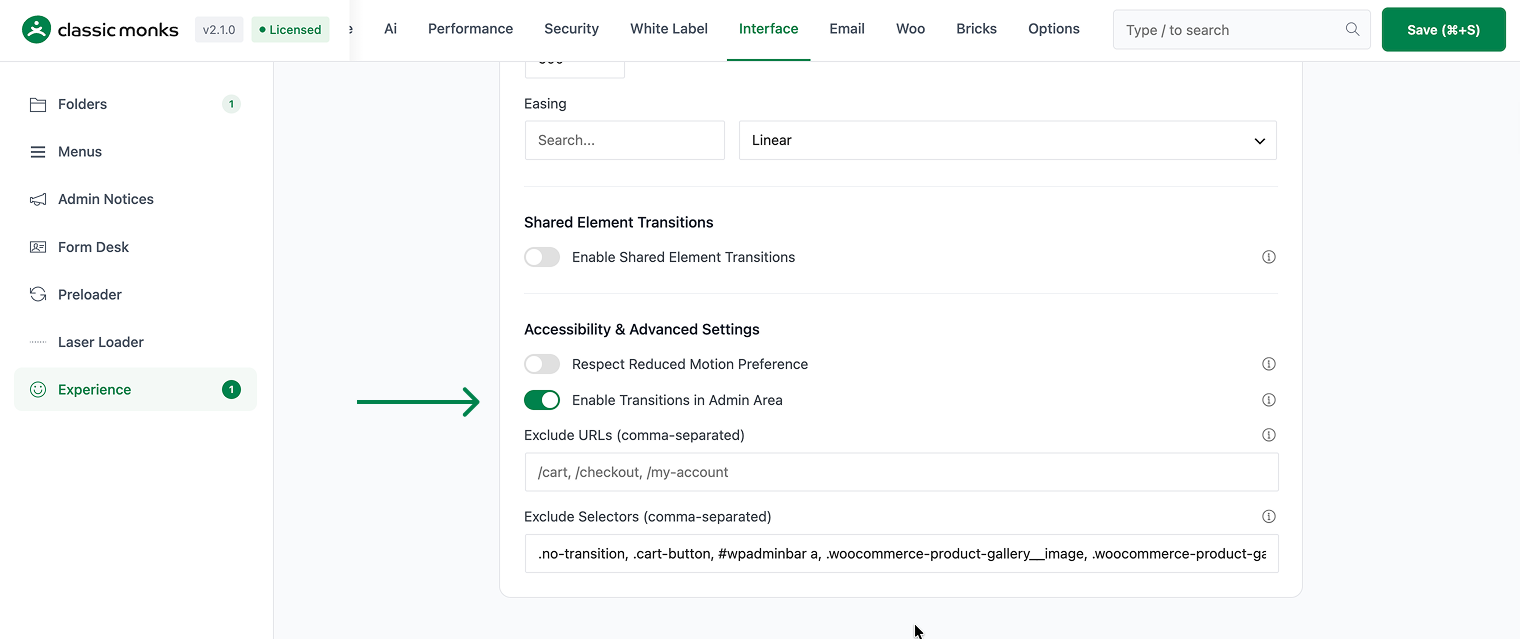
Step 3: Save Changes
Click Save Changes.
Step 4: Test
Visit the frontend (or admin, depending on the feature) and verify the behavior matches your configuration.
Configuration Options
| Option | Description | Default |
|---|---|---|
| This feature | Master toggle. | Off |
What Gets Affected
- The site behavior: modified per this feature
- The user experience: enhanced or modified for the configured context
- The admin experience: (if admin-related feature) modified for the admin
What Does NOT Get Affected
- The actual page load time: unchanged
- The page content: unchanged
- The search engine indexing: unchanged
Common Use Cases
Admin UX improvement
The WordPress admin is functional but not visually polished. Page transitions in the admin create a more modern, app-like experience.
Client sites
For client sites where the admin is part of the product, transitions create a premium feel.
Agency workflow
For agencies managing multiple client sites, the admin transitions create a consistent, professional experience across all sites. The smooth transitions make the admin feel more polished and modern.
Client training
When training clients on how to use their WordPress admin, page transitions make the experience feel more approachable. The smooth transitions reduce the perception of complexity.
Multi-site management
For WordPress multisite networks, admin transitions create a consistent experience across all sites in the network. Each admin feels like part of the same unified system.
Agency client management
For agencies managing multiple client WordPress sites, admin transitions create a consistent experience across all sites. Each admin feels like part of the same unified system, which simplifies training and workflow.
Developer integration
This feature registers 2 WordPress hooks in page-transitions.php:
Actions:
admin_enqueue_scriptscallscm_add_admin_page_transitions()(Enqueues page transitions for admin screens)admin_enqueue_scriptscallscm_enqueue_admin_page_transitions_ui()(Enqueues admin transitions UI assets)
// Hooked in page-transitions.php
add_action( 'admin_enqueue_scripts', 'cm_add_admin_page_transitions' );
The feature modifies WordPress behavior by registering or removing hooks. Disabling it reverses those changes.
Admin transition styles
Admin transitions use a shorter duration (200ms vs 400ms for frontend) and less visual emphasis. The admin is a work environment, and the transitions should not be distracting. The goal is to make navigation feel smoother without drawing attention to the transitions themselves.
For sites where the admin is used by clients (e.g., a custom admin dashboard), the admin transitions can be customized to use the same style as the frontend transitions. This creates a consistent experience across all user-facing areas.

Add your first comment to this post