




What Is this feature?
This feature is part of the Experience system in Classic Monks. It modifies how your WordPress site behaves or appears to visitors. Each feature is independently configurable.
Why You Need It
Customizing the site experience allows you to:
- Match the behavior to your site’s design and purpose
- Improve user experience for specific contexts (mobile, admin, accessibility)
- Create a more professional or modern impression
How to Configure this Feature
Step 1: Navigate to Settings
Click into the Classic Monks plugin settings, then the Interface tab, Experience subtab.
Step 2: Enable the Feature
Toggle on this feature.
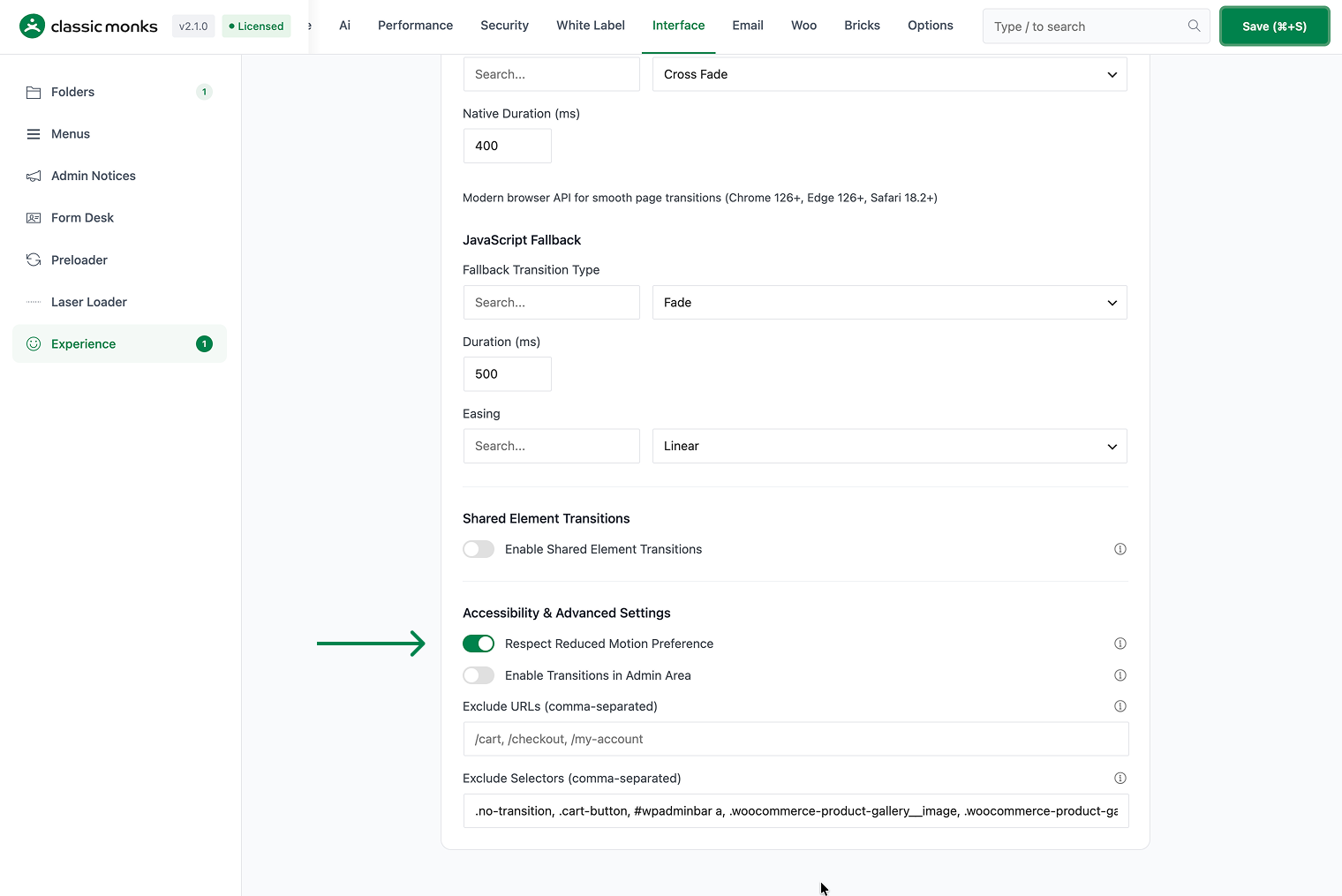
Step 3: Save Changes
Click Save Changes.
Step 4: Test
Visit the frontend (or admin, depending on the feature) and verify the behavior matches your configuration.
Configuration Options
| Option | Description | Default |
|---|---|---|
| This feature | Master toggle. | Off |
What Gets Affected
- The site behavior: modified per this feature
- The user experience: enhanced or modified for the configured context
- The admin experience: (if admin-related feature) modified for the admin
What Does NOT Get Affected
- The actual page load time: unchanged
- The page content: unchanged
- The search engine indexing: unchanged
Common Use Cases
Accessibility compliance
Users with vestibular disorders or motion sensitivity may have disabled animations in their OS settings. Respecting this preference is an accessibility requirement.
WCAG compliance
WCAG 2.1 Level AA requires that animations can be paused or disabled. Respecting prefers-reduced-motion helps meet this requirement.
Government and public sector sites
Government and public sector sites are often required to meet WCAG 2.1 Level AA or higher. Respecting the reduced motion preference is a concrete step toward compliance.
Healthcare sites
Healthcare sites serve users with various disabilities. Respecting reduced motion ensures the site is usable for users with vestibular disorders, who may experience dizziness or nausea from animations.
Educational institutions
Educational institutions (universities, schools) serve diverse audiences with varying abilities. Respecting reduced motion ensures the site is accessible to all students, faculty, and staff.
Inclusive design practice
Respecting reduced motion is a core principle of inclusive design. It ensures the site works for everyone, regardless of their physical or cognitive abilities. This is not just a technical compliance issue; it’s a design philosophy.
Developer integration
This feature registers 1 WordPress hook in page-transitions.php:
Actions:
wp_enqueue_scriptscallscm_add_page_transitions()(Enqueues reduced motion detection and fallback)
// Hooked in page-transitions.php
add_action( 'wp_enqueue_scripts', 'cm_add_page_transitions' );
The feature modifies WordPress behavior by registering or removing hooks. Disabling it reverses those changes.
Testing reduced motion
To test the reduced motion behavior, enable the reduced motion setting in your OS:
- macOS: System Settings > Accessibility > Display > Reduce motion
- Windows: Settings > Accessibility > Visual effects > Animation effects
- iOS: Settings > Accessibility > Motion > Reduce Motion
- Android: Settings > Accessibility > Remove animations
After enabling reduced motion, reload your site. All page transitions, laser loaders, and other animations should be disabled. This is the correct behavior and ensures the site is accessible to users with motion sensitivity.

Add your first comment to this post