




What Is this feature?
This feature is part of the Experience system in Classic Monks. It modifies how your WordPress site behaves or appears to visitors. Each feature is independently configurable.
Why You Need It
Customizing the site experience allows you to:
- Match the behavior to your site’s design and purpose
- Improve user experience for specific contexts (mobile, admin, accessibility)
- Create a more professional or modern impression
How to Configure this Feature
Step 1: Navigate to Settings
Click into the Classic Monks plugin settings, then the Interface tab, Experience subtab.
Step 2: Enable the Feature
Toggle on this feature.
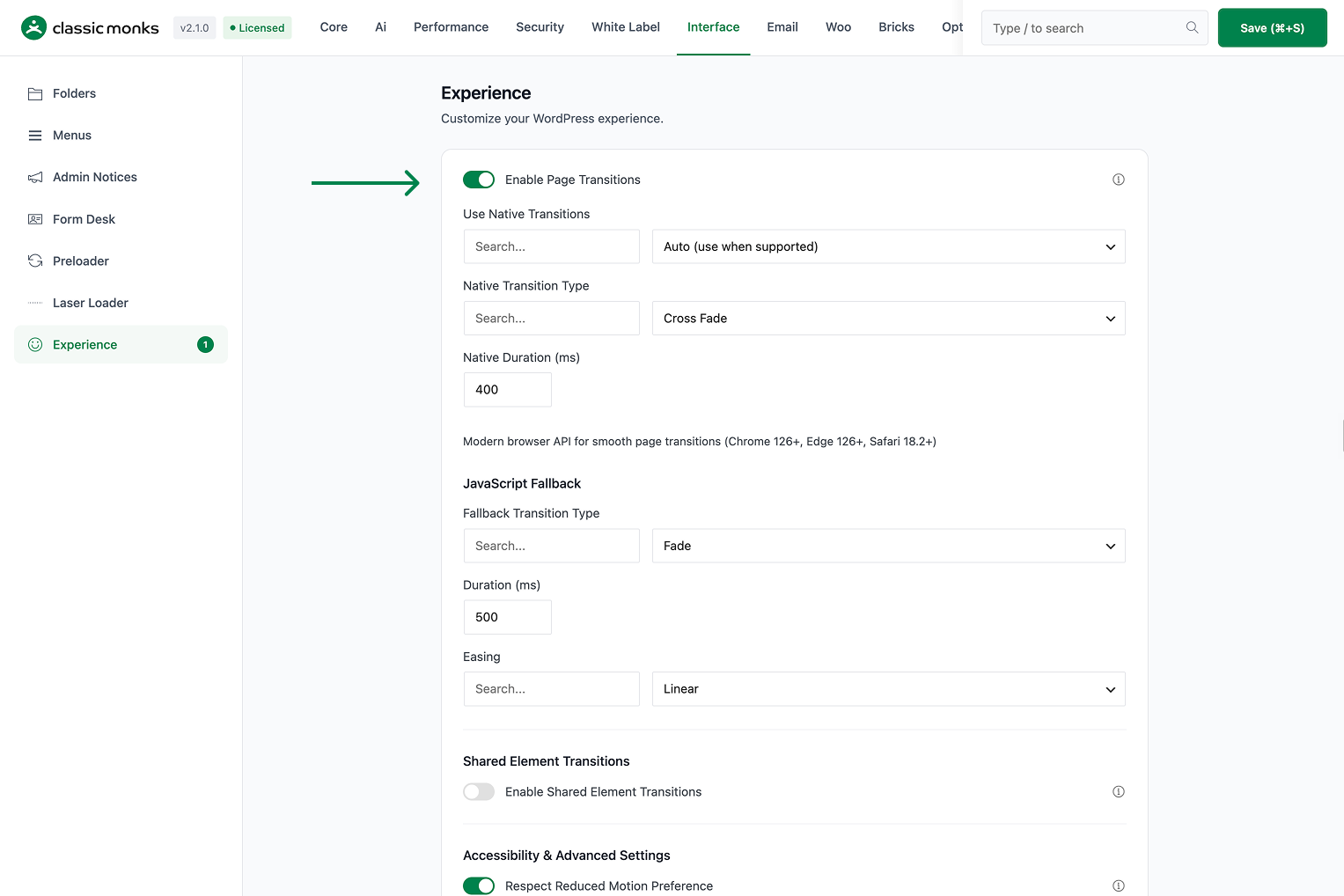
Step 3: Save Changes
Click Save Changes.
Step 4: Test
Visit the frontend (or admin, depending on the feature) and verify the behavior matches your configuration.
Configuration Options
| Option | Description | Default |
|---|---|---|
| This feature | Master toggle. | Off |
What Gets Affected
- The site behavior: modified per this feature
- The user experience: enhanced or modified for the configured context
- The admin experience: (if admin-related feature) modified for the admin
What Does NOT Get Affected
- The actual page load time: unchanged
- The page content: unchanged
- The search engine indexing: unchanged
Common Use Cases
Portfolio and agency sites
Page transitions create a premium, modern feel that matches the visual quality of portfolio and agency websites.
Single-page-like experiences
For WordPress sites that want to feel like single-page applications, page transitions provide the smoothness without the complexity.
Client demonstrations
When showing a site to clients, page transitions create a ‘wow factor’ that differentiates the design.
Brand storytelling sites
For sites where the brand story is told across multiple pages, page transitions create a sense of continuity. The visitor feels like they’re moving through a cohesive narrative rather than jumping between disconnected pages.
Education platforms
For online courses and learning platforms, page transitions between lessons create a smooth learning experience. The student feels like they’re progressing through the material, not loading separate pages.
Restaurant and hospitality sites
For restaurants, hotels, and hospitality sites, page transitions create a premium experience that matches the service quality. The smooth transitions make the site feel as polished as the establishment.
Portfolio showcases
For creative agencies and freelancers, page transitions between portfolio items create a gallery-like experience. Each transition feels intentional and designed, which reinforces the quality of the work being showcased.
Developer integration
This feature registers 2 WordPress hooks in page-transitions.php:
Actions:
wp_enqueue_scriptscallscm_add_page_transitions()(Enqueues page transitions JS/CSS on frontend)admin_enqueue_scriptscallscm_add_admin_page_transitions()(Enqueues page transitions in admin area)
// Hooked in page-transitions.php
add_action( 'wp_enqueue_scripts', 'cm_add_page_transitions' );
The feature modifies WordPress behavior by registering or removing hooks. Disabling it reverses those changes.
SEO and crawlability impact
Page transitions do not affect SEO or crawlability. Search engine crawlers do not execute JavaScript (in most cases) and do not interact with page transitions. The content is still present in the HTML and is accessible to crawlers.
For accessibility, page transitions respect the prefers-reduced-motion media query. Users who have enabled reduced motion in their OS settings will not see the transitions. This ensures the site is accessible to users with vestibular disorders or motion sensitivity.

Add your first comment to this post