




What Is the Remove Comment URLs feature?
WordPress comments have a “Website” URL field that commenters can fill in. It’s used for two things:
- The comment form: A “Website” input field that commenters can fill in
- The comment meta: The commenter’s name in the comments list is wrapped in a link to their website (unless the URL is empty)
Remove Comment URLs does both: removes the form field, and strips the URL link from the rendered comment meta. The raw comment data is unchanged; only the display and the form are affected.
Why You Need It
The Website field on the comment form is one of the top three spam signals in WordPress. Spammers post comments primarily to get a backlink from your site’s high-authority domain. Removing the field removes the motivation.
For legitimate commenters, the Website field is rarely used. Most people commenting on a blog post don’t have a personal site they want to link, and those who do can include the URL in the comment text itself. Removing the field simplifies the form and reduces friction.
For comment authors, the website link in the comment meta can also be a visual distraction. A list of comments shows: “John Smith, linked to johns-blog.com: Great post!”. Removing the link makes it: “John Smith: Great post!”, cleaner and more focused on the comment content.
How to Use Remove Comment URLs in Classic Monks
Step 1: Navigate to Settings
Click into the Classic Monks plugin settings in your WordPress dashboard.
Step 2: Go to the Content Subtab
Click on the Core menu, then click the Content subtab.
Step 3: Enable Remove Comment URLs
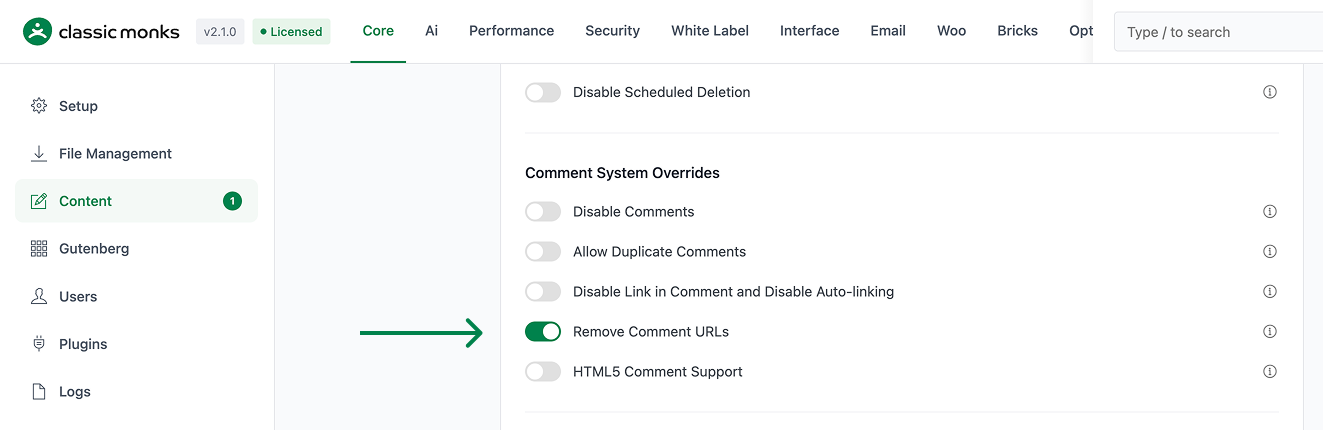
Scroll to the Comment System Overrides section and toggle on Remove Comment URLs.
Step 4: Save Changes
Click Save Changes.
Step 5: Test the Form
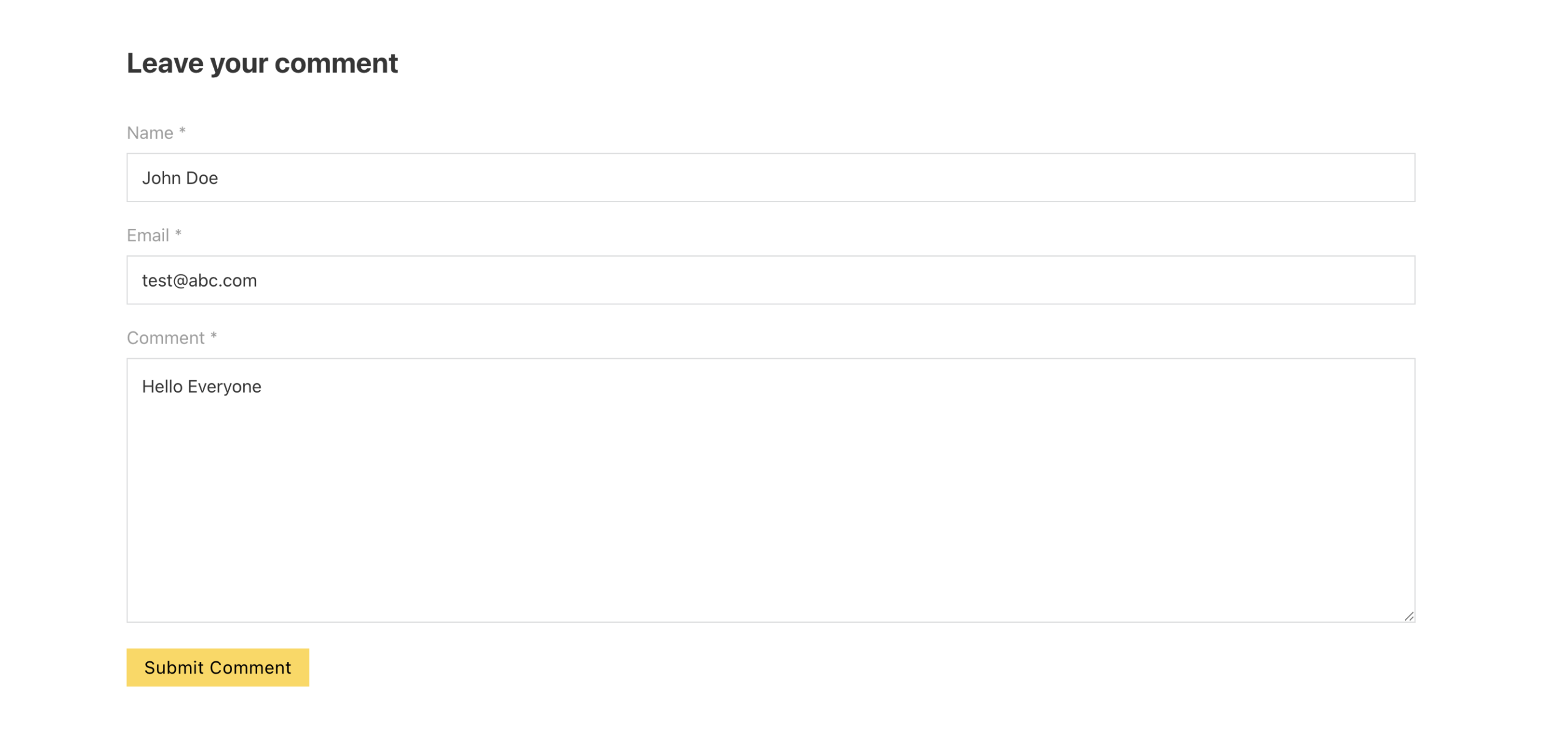
Open any post with comments enabled on the front-end. The comment form should not show a “Website” field. Existing comments should show the author’s name without a link to their website.
Configuration Options
| Option | Description | Default |
|---|---|---|
| Remove Comment URLs | Master toggle. Two effects. | Off |
No nested options.
What Gets Removed
| Element | Before | After |
|---|---|---|
| Comment form “Website” field | Shown | Hidden |
| Comment author name link to website | <a href="url">John</a> |
Plain text “John” |
| Comment author URL in the comment HTML | Present | Stripped (kept in DB) |
get_comment_author_url() PHP function calls |
Returns the URL | Returns the URL (unchanged) |
| Comment author’s Gravatar | Shown | Shown (not affected) |
| Comment meta on the comment edit screen (admin) | Shows the URL | Shows the URL (admin retains visibility) |
| Comment form spam-protection (honeypot, Akismet) | Active | Active (not affected) |
What Does NOT Get Removed
- The raw URL in the database: comment_author_url is still stored
- The admin comment edit screen: still shows the URL field
- Email notifications to admins: still include the URL in the email body
- The comment_author_url column in the database: not removed, just hidden from display
If you want to fully strip the URL from the database, use a custom plugin that hooks into pre_comment_approved or comment_save_pre to clear the URL field before saving.
Developer Notes
Remove Comment URLs hides the URL field from the comment form. No developer hooks are currently exposed.
Options used:
| Option | Type | Default |
|---|---|---|
remove_comment_urls |
Boolean | false |

Add your first comment to this post