




What Does the Feature Do?
WordPress blocks a second comment from the same author name and email on the same post. WooCommerce product reviews run on that comment system, so by default a customer can leave only one review per product. The Allow Duplicate Reviews feature removes that block for product reviews, letting the same customer submit another review for the same product.
Behind the scenes the feature removes the duplicate-comment guard when a review is submitted, without touching regular WordPress comments.
Why You Might Use It
Product reviews differ from blog comments, so a customer may reasonably want to review again:
- A buyer leaves an early review, then updates it after long-term use
- A product is updated and deserves a fresh review
- A customer buys the same product again and wants a new opinion
- A follow-up review reflects changed expectations
The trade-off is higher spam and moderation load. The same name and email can now submit repeatedly, so keep review moderation active if you enable this.
How to Allow Multiple Reviews on the Same Product in WooCommerce
Step 1: Enable the Feature
- In WordPress admin, open Classic Monks > WooCommerce.
- Open the Single Product settings area.
- Toggle on Allow Duplicate Reviews.
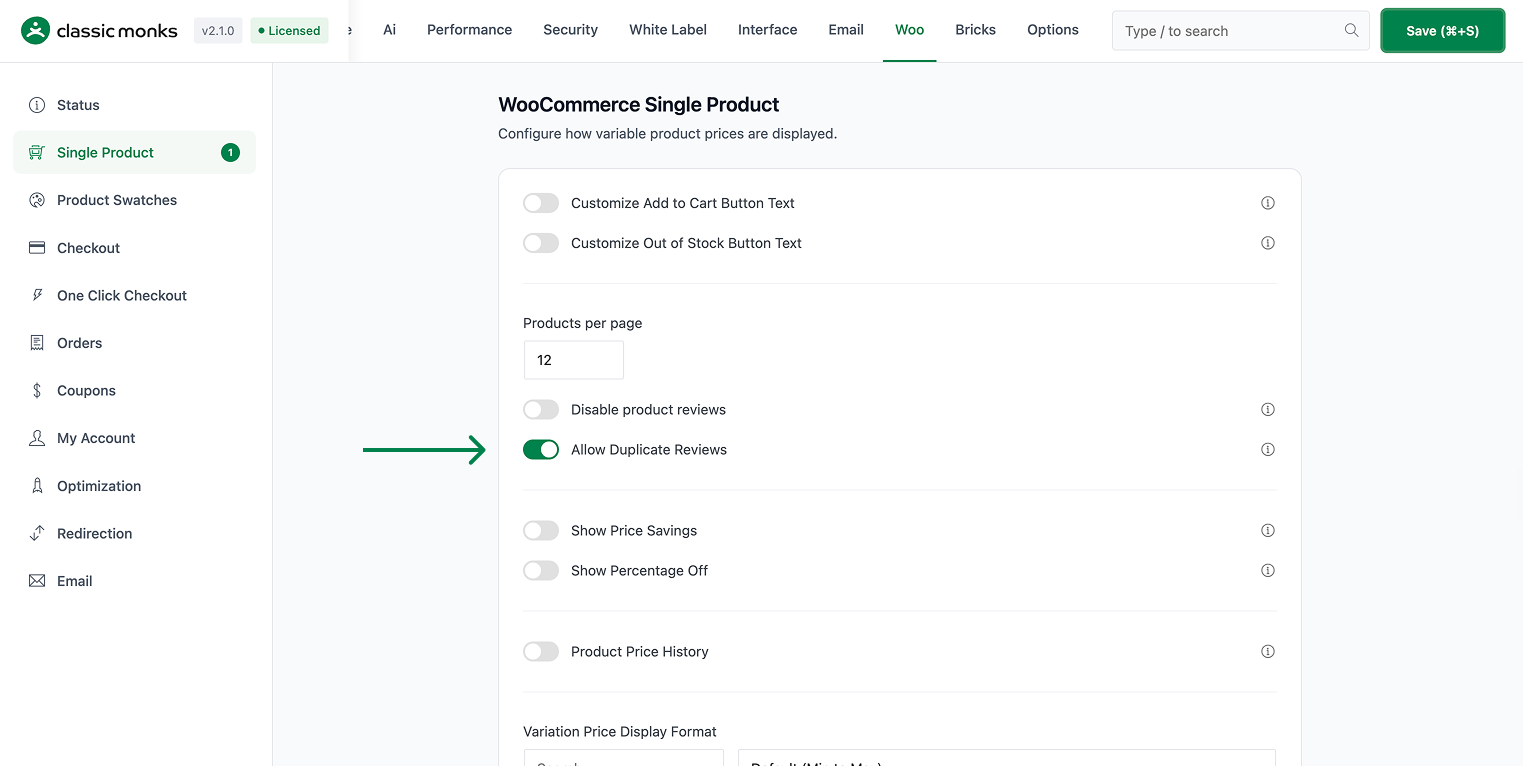
Step 2: Save and Test
Click Save Changes. Submit a review on a product, then submit another with the same name and email. Both should be accepted (subject to your moderation settings).
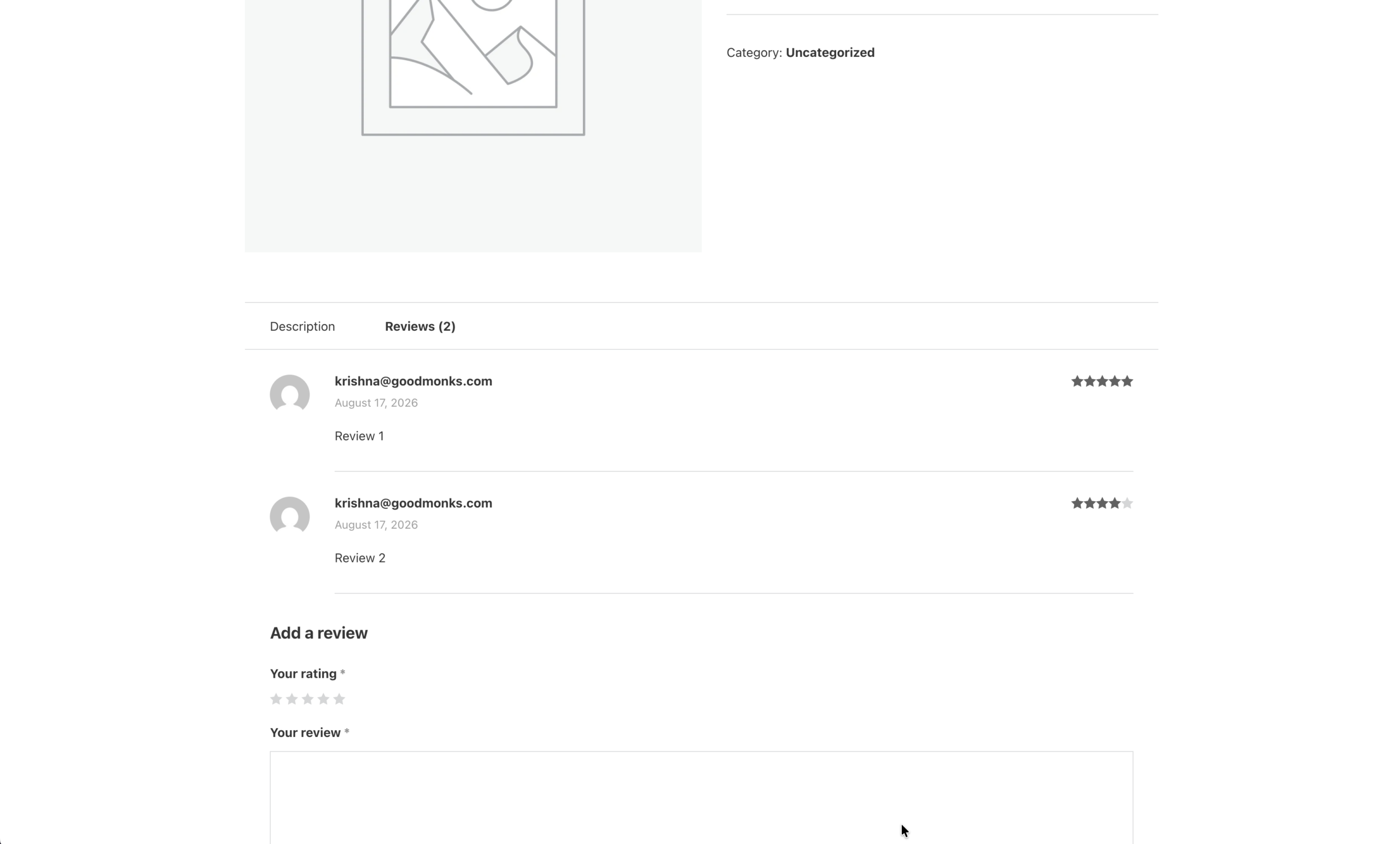
Configuration Options
| Option | Default |
|---|---|
| Allow Duplicate Reviews | Off |
There are no nested options. The feature is a single on/off control.
What Gets Affected
- WooCommerce product reviews: the same customer can now submit more than one review for the same product
- The duplicate-comment guard: no longer blocks a repeat review from the same author and email
What Does NOT Get Affected
- Regular WordPress comments: these keep the default duplicate block
- Review moderation: the approval workflow still applies
- Spam filtering: Akismet and other spam checks still run
- Review settings in WooCommerce: verified-owner and other product review rules are unchanged
Advanced Options (Developers)
The feature registers one hook in functions/woocommerce/woocommerce-functions.php:
add_filter( 'pre_comment_on_post', 'cm_allow_duplicate_reviews' );pre_comment_on_post calls cm_allow_duplicate_reviews(). When the feature is enabled, it removes the duplicate_comment_id filter’s wp_die handler, so a repeat review is no longer killed by the duplicate check.

Add your first comment to this post