




What Does the Feature Do?
WooCommerce products support comments, which power the product review system. The Disable Product Reviews feature removes comment support from the product post type, so the review areas are no longer shown on product pages.
Because the change is at the product post type level, it applies across the whole store rather than product by product.
Why You Need It
Reviews are not right for every store:
- Some catalogs do not use customer reviews
- Removing reviews hides the review form and display on product pages
- It reduces moderation and spam load
- It keeps product pages focused on the purchase
How to Disable Product Reviews in WooCommerce
Step 1: Enable the Feature
- In WordPress admin, open Classic Monks > WooCommerce.
- Open the Single Product settings area.
- Toggle on Disable Product Reviews.
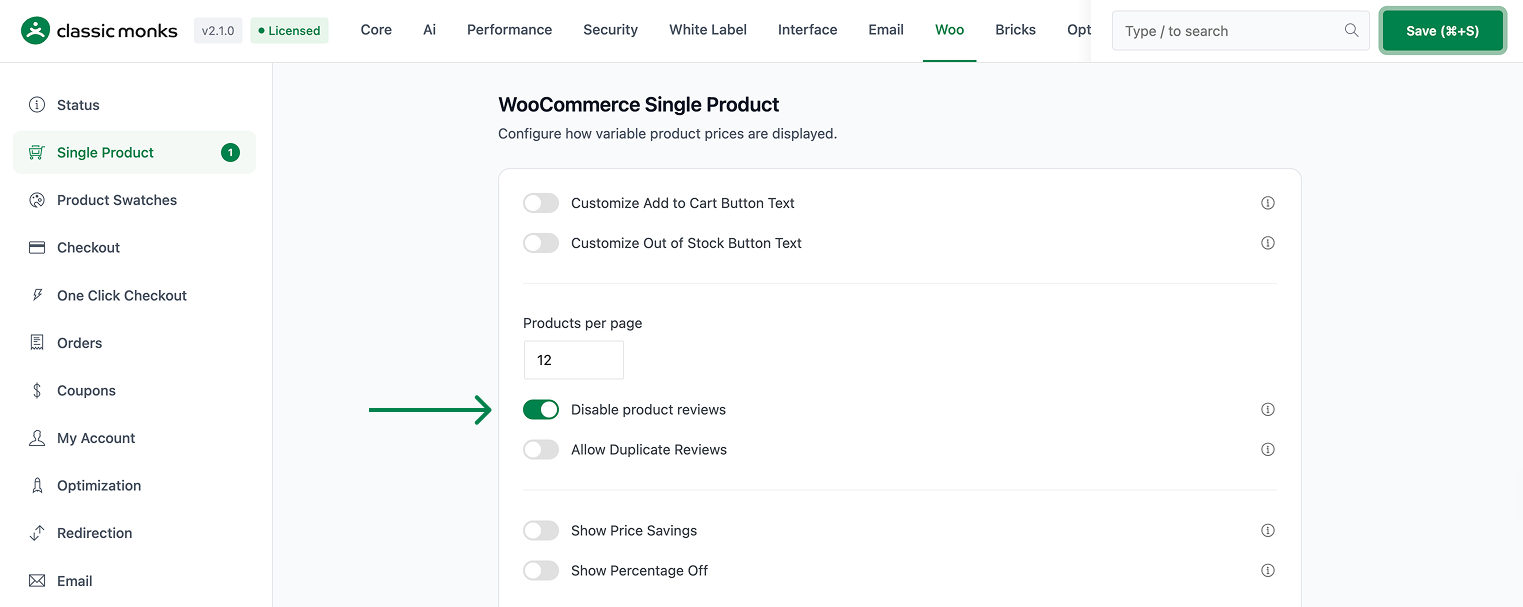
Step 2: Save and Test
Click Save Changes. Open a product page and confirm the review form and review display no longer appear.
Configuration Options
| Option | Default |
|---|---|
| Disable Product Reviews | Off |
There are no nested options. The feature is a single on/off control.
What Gets Affected
- Product pages: the review form and review display are removed
- The product post type: comment support is removed
- Reviews across the store: the review areas are hidden
What Does NOT Get Affected
- Product data, prices, and inventory: unchanged
- The store’s products and checkout: unaffected
- Existing stored reviews: not deleted, just no longer shown in the product review area
- Regular WordPress comments on posts: separate from product reviews
Advanced Options (Developers)
The feature registers one hook in functions/woocommerce/woocommerce-functions.php:
add_action( 'init', 'cm_disable_woocommerce_reviews' );init calls cm_disable_woocommerce_reviews(), which runs remove_post_type_support('product', 'comments'). This removes comment support from the product post type, so the review areas no longer render.
Common Use Cases
Curated catalogs. Stores that do not use customer reviews keep product pages focused on the sale.
Spam reduction. Removing the review form eliminates a spam entry point.
Consistent product pages. A store that never enables reviews can show the same clean layout on every product.
Re-Enabling Reviews
The feature can be reversed at any time. Turning the toggle off restores comment support to the product post type, so the review form and review display come back on product pages. Because the stored reviews are never deleted, re-enabling returns the previous review data to view alongside any new reviews. This makes the toggle safe to try: it removes the review areas now, and a later flip brings them back with the existing content intact.

Add your first comment to this post