




What Does the Feature Do?
WooCommerce lets customers select any variation shown in a dropdown, even one that is out of stock. A customer can pick an unavailable size or color, add it to cart, and only learn it is unavailable later.
The Disable Out of Stock Variations feature filters variation activity so out of stock variations are no longer valid pickable options. It hooks into WooCommerce’s woocommerce_variation_is_active check, so a variation that is out of stock is treated as inactive and does not appear as an available choice.
Why You Need It
Disabling unavailable options prevents a common source of friction:
- Customers cannot add an out of stock variation and later discover it is gone
- The dropdown only offers what can actually be purchased
- Customers are guided toward available options instead of hitting dead ends
- Checkout and cart avoid the “no longer in stock” error state
How to Disable Out of Stock Variations in WooCommerce
Step 1: Enable the Feature
- In WordPress admin, open Classic Monks > WooCommerce.
- Open the Single Product settings area.
- Toggle on Disable Out of Stock Variations.
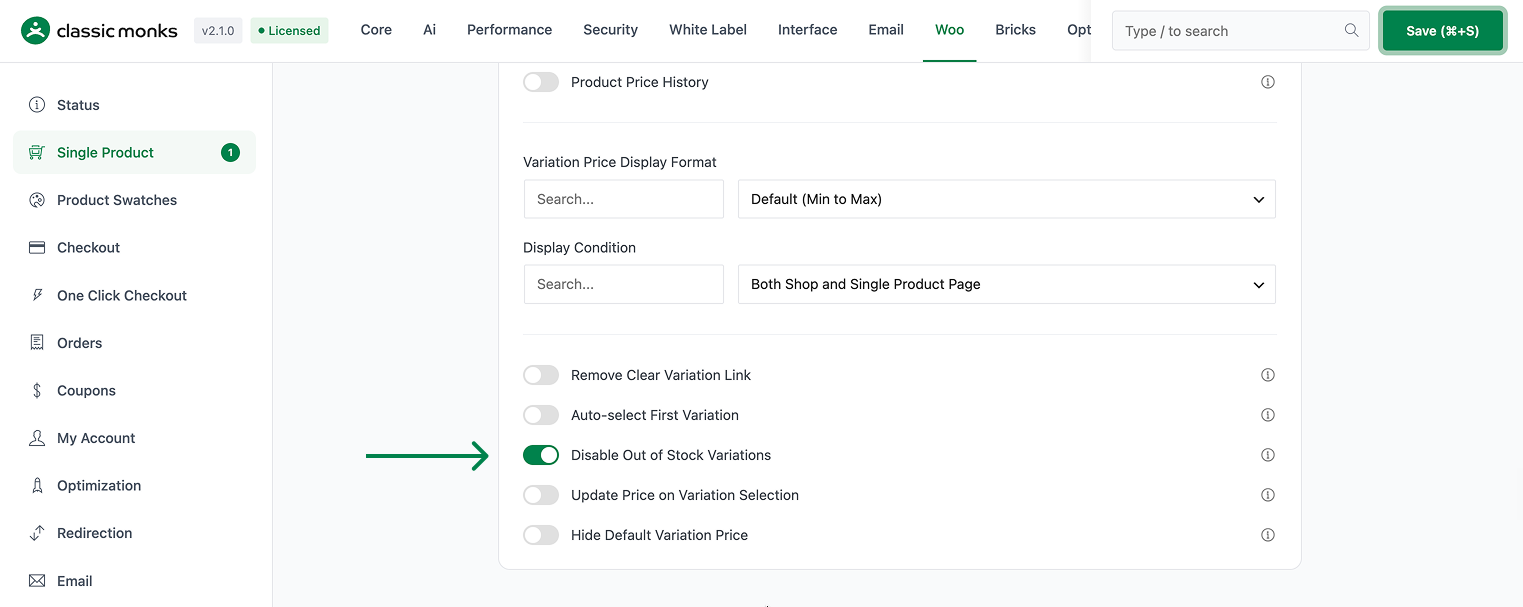
Step 2: Save and Test
Click Save Changes. On a variable product, set one variation to out of stock (Inventory > Stock status). Visit the product and confirm that variation is no longer offered as a selectable option, while in stock variations remain available.
Configuration Options
| Option | Default |
|---|---|
| Disable Out of Stock Variations | Off |
There are no nested options. The feature is a single on/off control.
What Gets Affected
- Variable product dropdowns: out of stock variations are no longer active pickable options
- The variation selection flow: WooCommerce will not validate an out of stock variation as a valid choice
What Does NOT Get Affected
- The variation’s data and price: these stay in place
- The product’s stock management: inventory still works as normal in WooCommerce
- In stock variations: these remain available as before
- The variation attributes themselves: only the active/available state changes
Advanced Options (Developers)
The feature registers one hook in functions/woocommerce/variation-display.php:
add_filter( 'woocommerce_variation_is_active', 'cm_disable_out_of_stock_variations', 10, 2 );woocommerce_variation_is_active calls cm_disable_out_of_stock_variations() when the feature is enabled, so out of stock variations are reported as inactive. This is the standard WooCommerce hook that determines whether a variation can be selected.

Add your first comment to this post