




What Are Custom Taxonomy Filters?
Custom Taxonomy Filters is a Classic Monks feature that adds filter dropdowns to the post type list tables. When enabled, the list table for any post type gains a row of dropdowns at the top, one per registered taxonomy. Pick values from the dropdowns and click Filter to show only posts that match your selections.
Without this feature, the only way to filter posts in the admin is to click on a term in the right sidebar’s taxonomy meta box, which takes you away from the list view. Custom Taxonomy Filters keep the filter UI inline so you can pivot between filters without losing your place.
Why You Need It
For sites with many taxonomies and many posts, the post list table quickly becomes unmanageable:
- A news site with 500 posts and 20 categories can’t reasonably scroll to find what you want
- A portfolio with 100 items and 10 service categories needs a fast way to filter by service type
- A multi-author blog with 200 posts and 30 tags needs to filter by tag to find a specific author’s work
Custom Taxonomy Filters make these workflows practical by letting you filter with a few clicks.
How to Use Custom Taxonomy Filters in Classic Monks
Step 1: Navigate to Settings
Click into the Classic Monks plugin settings in your WordPress dashboard.
Step 2: Go to the Content Subtab
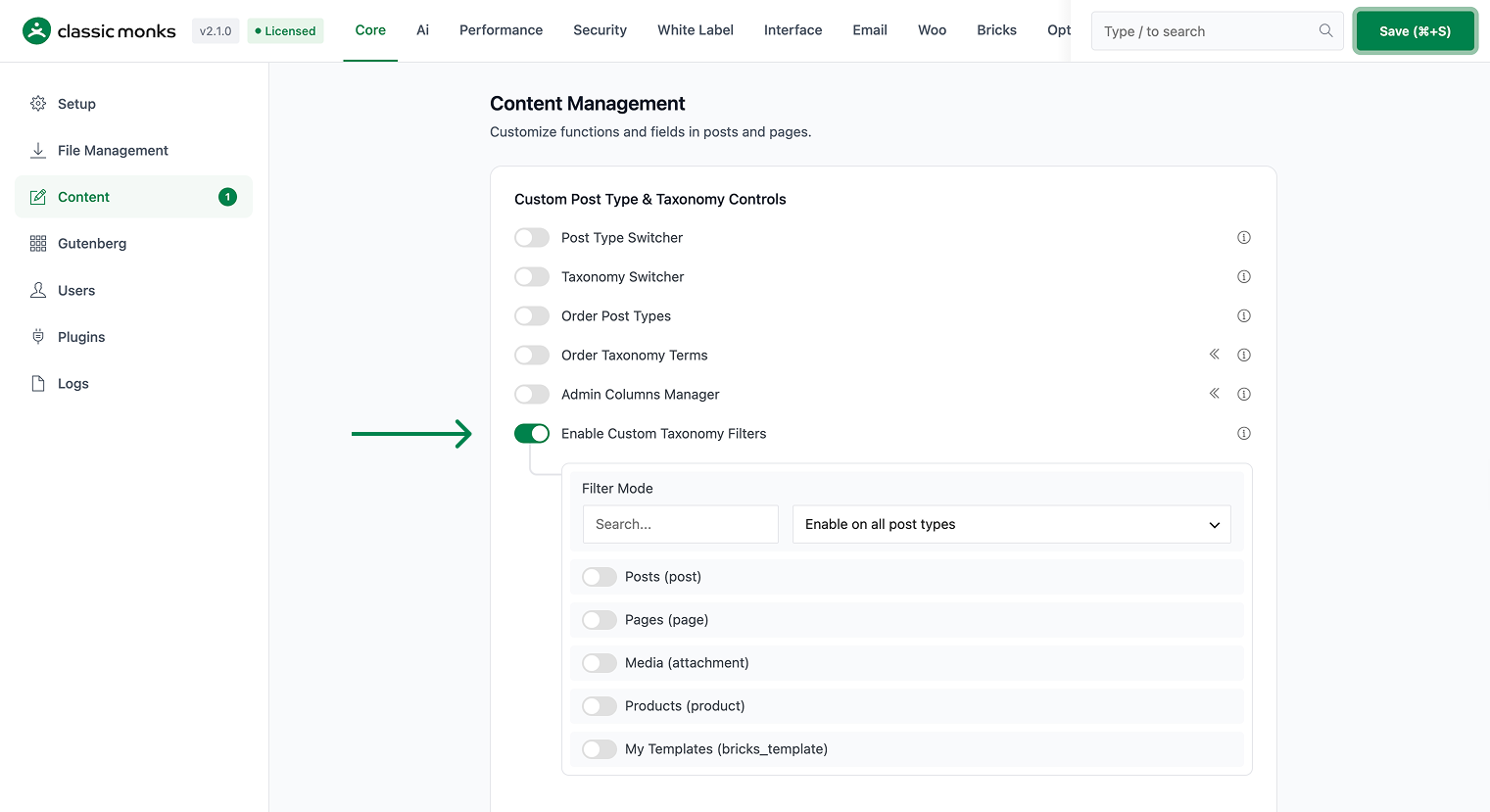
Click on the Core menu, then click the Content subtab.
Step 3: Enable Custom Taxonomy Filters
Toggle on Enable Custom Taxonomy Filters. No nested options are needed.
Step 4: Save Changes
Click Save Changes.
Step 5: Open Any Post Type’s List Table
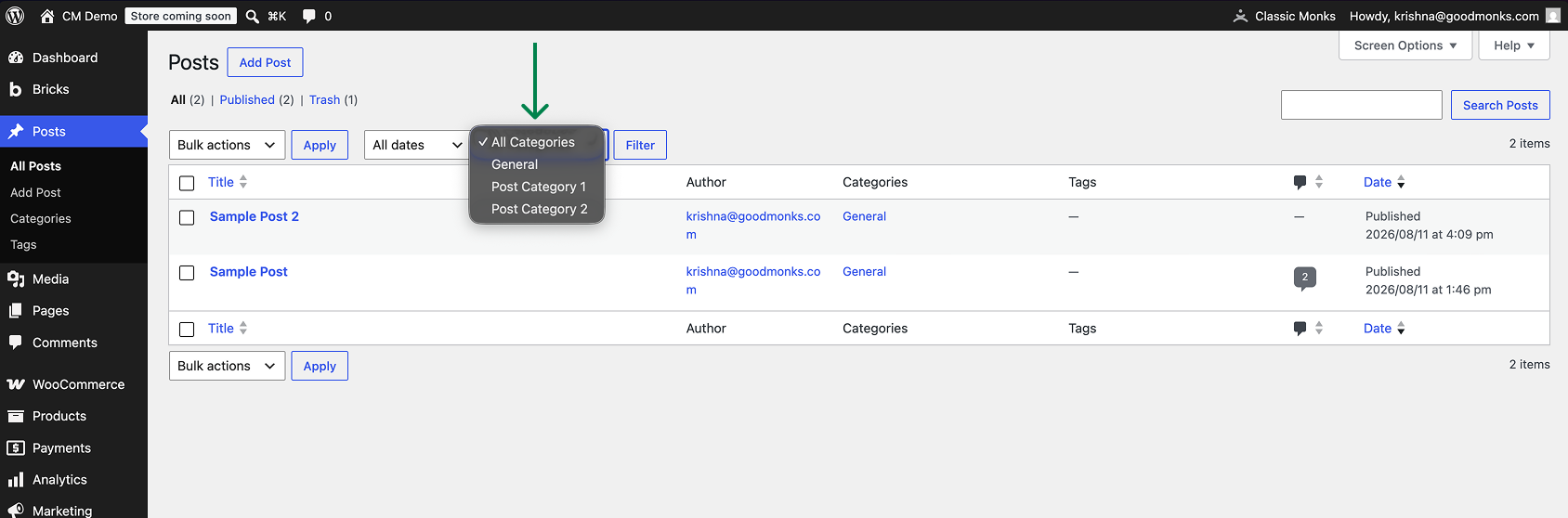
Go to Posts > All Posts (or any post type’s list view). At the top of the list table, above the column headers, a new row appears with one dropdown per taxonomy.
Step 6: Filter by Taxonomy
Select a value from any of the dropdowns (e.g., “News” from the Category dropdown). Click Filter. The list table now shows only posts in the selected category.
Step 7: Combine Multiple Filters
To filter by multiple taxonomies at once, select values from multiple dropdowns before clicking Filter. The filters use AND logic: posts must match all selected values. For example, “Category = News” AND “Tag = Politics” shows only posts that are both in News AND tagged Politics.
Step 8: Clear Filters
Click the Clear button (or remove individual dropdown selections) to return to the full list.
Configuration Options
| Option | Description | Default |
|---|---|---|
| Enable Custom Taxonomy Filters | Master toggle. Adds the filter dropdowns to all post type list tables. | Off |
There are no per-taxonomy controls; the toggle is global. Public taxonomies registered on your site automatically get a dropdown.
Which Taxonomies Get a Dropdown
The filter dropdowns include every public taxonomy registered on your site. Common ones include:
- Category (WordPress default)
- Post Tag (WordPress default)
- Custom taxonomies registered by themes or plugins (e.g., “Project Type”, “Service Category”, “Department”)
Private or non-public taxonomies are excluded. Custom post type-specific taxonomies (e.g., a taxonomy attached only to a custom post type) appear in that post type’s list table.
Developer Notes
The Custom Taxonomy Filters adds dropdown filters to the post list table for every registered taxonomy. No developer hooks are currently exposed.
Options used:
| Option | Type | Default |
|---|---|---|
enable_custom_taxonomy_filters |
Boolean | false |

Add your first comment to this post