




About This Index
This page is a directory of all comment system overrides in Classic Monks. Each feature is a toggle in the Core > Content > Comment System Overrides section, but each has its own documentation because the configuration, troubleshooting, and edge cases are different.
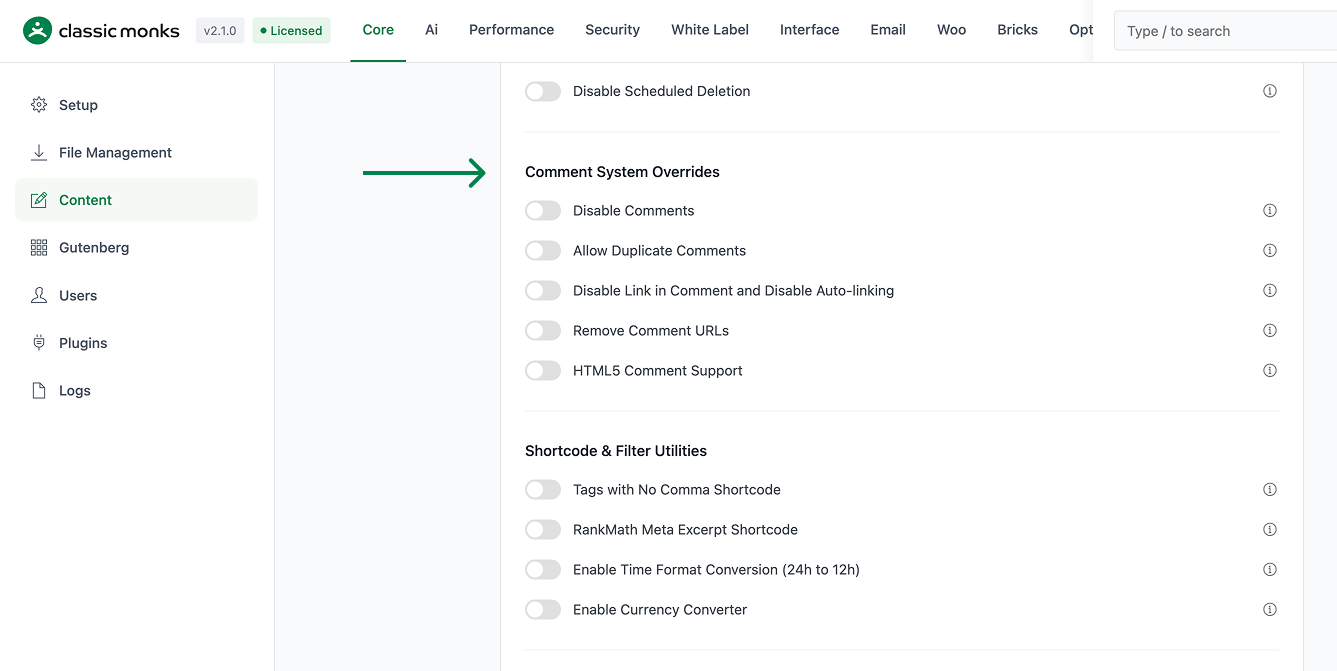
Comment System Overrides
| Feature | Description | Guide |
|---|---|---|
| Disable Comments | Globally turn off the WordPress comment system on all post types. Hides comment forms and prevents new submissions. | View guide |
| Allow Duplicate Comments | Let the same user post multiple comments on the same post. Overrides WordPress’s default duplicate block. | View guide |
| Disable Link in Comment and Disable Auto-linking | Strip auto-linking and rendered link tags from comment text. | View guide |
| Remove Comment URLs | Remove the Website URL field from the comment form and strip the website link from comment meta. | View guide |
| HTML5 Comment Support | Add HTML5 input types and validation attributes to the comment form. | View guide |
Common Combinations
For a typical blog, the recommended comment setup is:
- Disable Link in Comment: ON (reduces comment spam)
- Remove Comment URLs: ON (eliminates the website field)
- Disable Comments: OFF (comments are enabled)
- Allow Duplicate Comments: OFF (default behavior)
- HTML5 Comment Support: ON (better mobile UX)
For a business site, the typical setup is:
- Disable Comments: ON (no public discussion)
- All other comment settings: irrelevant when comments are disabled
For a forum-style discussion site:
- Allow Duplicate Comments: ON (users reply to multiple comments)
- All other settings: defaults

Add your first comment to this post