




What Is the Disable Safari Reader Mode feature?
Safari Reader strips a page down to plain text. No branding, no layout, no ads. People open it with Cmd+Shift+R on a Mac, through View > Show Reader, or by tapping the Reader icon in the address bar on iPhone and iPad.
This toggle blocks one of those paths: the keyboard shortcut on Mac desktop. When it is on, pressing Cmd+Shift+R does nothing on your site.
It does not remove the Reader icon. It does not stop someone tapping Reader on an iPhone. If you need a hard content lock on iOS, this is not it.
Why You Need It
For most blogs and news sites, leave Reader alone. People like it, and fighting it usually costs more goodwill than it saves.
It makes sense in a few cases:
- Brand-heavy pages where the design is the point
- Ad-supported layouts where Reader wipes the revenue
- Custom or interactive layouts that fall apart in plain text
Even then, treat it as friction against casual use, not protection.
Trade-offs vs allowing Reader Mode
- Some readers prefer Reader for distraction-free reading
- Reader helps visitors with reading difficulties
- iPhone users open Reader often, and this toggle does not affect them at all
- Determined visitors can still open Reader from the menu in seconds
For most sites, the trade-offs are not worth it. Turn this on only if you have a concrete reason.
How to Disable Safari Reader Mode in WordPress
Step 1: Navigate to Settings
Click into the Classic Monks plugin settings in your WordPress dashboard.
Step 2: Go to the Security Tab
Click on the Security menu, then click the Content Protection subtab.
Step 3: Enable Disable Safari Reader Mode
Scroll to Disable Safari Reader Mode (Cmd+Shift+R) and toggle on.
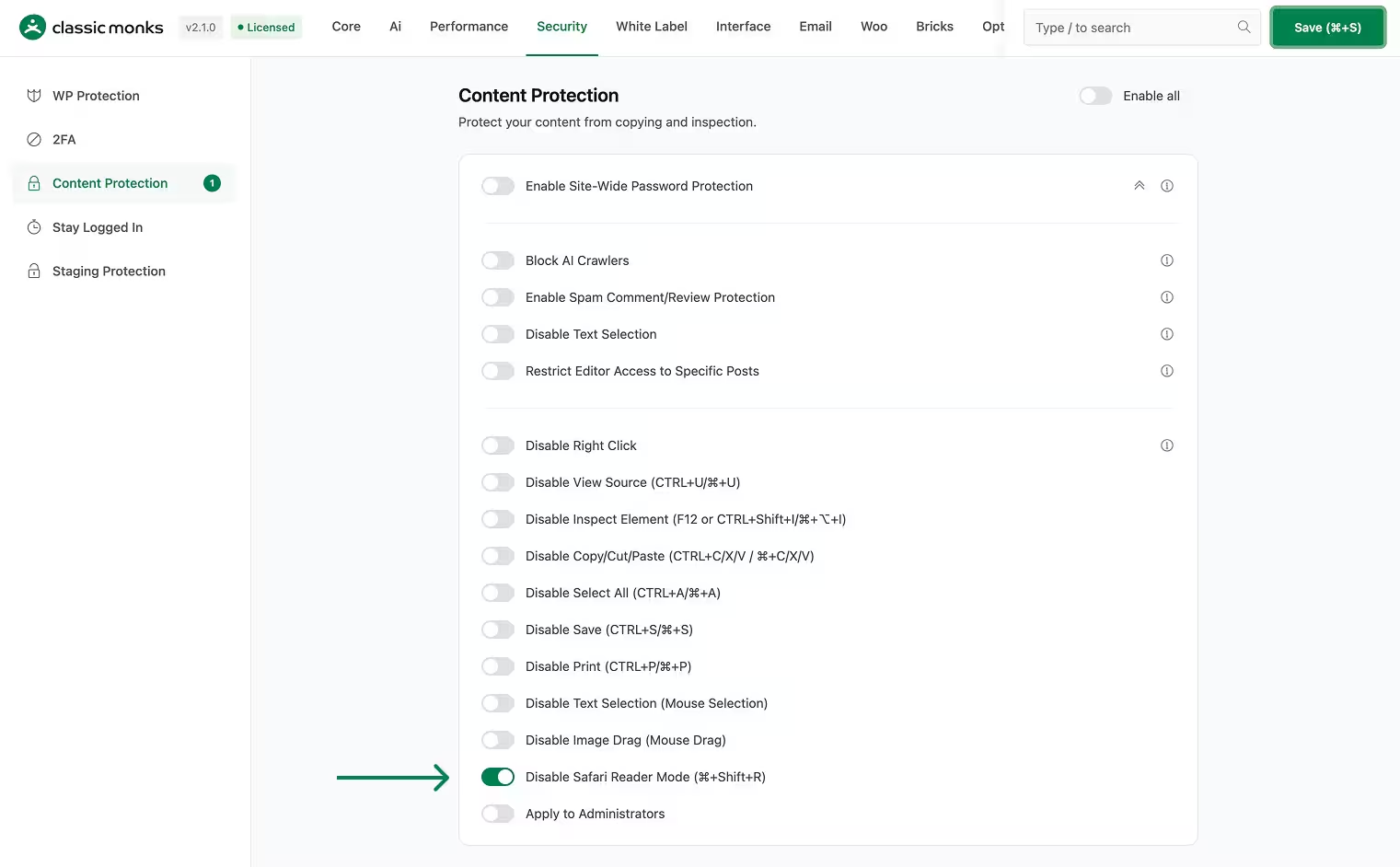
Step 4: Save Changes
Click Save Changes.
Step 5: Test
On a Mac, open your site in Safari and press Cmd+Shift+R. The shortcut should do nothing.
Do not test this on an iPhone expecting the Reader icon to disappear. It will still be there. That is expected behavior, not a bug.
Configuration Options
| Option | Description | Default |
|---|---|---|
| Disable Safari Reader Mode | Blocks the Cmd+Shift+R shortcut in Safari on Mac desktop. | Off |
No nested options.
What Gets Affected
- Safari on Mac desktop: the Cmd+Shift+R shortcut is blocked
- Only for logged-out visitors by default (admins are skipped unless “Apply to Administrators” is on)
What Does NOT Get Affected
- iPhone and iPad: tapping the Reader icon still works
- Safari menu: View > Show Reader still works
- Other browsers: Chrome, Firefox, Edge are not affected
- Page content and SEO: unchanged, search engines read the same HTML
- No meta tag is added to the page head
Advanced Options (Developers)
There is no dedicated file or filter for this toggle. It ships inside the shared content protection script in functions/security/disable-right-click.php.
When enabled, cm_disable_right_click_script() (hooked to wp_head at priority 1) outputs a small keydown handler. The Safari part is one check:
if (m && e.metaKey && e.shiftKey && e.key.toLowerCase() === "r") return p(e);Where m matches Mac platforms and p(e) calls preventDefault plus stopPropagation. Disabling the toggle removes the check and Safari behaves normally again.
There is no cm_disable_safari_reader_post_types filter and no per-page control. The toggle is global.

Add your first comment to this post