




What Does the Feature Do?
WooCommerce registers a set of block styles (the wc-blocks-* style handles) for its Gutenberg block layouts. The Disable WooCommerce Blocks Styles feature dequeues those registered styles from the front end when you are not using the block-based WooCommerce layouts.
Removing them trims unnecessary CSS without affecting the core shop, which uses its own product and checkout templates.
Why You Need It
Block styles add CSS that may not be used:
- A classic-theme store does not render WooCommerce block layouts
- Dropping the registered block styles reduces CSS weight and requests
- It cleans up the front end for non-block store designs
- It applies to the specific handles WooCommerce registers for its blocks
How to Disable WooCommerce Gutenberg Blocks Styles
Step 1: Enable the Feature
- In WordPress admin, open Classic Monks > WooCommerce.
- Open the Optimization settings area.
- Toggle on Disable Gutenberg Blocks Styles.
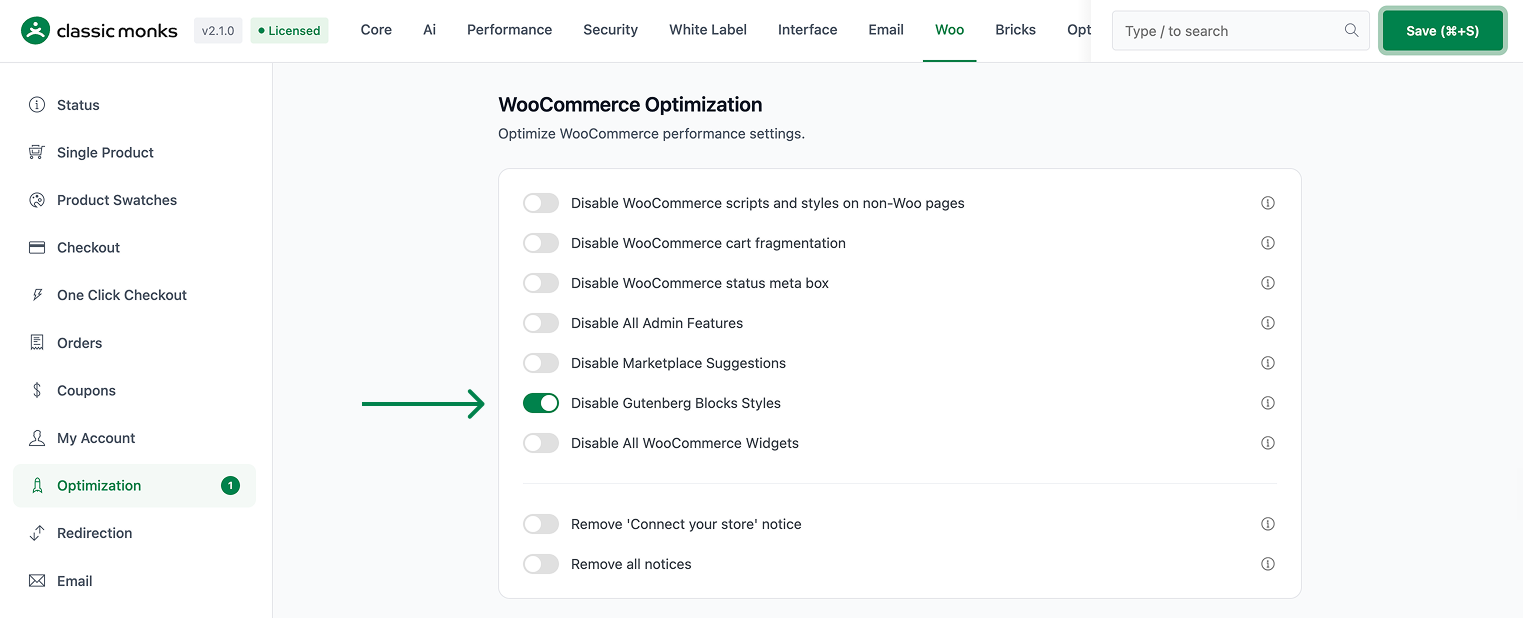
Step 2: Save and Test
Click Save Changes. Load a WooCommerce page and confirm the block styles are no longer enqueued. The shop and checkout still work normally.
Configuration Options
| Option | Default |
|---|---|
| Disable Gutenberg Blocks Styles | Off |
There are no nested options. The feature is a single on/off control.
What Gets Affected
- The front end: WooCommerce block styles are dequeued
- Page CSS: the registered
wc-blocks-*style handles no longer load
What Does NOT Get Affected
- The core shop, product, and checkout templates: these keep their own styles
- WooCommerce functionality: products, cart, checkout work normally
- Block layouts you actively use: if you rely on block layouts, leave the feature off
Advanced Options (Developers)
The feature registers its logic in functions/woocommerce/woocommerce-functions.php:
add_action( 'wp_enqueue_scripts', 'cm_disable_gutenberg_blocks_styles' );wp_enqueue_scripts calls cm_disable_gutenberg_blocks_styles(). When enabled, it dequeues the registered WooCommerce block style handles, which include the wc-blocks-* styles for the various product and checkout blocks.
Common Use Cases
Classic themes. Stores on classic product and checkout templates do not render block layouts, so the block styles are unused CSS.
Performance tuning. Removing unused block CSS reduces page weight on WooCommerce pages.
Lightweight stores. Any store that wants a leaner front end without block layout CSS benefits from this toggle.
Keeping It Set Up
Set the toggle once and it stays active across the site. To change behavior, return to the WooCommerce settings, adjust the option, and save again. The store continues to run normally throughout, and you can turn the feature off at any time to restore the previous default behavior. For teams managing multiple environments, confirm the setting on staging first, then apply it to production and verify a real page load before treating it as live.

Add your first comment to this post