




What Are Gutenberg Disables?
Gutenberg disables are a set of toggles in the Classic Monks Core tab, Gutenberg subtab. They control where and how the Gutenberg block editor is used in your WordPress admin. Each toggle is independent, so you can keep Gutenberg for posts and pages but disable it for custom post types, or remove specific Gutenberg features without disabling the editor entirely.
Why You Need It
WordPress 5.0+ ships with Gutenberg as the default editor. For many sites, that is fine. For others, it is a problem:
- Performance: Gutenberg loads more JS than the classic editor
- Consistency: Sites with custom classic-editor workflows need Gutenberg disabled
- Security: Block Directory allows installing third-party blocks directly in the editor
- Custom development: Sites using Bricks or other custom builders want Gutenberg out of the way
- Widget management: The block-based widget editor (WP 5.8+) is awkward for classic themes
- UI noise: Welcome guide, fullscreen mode, and “Try Gutenberg” nag clutter the admin
Classic Monks gives you granular control over each of these.
How to Configure Gutenberg Disables in Classic Monks
Step 1: Navigate to Settings
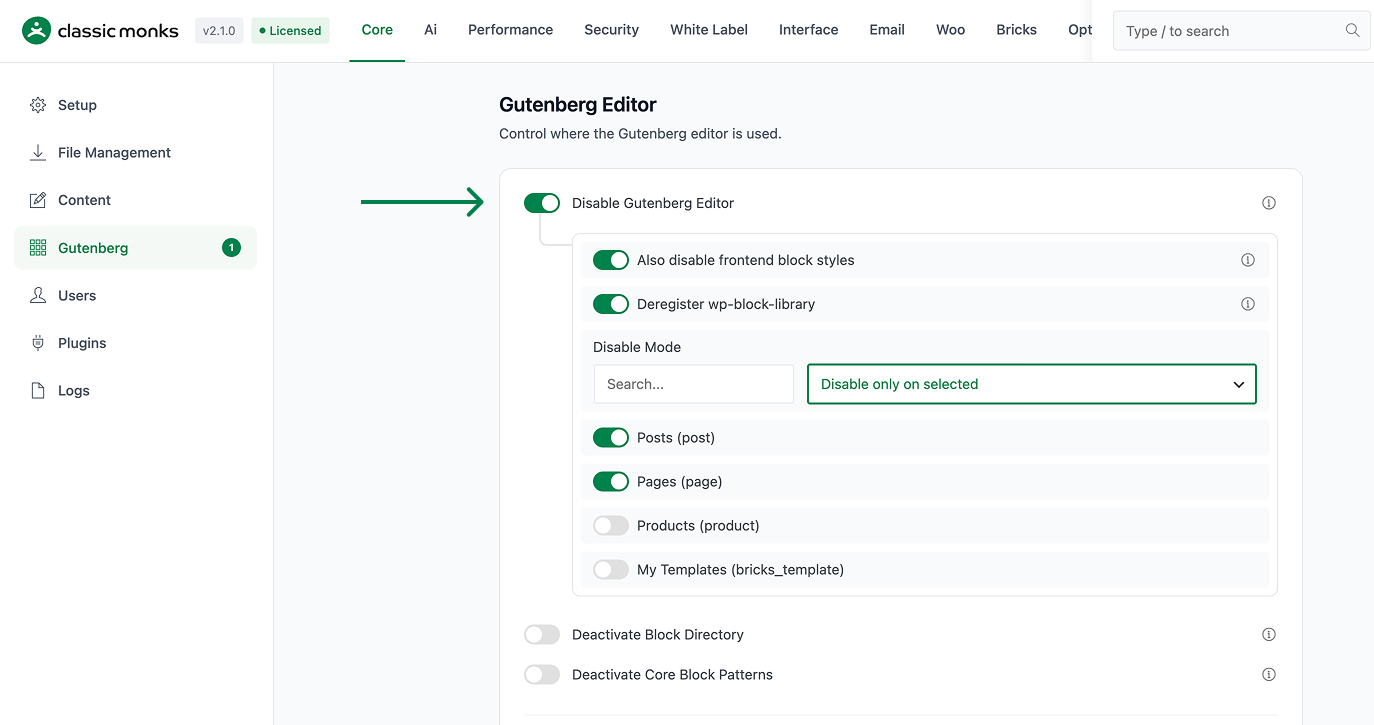
Click into the Classic Monks plugin settings in your WordPress dashboard.
Step 2: Go to the Gutenberg Subtab
Click on the Core menu, then click the Gutenberg subtab.
Step 3: Enable Disable Gutenberg Editor
Toggle on Disable Gutenberg Editor. The nested options expand with mode and per-post-type checkboxes.
Step 4: Choose Disable Mode and Post Types
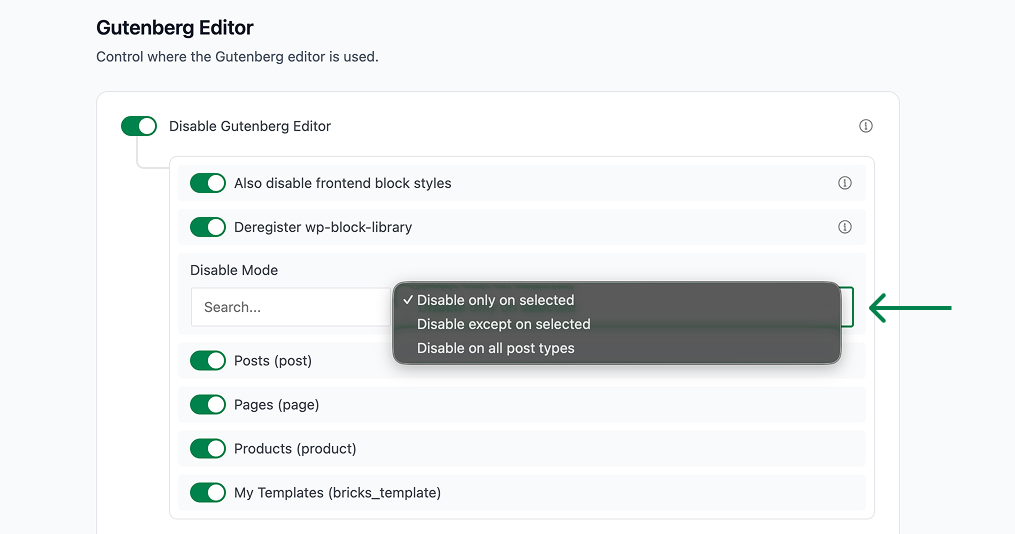
Select the disable mode (only-on, except-on, or all-post-types) and check the post types you want affected.
Step 5: Enable Additional Gutenberg Disables
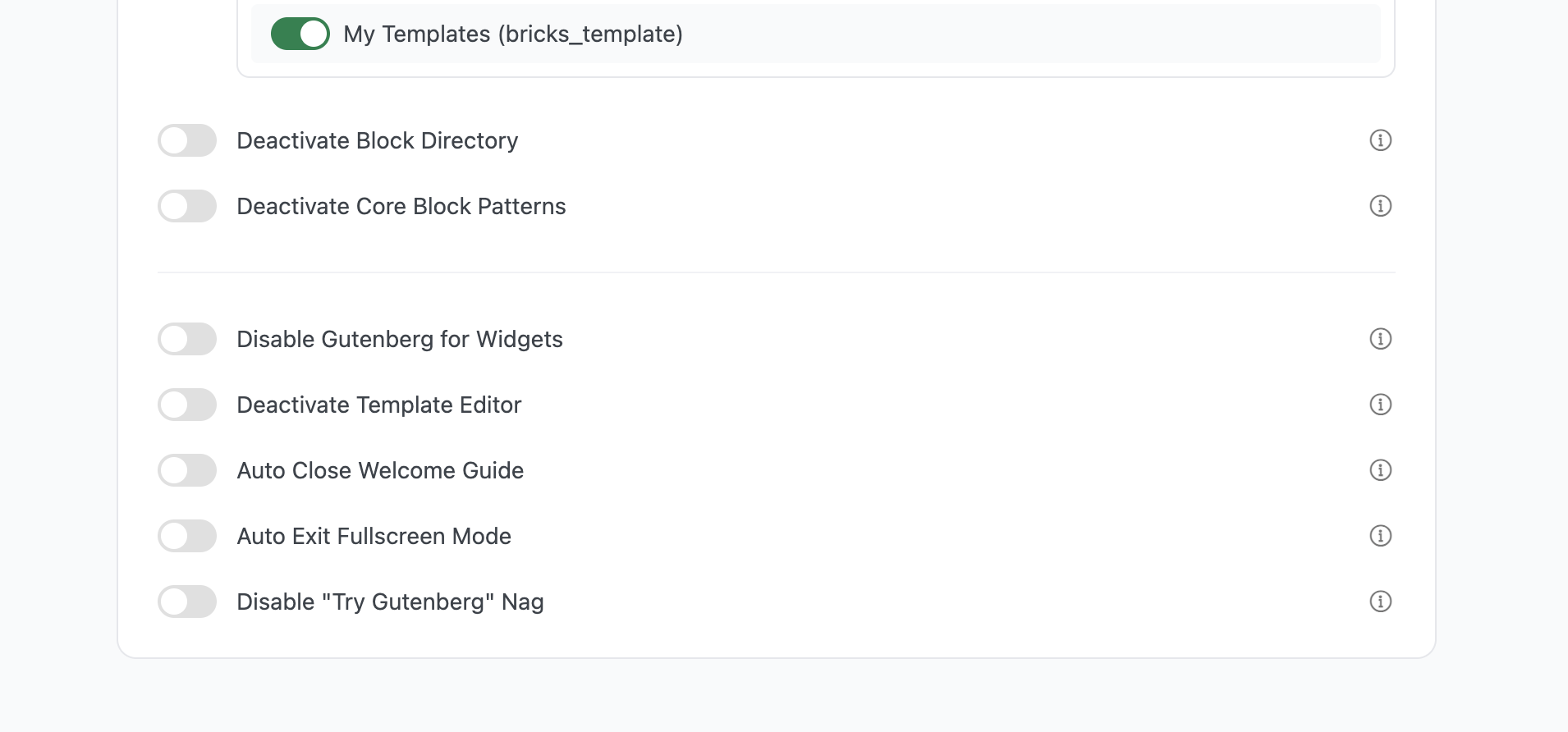
Toggle on the other Gutenberg disables you need: Block Directory, Core Block Patterns, Widgets, Template Editor, Welcome Guide, Fullscreen Mode, Try Gutenberg Nag.
Step 6: Save Changes
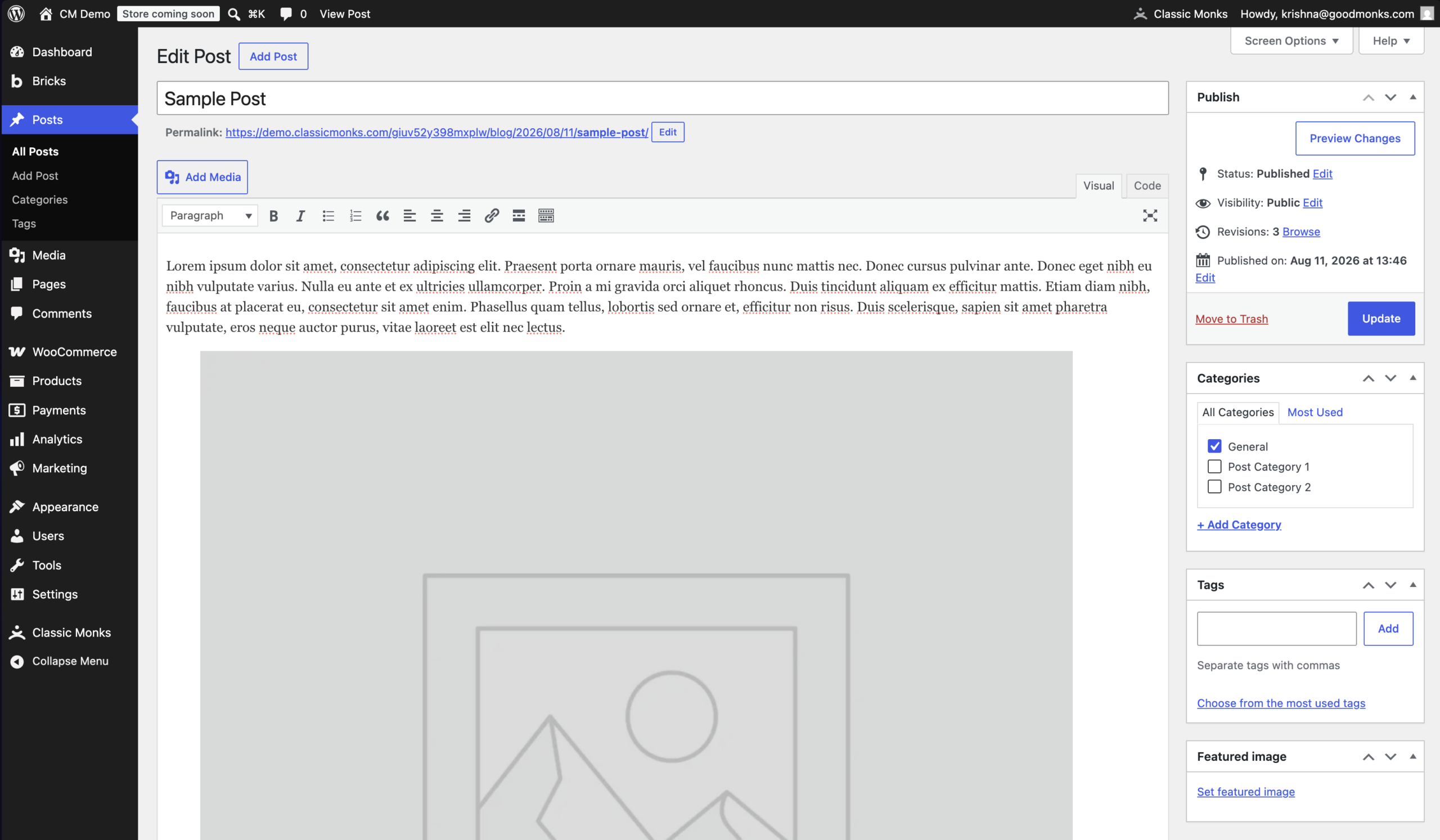
Click Save Changes. Reload the post editor to see the changes.
The Eight Gutenberg Toggles
Disable Gutenberg Editor
Selectively disables Gutenberg for specific post types and reverts them to the classic TinyMCE editor. Modes:
- Disable only on selected: Gutenberg is on for all post types except those checked
- Disable except on selected: Gutenberg is on only for checked post types
- Disable on all post types: Gutenberg is off everywhere
Post types that do not support Gutenberg (attachments, revisions, nav menu items, etc.) are excluded from the list automatically.
Also Disable Frontend Block Styles
Removes Gutenberg CSS files from the frontend when Gutenberg is disabled. Reduces page load times and prevents style conflicts with classic themes. Only applies to post types where Gutenberg is disabled.
Deactivate Block Directory
Removes the block directory feature that lets you install blocks directly from the WordPress.org block directory within the editor. Improves editor security by preventing unauthorized block installations.
Deactivate Core Block Patterns
Removes the default WordPress block patterns from the block inserter. Cleaner editor interface for custom theme development.
Disable Gutenberg for Widgets
Reverts the WordPress 5.8+ block-based widget editor back to the classic widget interface. Critical for sites using classic widget workflows or older themes that assume the classic widget UI.
Deactivate Template Editor
Removes the full-site editing template editor from the admin interface. Prevents users from modifying theme templates through the editor. Protects theme integrity from accidental modifications.
Auto Close Welcome Guide
Automatically dismisses the Gutenberg welcome guide popup that appears for new users. Streamlines onboarding and prevents repeated guide displays for experienced users.
Auto Exit Fullscreen Mode
Automatically disables Gutenberg’s fullscreen editing mode, ensuring the editor always displays with the admin sidebar visible. Maintains consistent admin interface and prevents users from getting lost in fullscreen mode.
Disable “Try Gutenberg” Nag
Removes the promotional notices encouraging users to try Gutenberg. Reduces admin interface clutter and eliminates unnecessary promotional content.
Configuration Options
| Option | Description | Default |
|---|---|---|
| Disable Gutenberg Editor | Disable Gutenberg for selected post types. | Off |
| Also disable frontend block styles | Remove Gutenberg CSS on frontend for disabled post types. | Off |
| Disable Mode | only-on, except-on, or all-post-types. | only-on |
| Deactivate Block Directory | Remove block directory feature. | Off |
| Deactivate Core Block Patterns | Remove default block patterns. | Off |
| Disable Gutenberg for Widgets | Revert to classic widget UI. | Off |
| Deactivate Template Editor | Remove full-site editing. | Off |
| Auto Close Welcome Guide | Auto-dismiss welcome guide. | Off |
| Auto Exit Fullscreen Mode | Always show admin sidebar in editor. | Off |
| Disable “Try Gutenberg” Nag | Remove promotional notices. | Off |
Recommended Configurations
Classic Editor + Classic Widgets Site
Enable:
- Disable Gutenberg Editor (all post types)
- Also disable frontend block styles
- Disable Gutenberg for Widgets
- Auto Close Welcome Guide
- Auto Exit Fullscreen Mode
- Disable “Try Gutenberg” Nag
Modern Site with Selective Classic
Enable:
- Disable Gutenberg Editor (only on specific custom post types)
- Deactivate Block Directory
- Deactivate Core Block Patterns
- Disable “Try Gutenberg” Nag
Bricks Builder Site
Enable:
- Disable Gutenberg Editor (all post types, since Bricks replaces it)
- Also disable frontend block styles
- Disable Gutenberg for Widgets (Bricks handles widgets differently)
- Deactivate Template Editor (Bricks templates are managed in Bricks)
- Disable “Try Gutenberg” Nag
Developer Notes
The Gutenberg settings control the block editor experience. No developer hooks are currently exposed.
Options used:
| Option | Type | Default |
|---|---|---|
| Boolean | ||
| Boolean | ||
| Boolean |
The Gutenberg settings are applied via .

Add your first comment to this post