




What Does the Feature Do?
When the cart is empty, the WooCommerce cart page shows a message and offers little to do. The Redirect Empty Cart feature sends the visitor to a useful destination instead of showing the empty cart page.
The destination is configurable: visitors can go to the shop page or a custom URL you provide.
Why You Need It
An empty cart is a dead end for a visitor:
- They cannot add anything from inside the cart page
- The empty message gives no path forward
- Redirecting keeps them moving toward your products or a specific page
- A custom URL lets you control the exact landing page
How to Redirect an Empty Cart in WooCommerce
Step 1: Enable the Feature
- In WordPress admin, open Classic Monks > WooCommerce.
- Open the Redirection settings area.
- Toggle on Redirect if Cart is Empty.
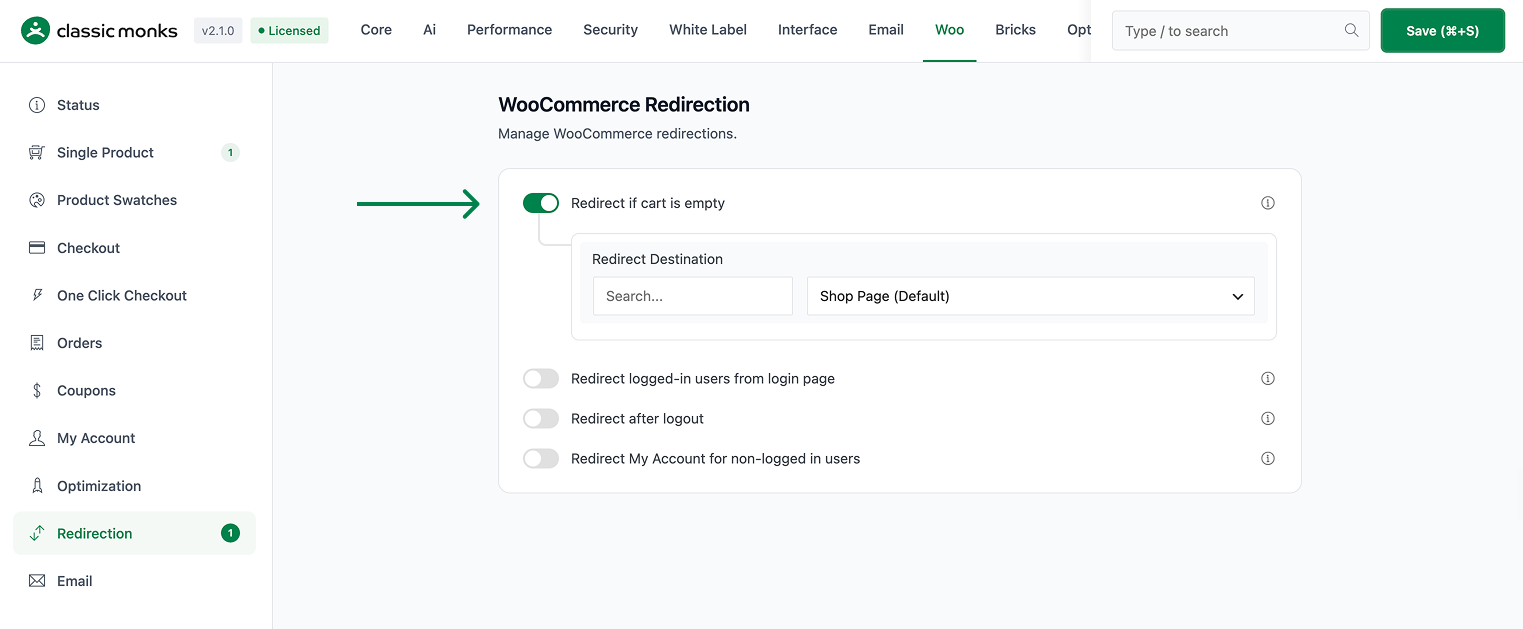
Step 2: Choose the Destination
- Redirect Page: pick the shop page, a specific site page, or Custom.
- If you choose Custom, enter a Custom URL to send visitors to.
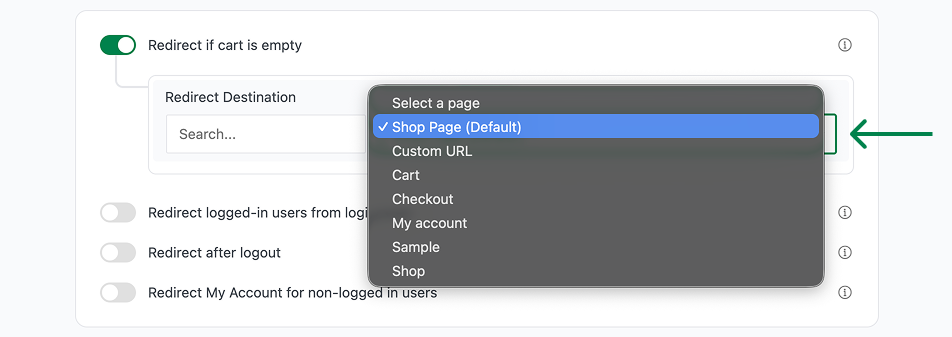
Step 3: Save and Test
Click Save Changes. Open the cart page with an empty cart and confirm you are redirected to the destination you chose. When the cart has items, the cart page shows normally.
Configuration Options
| Option | Behavior | Default |
|---|---|---|
| Redirect if Cart is Empty | Master toggle. | Off |
| Redirect Page | Shop, a selected page, or Custom. | Shop |
| Custom URL | Destination when Redirect Page is set to Custom. | Blank |
What Gets Affected
- The cart page when the cart is empty: visitors are redirected
- The destination page: receives the redirected visitor
What Does NOT Get Affected
- The cart page when the cart has items: shows normally
- The selected destination page’s own content: unchanged
- Saved carts and customer data: unaffected
Advanced Options (Developers)
The feature registers one hook in functions/woocommerce/woocommerce-functions.php:
add_action( 'template_redirect', 'cm_redirect_empty_cart' );template_redirect calls cm_redirect_empty_cart() to check the cart state on the cart page and redirect empty carts to the configured destination.
Common Use Cases
Keep visitors shopping. Send empty-cart visitors back to the shop so they continue browsing.
Direct to a sale landing page. Use a custom URL to route empty-cart traffic to a specific promotion or collection.
Mobile experience. On phones, a redirect to a browsable page is more useful than an empty cart message.

Add your first comment to this post