




What Does the Feature Do?
WooCommerce’s billing form includes a company name field by default. The Remove Company Field feature removes that input from the checkout form, so customers no longer see or fill in a company name.
The existing data is untouched: orders placed before or after still store whatever company value exists. The feature only stops the field from being shown and collected at checkout.
Why You Need It
The company field is aimed at B2B invoicing. For consumer-facing stores it is often unnecessary:
- Few retail customers enter a company name
- An unused field adds length to the checkout form
- Removing it shortens the form and focuses customers on what matters
- B2B stores that need the field can keep it off
How to Remove the Company Field from WooCommerce Checkout
Step 1: Enable the Feature
- In WordPress admin, open Classic Monks > WooCommerce.
- Open the Checkout settings area.
- Toggle on Remove Company Field.
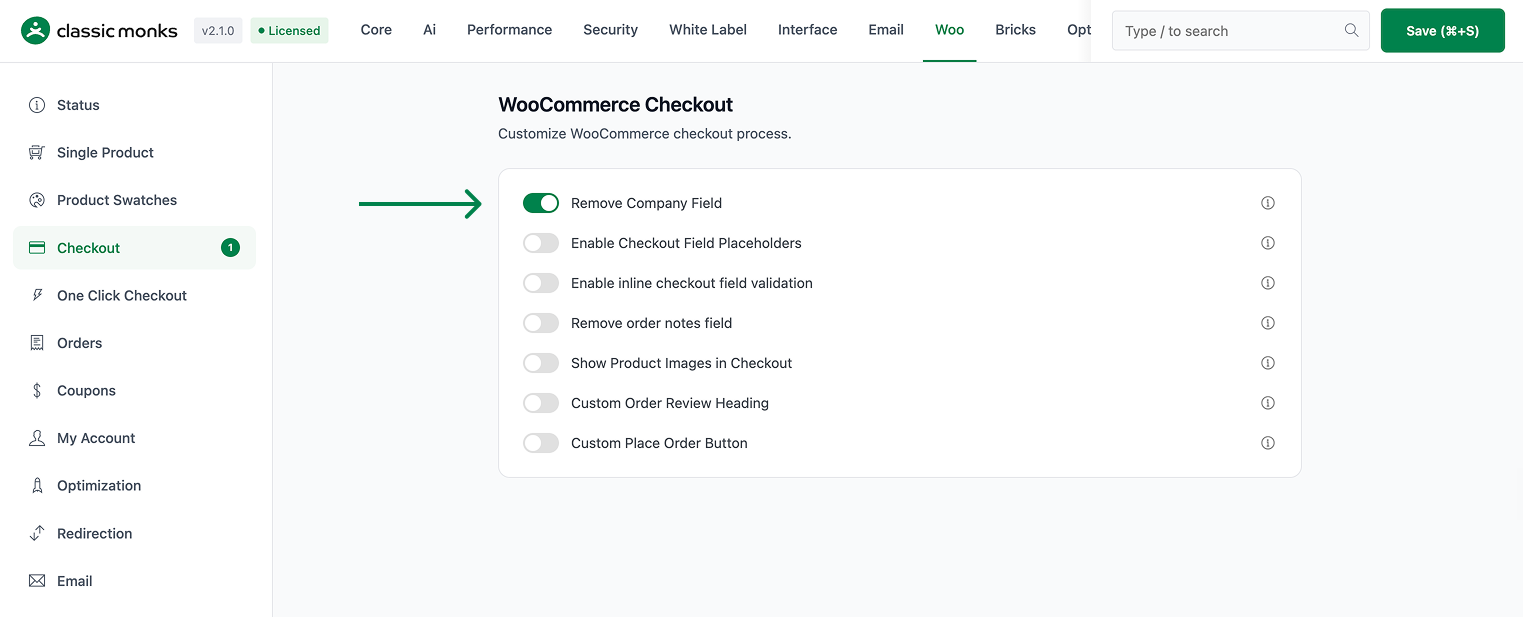
Step 2: Save and Test
Click Save Changes. Visit the checkout page and confirm the company name field no longer appears in the billing form.
Configuration Options
| Option | Default |
|---|---|
| Remove Company Field | Off |
There are no nested options. The feature is a single on/off control.
Common Use Cases
Consumer stores. Retail and consumer checkouts rarely need a company name, so removing the field shortens the form.
Faster mobile checkout. Fewer fields make the form quicker to complete on a phone.
B2B invoicing elsewhere. If company data matters, capture it through invoicing or order details rather than a checkout field.
What Gets Affected
- The checkout billing form: the company name field is removed
- The checkout experience: customers no longer see or enter a company name
What Does NOT Get Affected
- Existing saved company values: data already in the database is preserved
- Order records: any company value captured previously remains stored
- Custom checkout fields from other plugins: those are separate
- Billing and shipping address fields other than company: these stay in place
Advanced Options (Developers)
The feature is wired in functions/woocommerce/woocommerce-functions.php:
add_filter( 'woocommerce_checkout_fields', function($fields) {
    unset( $fields['billing']['billing_company'] );
    return $fields;
} );
woocommerce_checkout_fields runs an inline filter that unsets billing_company from the billing fields, so the input is no longer rendered at checkout.

Add your first comment to this post