




What Does the Feature Do?
WooCommerce shows an optional order notes text area on the checkout form where customers can leave instructions. The Remove Order Notes feature removes that text area from the form when enabled.
Existing order notes already saved in the database are not deleted. The feature only stops the checkout from presenting the field, so new customers cannot add an order note at checkout.
Why You Need It
For many stores the order notes field adds length without value:
- Most customers leave it blank
- A text area lengthens the checkout form
- Digital, service, and delivery-on-standard stores rarely need instructions
- Admin order notes are still available even when the customer field is removed
How to Remove Order Notes from WooCommerce Checkout
Step 1: Enable the Feature
- In WordPress admin, open Classic Monks > WooCommerce.
- Open the Checkout settings area.
- Toggle on Remove Order Notes.
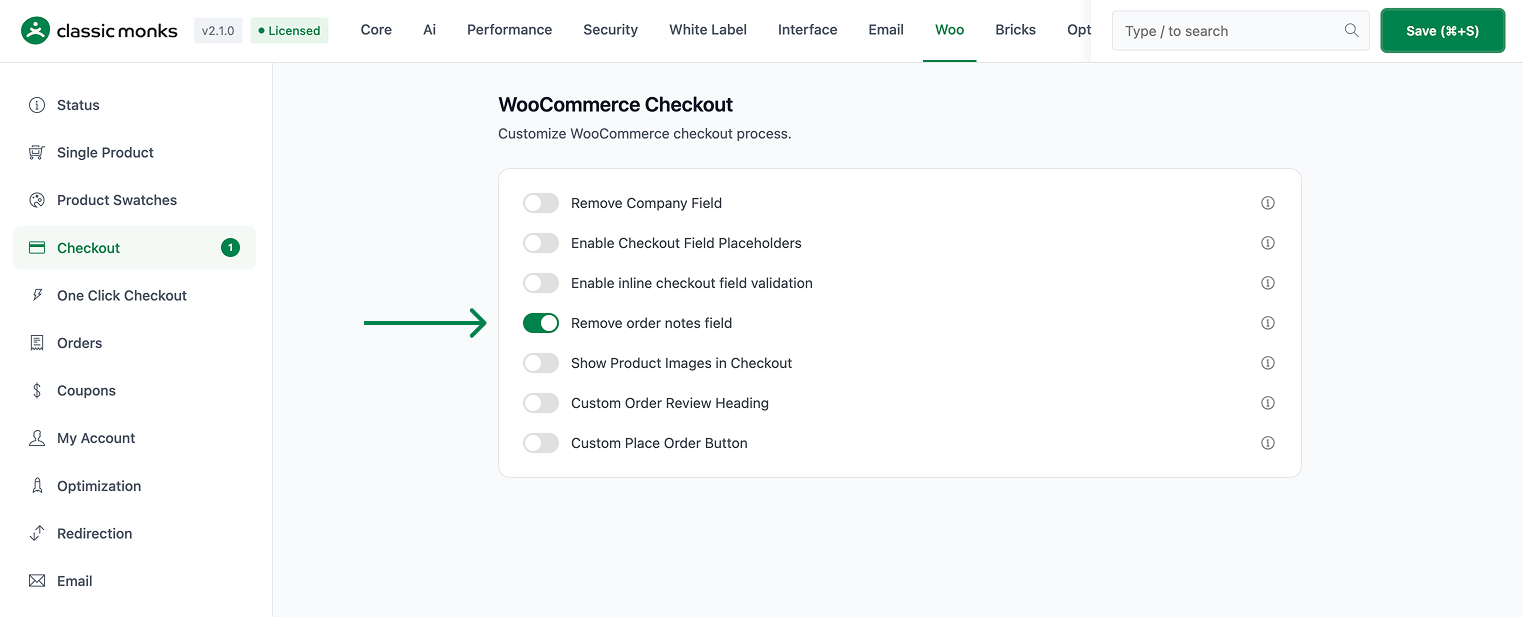
Step 2: Save and Test
Click Save Changes. Visit the checkout page and confirm the order notes text area no longer appears.
Configuration Options
| Option | Default |
|---|---|
| Remove Order Notes | Off |
There are no nested options. The feature is a single on/off control.
Common Use Cases
Digital and service stores. Stores that sell downloadable products, course access, or services usually do not need delivery instructions, so removing the field shortens the form.
Standard delivery routes. Fulfillment flows with fixed shipping rules rarely need a customer-provided note, making the field unnecessary overhead.
Simpler checkout. Any store aiming for a shorter, cleaner checkout can remove the field while keeping admin order notes for internal use.
What Gets Affected
- The checkout form: the order notes text area is removed
- New orders: customers can no longer add an order note at checkout
What Does NOT Get Affected
- Previously saved order notes: existing data stays in the database
- Admin order notes: the admin order screen can still hold notes you add there
- Other checkout fields: only the order notes area is removed
- Saved address data: unrelated to this feature
Advanced Options (Developers)
The feature registers one hook in functions/woocommerce/woocommerce-functions.php:
add_filter( 'woocommerce_checkout_fields', 'cm_remove_order_notes' );woocommerce_checkout_fields calls cm_remove_order_notes() to remove the order notes field from the checkout form when the feature is enabled.

Add your first comment to this post