




What Does the Feature Do?
The WooCommerce account settings form includes a display name field where customers choose how their name appears. The Remove Display Name from Account Settings feature removes that field from the account form and from the required account fields.
Existing display names already set are preserved. Customs cannot edit the display name in the account area, but admins can still change it from the WordPress user editing screen.
Why You Need It
The display name field is often unnecessary:
- Few customers change their display name on the account page
- Removing it shortens the account form
- It reduces editing choices for stores that manage names centrally
- Admins can still correct a display name in the user screen
How to Remove the Display Name Field from the WooCommerce Account
Step 1: Enable the Feature
- In WordPress admin, open Classic Monks > WooCommerce.
- Open the My Account settings area.
- Toggle on Remove Display Name from Account Settings.
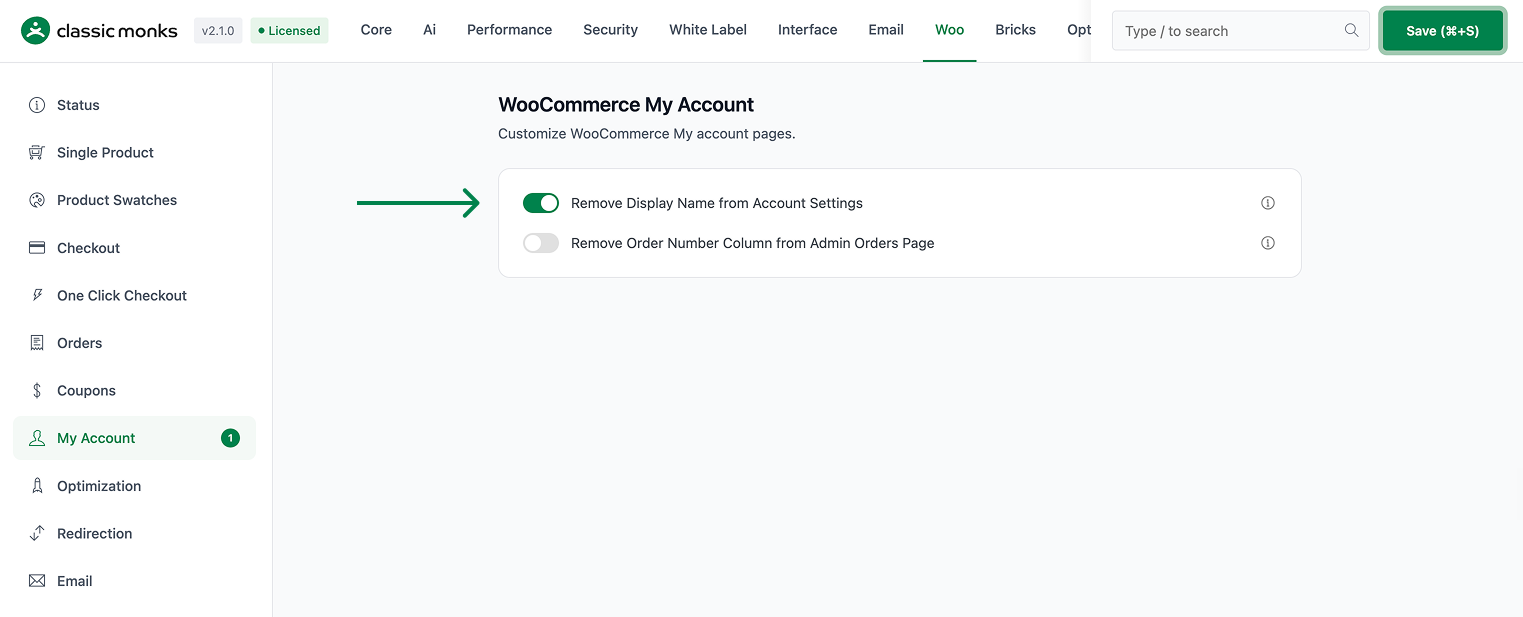
Step 2: Save and Test
Click Save Changes. Log in as a customer and open My Account > Account Details. The display name field should no longer appear.
Configuration Options
| Option | Default |
|---|---|
| Remove Display Name from Account Settings | Off |
There are no nested options. The feature is a single on/off control.
What Gets Affected
- The customer account details form: the display name field is removed
- The required account fields: the display name is dropped
What Does NOT Get Affected
- Existing display names: preserved in the database
- The WordPress admin user edit screen: still shows and manages the display name
- Usernames and other account fields: unchanged
- Reviews and comments: these keep using the display name as they always have
Advanced Options (Developers)
The feature registers hooks in functions/woocommerce/woocommerce-functions.php:
add_filter( 'woocommerce_save_account_details_required_fields', 'cm_remove_woocommerce_display_name_option' );
add_filter( 'woocommerce_edit_account_form', 'cm_remove_woocommerce_display_name_option' );
add_action( 'woocommerce_edit_account_form', 'cm_hide_display_name_in_account_form' );woocommerce_save_account_details_required_fieldsandwoocommerce_edit_account_formcallcm_remove_woocommerce_display_name_option(), which unsetsaccount_display_nameso the field is not processed or rendered as required.woocommerce_edit_account_formalso runscm_hide_display_name_in_account_form(), which hides the field’s row in the rendered form.
Common Use Cases
Simpler account form. Stores that manage names server-side remove the field to shorten the form.
Centralized naming. Teams that control how names appear prefer that customers not edit the display name.
Cleaner profile UX. Removing an rarely-used field keeps the account settings focused.

Add your first comment to this post