




What Does the Feature Do?
A direct checkout link takes a customer straight to the checkout with a product pre-selected. The Show Custom Quantity Generator option decides whether that checkout form shows a quantity input the customer can change before paying.
When enabled, a quantity field appears on the direct checkout page so customers can adjust the amount before placing the order.
Why You Need It
Quantity control matters for certain direct-checkout flows:
- B2B and wholesale buyers may need more than one unit
- Bulk promotions require a quantity the customer sets
- Some products are bought in multiples
- A single item is often the wrong default for these cases
How to Show a Custom Quantity Input on the WooCommerce Direct Checkout
Step 1: Enable Direct Checkout
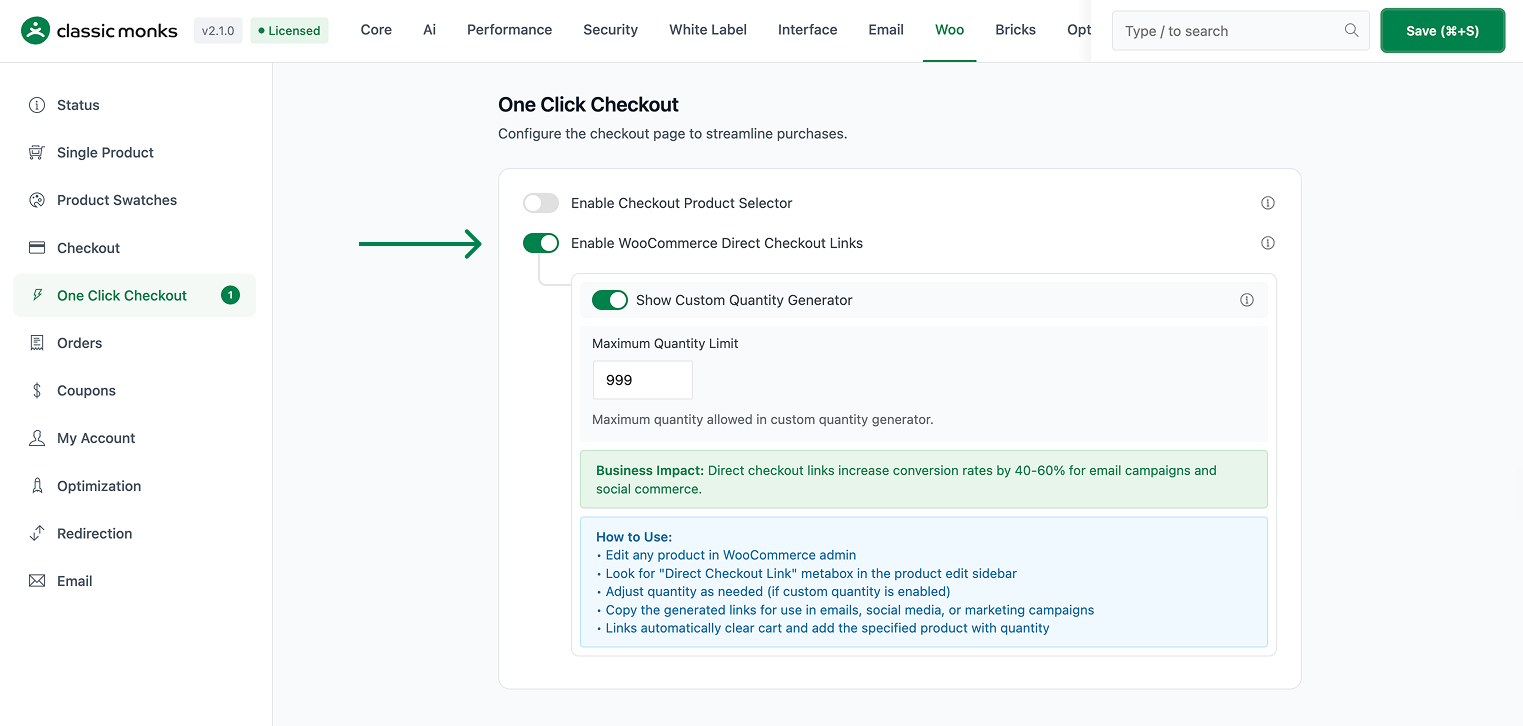
- In WordPress admin, open Classic Monks > WooCommerce.
- Open the One Click Checkout settings area.
- Confirm Enable WooCommerce Direct Checkout Links is on.
Step 2: Enable the Quantity Input
In the same settings area, enable Show Custom Quantity Generator. It is on by default when the direct checkout feature is active.
Step 3: Save and Test
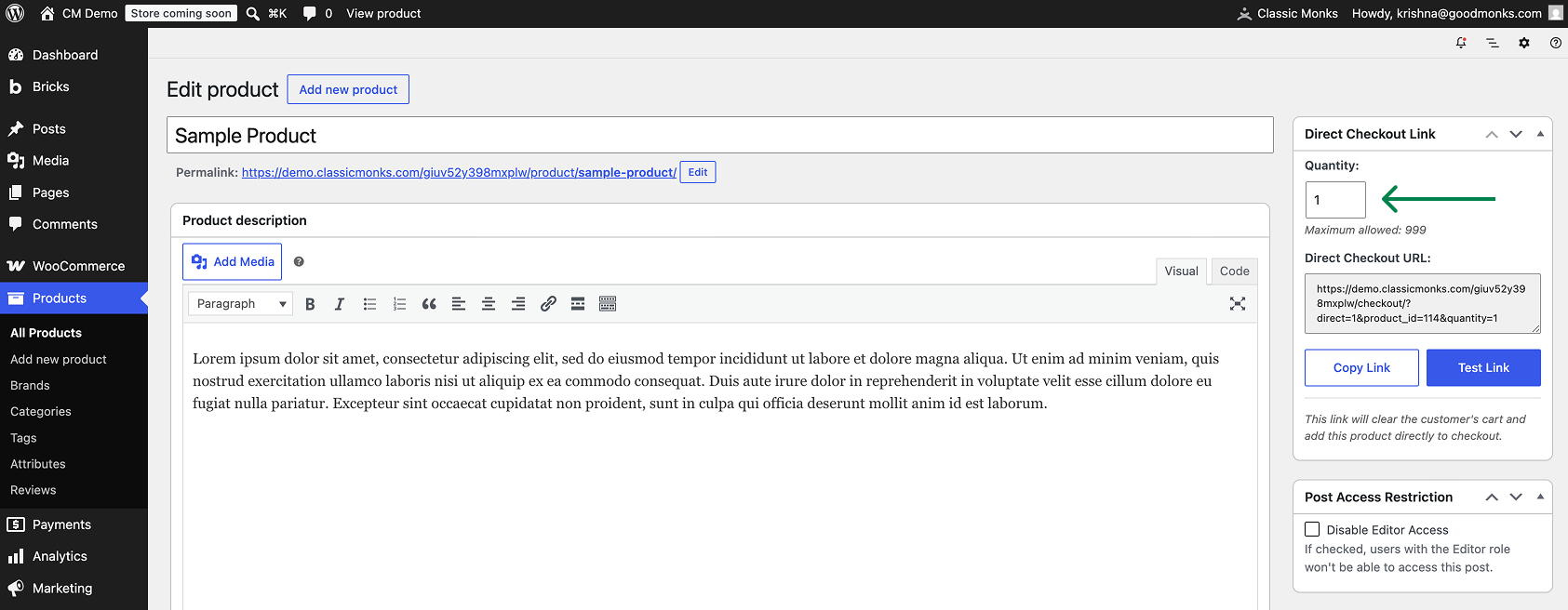
Click Save Changes. Open a direct checkout link and confirm the quantity input appears on the checkout form so the customer can set the amount.
Configuration Options
| Option | Effect | Default |
|---|---|---|
| Show Custom Quantity Generator | Shows a quantity input on the direct checkout page. | On |
The quantity input appears on the direct checkout page created by the Enable WooCommerce Direct Checkout Links feature.
What Gets Affected
- The direct checkout page: a quantity input is shown when enabled
- The order placed through the direct link: uses the quantity the customer sets
What Does NOT Get Affected
- The product page quantity input: unchanged
- The main cart and standard checkout: unaffected
- The direct checkout link’s default quantity: still the starting value, now editable
How It Works
The direct checkout page reads the product and quantity from the link. When Show Custom Quantity Generator is enabled, the checkout form renders a quantity field prefilled with the link’s quantity, letting the customer change it before the order is placed. When disabled, the quantity is locked and the form notes that custom quantity selection is off.
Common Use Cases
Wholesale link checkout. A partner shares a direct link and buyers adjust quantity to their order size.
Bulk promotions. Customers set how many units they want from a promotion link.
Repeat purchases. A returning customer buys more than one unit without a conflict on the product page default.

Add your first comment to this post