




What Does the Feature Do?
A crossed-out regular price tells a shopper the product is on sale but not how much they are saving in percentage terms. The Show Percentage Off feature adds a [percentage_off] shortcode that computes the discount percent from the product’s regular and sale prices and prints it with customizable surrounding text.
With the defaults, the output reads like “Flat 25.00% off”. If the product is not on sale, the shortcode outputs nothing.
Why You Need It
Percentages are often a clearer deal signal than a raw amount:
- “25% off” is immediately understandable to most shoppers
- It highlights the value of the discount without crowding the price line
- It pairs with the saved amount for a complete savings message
- The prefix and suffix let you match the wording to your store’s voice
How to Show the Percentage Off on Sale Products in WooCommerce
Step 1: Enable the Feature
- In WordPress admin, open Classic Monks > WooCommerce.
- Open the Single Product settings area.
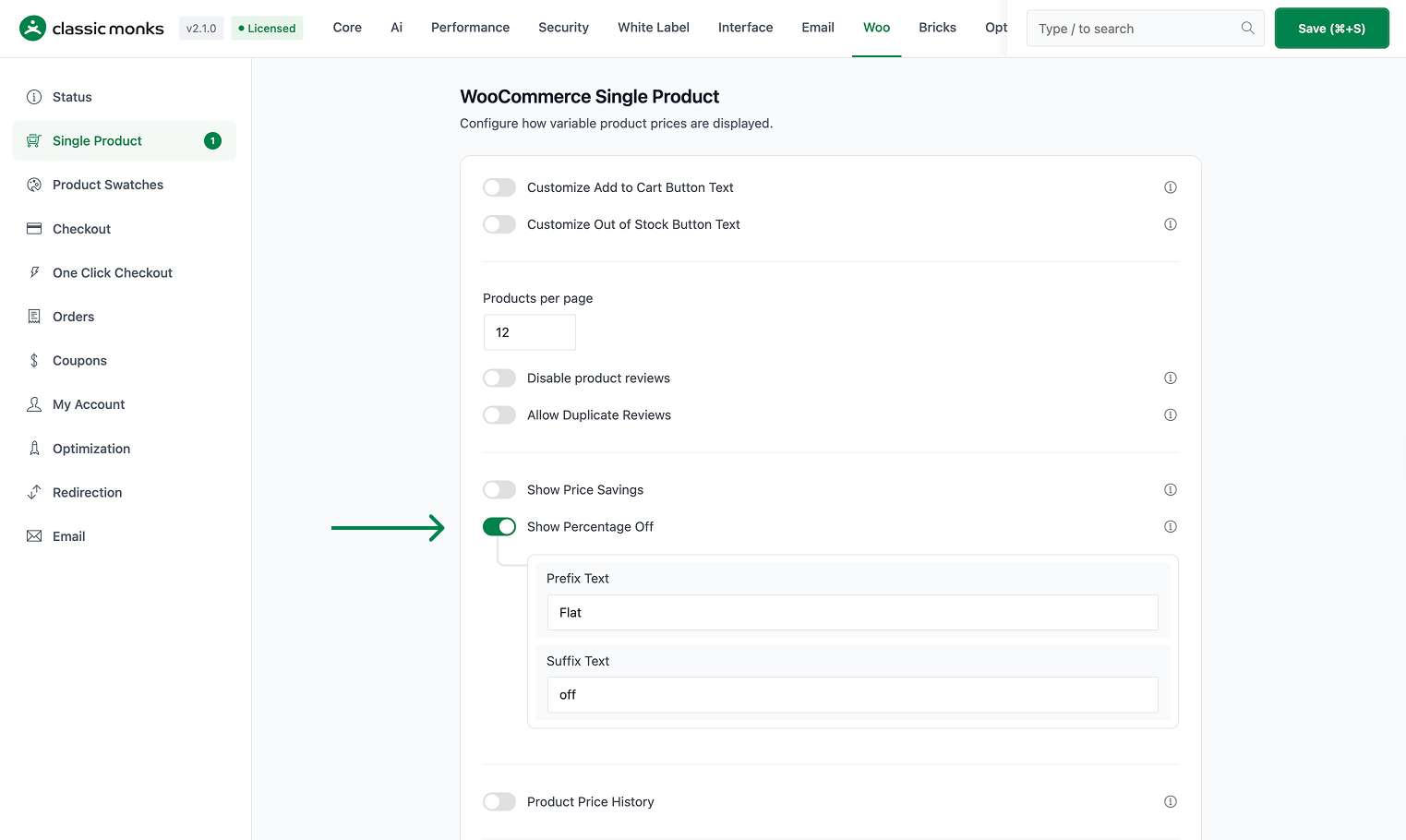
- Toggle on Show Percentage Off.
Step 2: Set the Surrounding Text
- Prefix Text appears before the percentage (default
Flat). - Suffix Text appears after the percentage (default
off).
Together, the default output reads like “Flat 25.00% off”.
Step 3: Place the Shortcode
Insert the shortcode where you want the percentage displayed:
[percentage_off]This works on the single product page, in page-builder content, and in loop templates, as long as a product is in context. If you also enabled Show Price Savings, use [price_savings] for the saved amount.
Step 4: Save and Test
Click Save Changes. Open a product that is on sale and confirm the percentage appears where you placed the shortcode. Products not on sale show nothing.
Configuration Options
| Option | Behavior | Default |
|---|---|---|
| Show Percentage Off | Master toggle for the [percentage_off] shortcode. |
Off |
| Prefix Text | Text before the percentage. | Flat |
| Suffix Text | Text after the percentage. | off |
| Show Price Savings | Separate toggle for the [price_savings] shortcode. |
Off |
What Gets Affected
- Any page containing the
[percentage_off]shortcode: the discount percent renders when the product is on sale - Customizable wording: prefix and suffix apply wherever the shortcode is used
What Does NOT Get Affected
- The WooCommerce price display: regular and sale prices keep their normal formatting
- Sale prices themselves: no prices are changed
- Cart and checkout: the shortcode is for product display only
- Products not on sale: these output nothing from the shortcode
How the Percentage Is Calculated
The shortcode reads the current product’s regular price and sale price, computes the discount as regular price - sale price, then divides by the regular price and multiplies by 100. The result is shown to two decimal places.
For example, a product with a $100 regular price and a $75 sale price produces ((100 - 75) / 100) * 100 = 25.00, rendered as “Flat 25.00% off”. The shortcode returns empty when the current product is not on sale.

Add your first comment to this post