




What Is the Form Desk feature?
WordPress form plugins (Bricks Builder forms, Fluent Forms, Gravity Forms, Contact Form 7, etc.) each have their own admin page for viewing entries. For sites with multiple forms, managing entries means navigating between multiple admin pages.
The Form Desk feature centralizes all entries into a single admin page:
- All form entries are shown in one list
- Filterable by form source (Bricks, Fluent Forms, etc.)
- Searchable across all entries
- Quick reply from the admin
Why You Need It
For sites with multiple form types:
- Multiple plugins: Bricks forms for general contact, Fluent Forms for newsletter signup
- No central view: Each plugin has its own admin page
- Missed entries: Some forms may not be monitored regularly
- Response delays: Checking multiple admin pages is time-consuming
Form Desk solves this by providing a single, unified view of all form entries.
How to Use Form Desk in WordPress
Step 1: Navigate to Settings
Click into the Classic Monks plugin settings in your WordPress dashboard.
Step 2: Go to the Interface Tab
Click on the Interface menu, then click the Form Desk subtab.
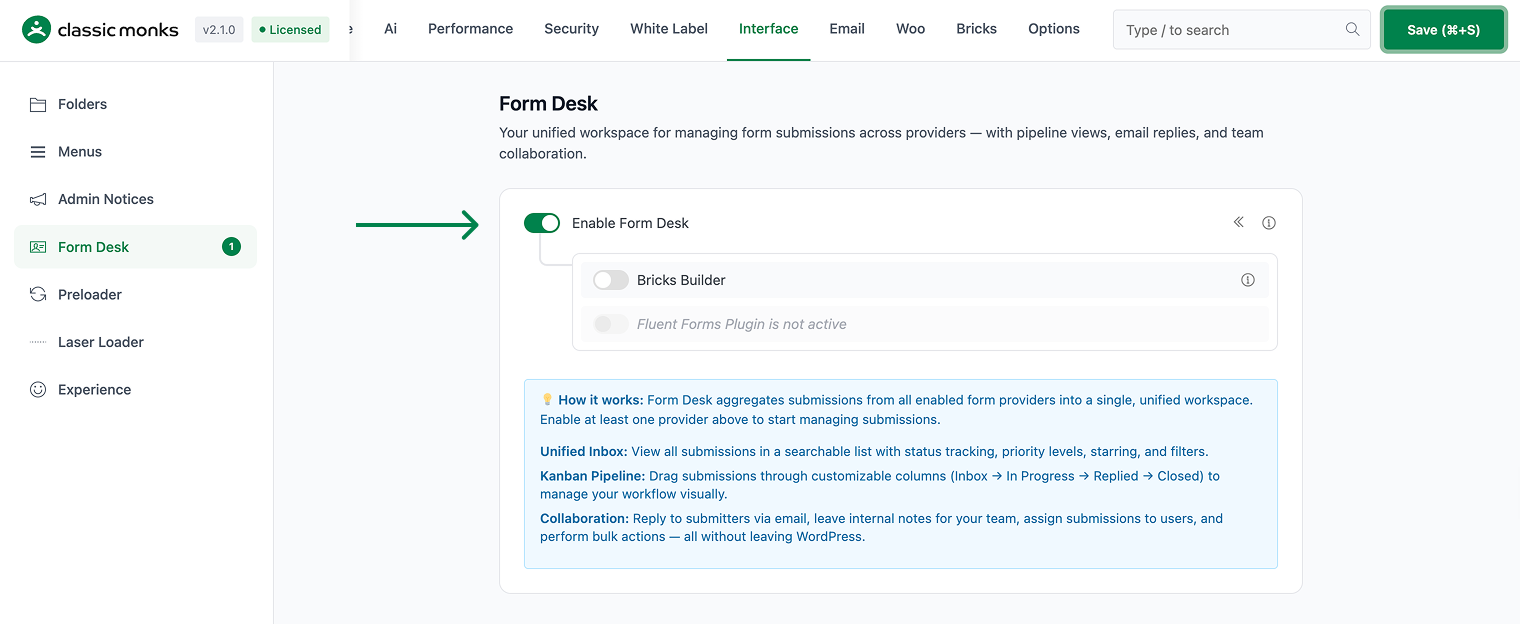
Step 3: Enable Form Desk
Scroll to Enable Form Desk and toggle on. Nested options expand.
Step 4: Enable Form Sources
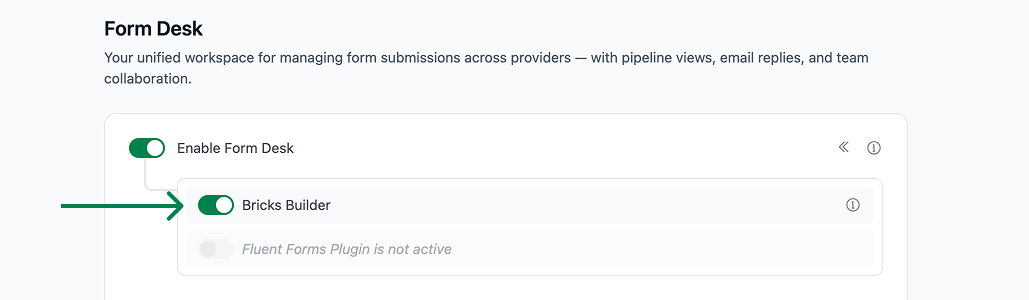
Toggle on the form sources you want to include:
- Bricks Builder: Include entries from Bricks Builder forms
- Fluent Forms: Include entries from Fluent Forms
Step 5: Save Changes
Click Save Changes.
Step 6: Test
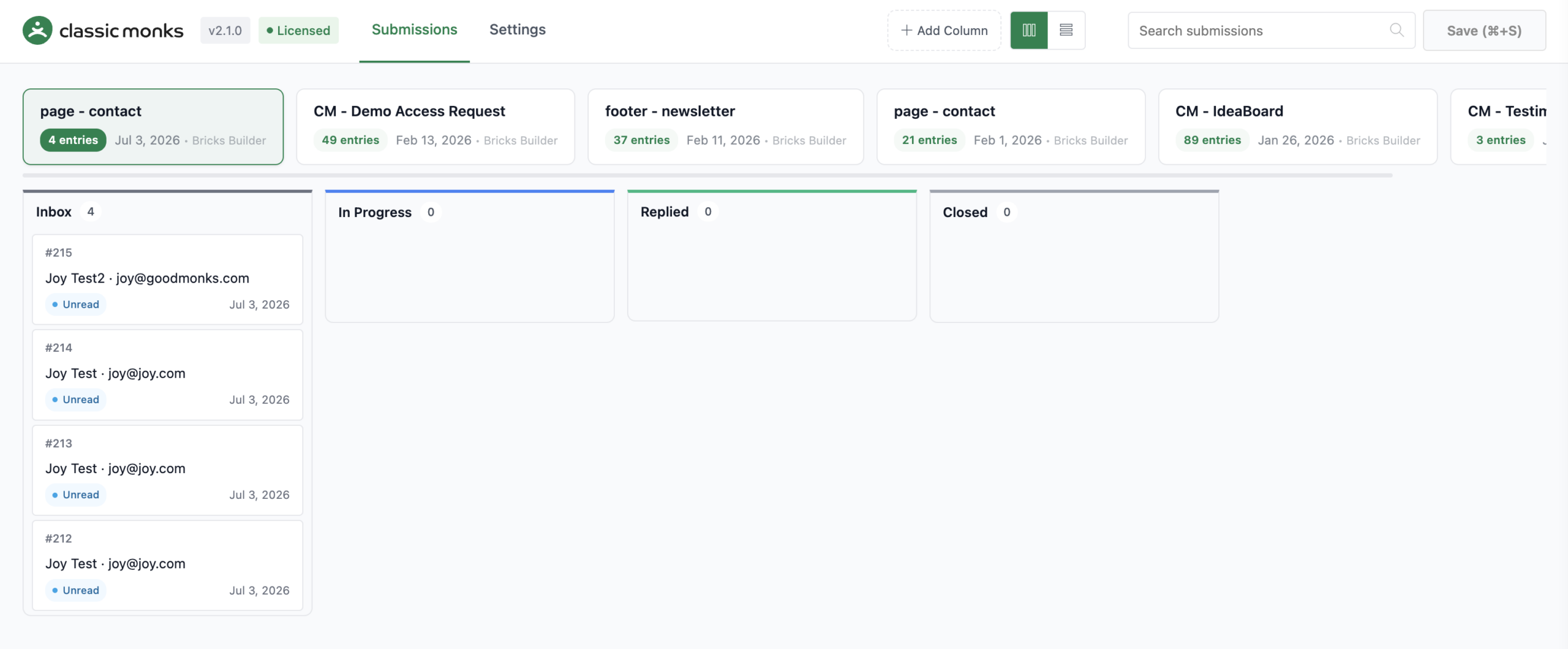
Go to the Form Desk page in the WordPress admin. Submit a test form on the frontend. The entry should appear in the Form Desk list.
Configuration Options
| Option | Description | Default |
|---|---|---|
| Enable Form Desk | Master toggle. | Off |
| Bricks Builder | Include Bricks Builder forms. | On (if Bricks active) |
| Fluent Forms | Include Fluent Forms. | On (if Fluent Forms active) |
Note: The sub-options show “not active” warnings if the corresponding plugin is not installed.
What Gets Affected
- The WordPress admin: a new “Form Desk” menu item appears
- The form entries: all form submissions from enabled sources are collected
- The entry list: searchable and filterable
- The quick reply: reply to entries directly from the admin
What Does NOT Get Affected
- The original form plugins: their admin pages still work
- The form functionality: unchanged
- The entry data: Form Desk reads the entries, doesn’t modify them
- The entry notifications: unchanged (email notifications still work)
Developer integration
This feature registers 6 WordPress hooks in form-desk.php:
Actions:
admin_menucallsCM_Form_Desk_Admin::register_submenu()(Registers Form Desk submenu page)admin_bar_menucallsCM_Form_Desk_Admin::add_toolbar_node()(Adds Form Desk link to admin bar (priority 100))wp_ajax_cm_form_desk_get_formscallsCM_Form_Desk_Ajax::handle_get_forms()(AJAX handler for fetching forms)wp_ajax_cm_form_desk_get_submissionscallsCM_Form_Desk_Ajax::handle_get_submissions()(AJAX handler for fetching submissions)wp_ajax_cm_form_desk_send_replycallsCM_Form_Desk_Ajax::handle_send_reply()(AJAX handler for sending replies)
Filters:
cm_form_desk_register_providerscallsapply_filters()(Customizable filter)
// Hooked in form-desk.php
add_action( 'admin_menu', 'CM_Form_Desk_Admin::register_submenu' );
The feature modifies WordPress behavior by registering or removing hooks. Disabling it reverses those changes.

Add your first comment to this post