




What Are Bricks Conditions
Bricks Conditions are the rules that the Bricks Builder uses to decide whether to show or hide an element. Classic Monks adds a wide set of condition types to Bricks, organized in the Conditions subtab. Once you enable them, they appear in the Bricks editor’s conditional logic panel, where you can pick a condition and a value to control when an element is visible.
Recommendations Before Enabling
- Enable the conditions you use. Each condition is independent, so enable only the ones your layouts need.
- Test on a live page. After enabling and configuring a condition, check the frontend to confirm the element shows or hides as expected.
- Combine with the right data. Some conditions need supporting data, such as WooCommerce or user data, so confirm the data is available on the page.
Enable Bricks Conditions
Step 1: Open the Bricks Tab
In your WordPress dashboard, go to Classic Monks, then open the Bricks tab.
Step 2: Open the Conditions Subtab
Click the Conditions subtab.
Step 3: Enable the Conditions You Need
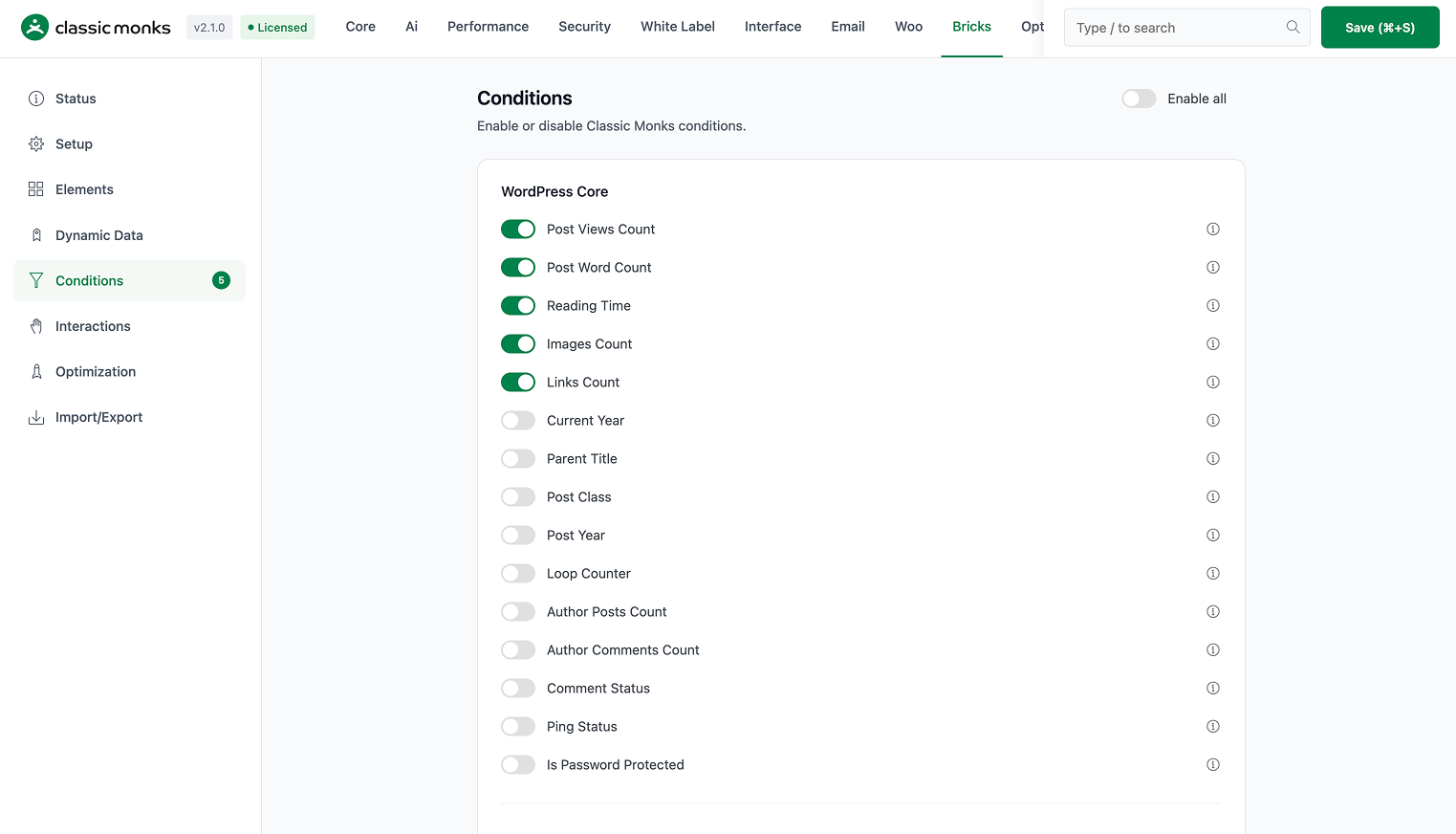
Toggle on the condition types you want to use. The conditions are grouped by data source:
- Post conditions: views, word count, reading time, date, author, comments, and more.
- User and visitor conditions: visitor type, days since registration, and user role.
- Content analysis conditions: headings, paragraphs, lists, tables, and media counts.
- Taxonomy conditions: taxonomy depth, child terms, and hierarchy.
- Image conditions: image attributes like ID, URL, alt, and caption.
- WooCommerce conditions: cart, product, customer, order, and checkout conditions.
Step 4: Save
Click Save (⌘+S).
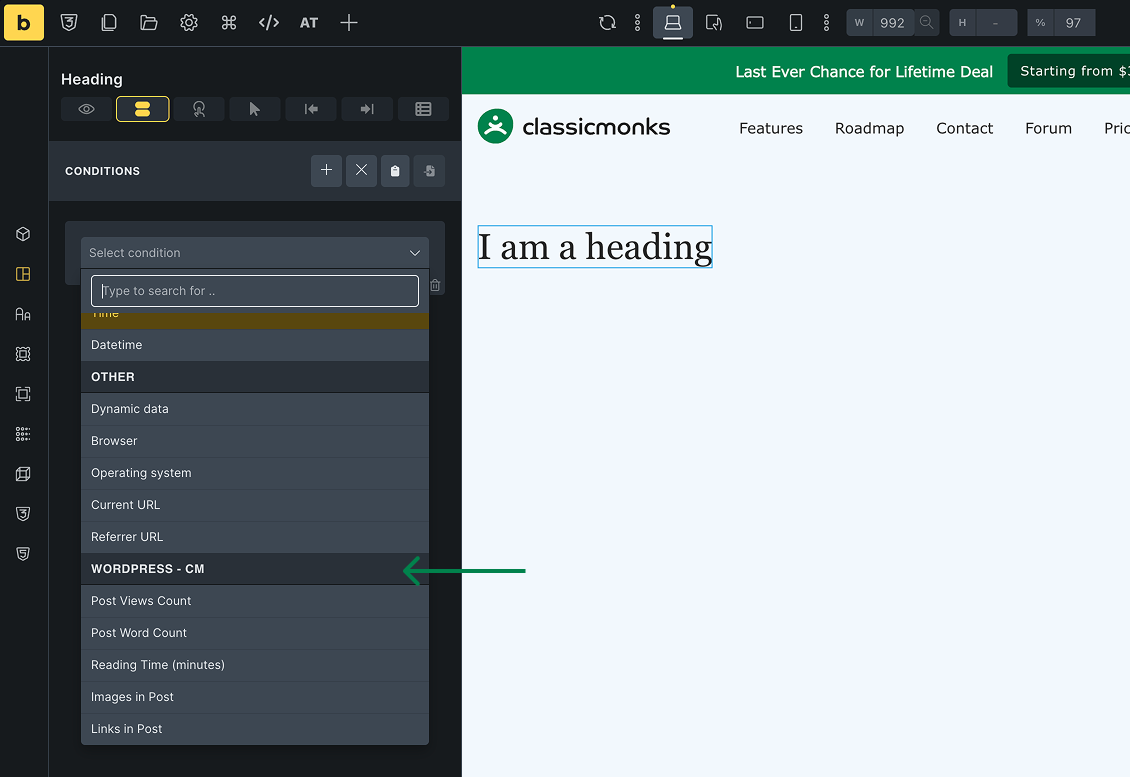
Step 5: Use a Condition in the Editor
Open a page in the Bricks editor, select an element, and add a condition in the conditional logic panel. Choose one of the enabled condition types and set its value.
Verify It Works
After enabling and configuring a condition, verify it:
- Open the page in the Bricks editor and set a condition on an element.
- View the page on the frontend and confirm the element shows or hides as the condition requires.
- Check that the condition appears in the conditional logic panel.
If a condition does not appear, confirm its toggle is on and the editor was refreshed.
Common Use Cases
Show a callout only to logged-in users
Use the Visitor Type condition to show a callout only to logged-in users, and hide it from guests. This is useful for member-only content or account prompts.
Hide a banner based on reading time
Use a Reading Time condition to hide a side banner on very short articles where it would not fit. The banner shows only on longer posts.
Show a WooCommerce notice based on sale status
Use a Sale Start Date or Sale End Date condition to show a sale notice only during the sale period. The notice appears when the product is on sale.
Show a thank-you message after checkout
Use the Thank You Page condition to show a message only on the checkout thank-you page. The message appears after a successful order.

Add your first comment to this post